


Verified review
Common Ninja has amazing no-code widgets that would beautify a website built on any builder. It is very easy to use and customise. It has as many widgets for almost everyone willing to make their website impressive.
Try the editor, no signup
Pick a template, customize it, and watch it update live, no signup.
No credit card · Free forever plan
No credit card · Free forever plan
The Common Ninja RSVP Form widget is a free, no-code embed that lets event organizers collect responses from guests through a custom form on their website.
Add the event-specific fields you need (attendance, guest count, +1 names, dietary preferences, song requests, custom questions), configure payments if your event requires a fee, enable spam protection, customize the design with skins or Custom CSS, set notification emails for new responses, and paste a one-line embed snippet on Canva, Shopify, Framer, HighLevel, WordPress, Readymag, and 200+ other platforms.
Use it for weddings, conferences, workshops, fundraisers, birthday parties, corporate events, virtual webinars, and any moment where you need a clean RSVP flow with guest data export, without piping responses through Mailchimp, Google Forms, or a paid event-platform.
Email-based RSVPs scatter responses across your inbox. A dedicated RSVP form on your event page collects every response into one structured list, no replying-to-each-email guesswork, no missed messages, no manual counting. The guest list lives in your Common Ninja dashboard with a clean export to CSV.
Generic contact forms ask for name and email. An RSVP form asks the event-specific questions. Guest count, +1 names, dietary preferences, song requests, accessibility needs, dress-code acknowledgments. The host gets the data they need to run the event without a second round of follow-up emails.
Workshop tickets, conference passes, fundraiser donations, paid-event tuition. The form can collect the response AND the payment in the same flow, instead of pinging guests with a separate Stripe link after they say yes. Combine RSVP and payment for a single-step registration that closes the loop faster.
A Contact Form (enriched at /widgets/contact-form) is for general inquiries, name, email, message. A Form Builder (enriched at /widgets/form-builder) is for any custom multi-field form. This RSVP Form is pre-tuned for events with the right defaults (attendance fields, guest counts, +1 names, dietary preferences), so you don't build from scratch every time you run an event.
Build the form with fields that match your event. Name and email (required), attendance (yes/no/maybe), guest count, +1 names, dietary preferences, song requests, accessibility needs, custom questions per event type. Mark fields required or optional, set validation rules, group related fields with section headers.
If your event has a fee (workshop tuition, fundraiser donation, ticket price), enable payment collection via the widget's payment integration. Set notification email addresses so the host gets pinged when a new RSVP arrives. Enable spam protection (honeypot, optional CAPTCHA) so the inbox stays clean.
Copy the one-line embed snippet and paste it on Canva, Shopify, Framer, HighLevel, WordPress, Readymag, or any of the 200+ supported platforms. Responses save to your Common Ninja dashboard; export the full guest list to CSV whenever you need it for seating, catering counts, or contact follow-up. Edits in the editor push to every embed without re-paste.
Pre-tuned field types for events. Attendance (yes/no/maybe), guest count, +1 names, dietary preferences (dropdown or checkboxes), song requests, accessibility needs, dress-code acknowledgments. Add custom fields for event-specific questions and reorder via drag-and-drop in the editor.
Collect payment alongside the RSVP for paid events: workshop tickets, conference passes, fundraiser donations, ticketed dinners. The form integrates payment in the same submission step, so guests don't bounce between a yes/no form and a separate checkout page.
Honeypot fields and optional CAPTCHA keep the inbox clean. Validation rules block obvious junk (empty emails, malformed addresses, bot patterns) at submission so your guest list reflects real responses, not fake registrations.
Pick from a library of pre-designed skins (wedding-elegant, corporate-clean, vibrant-event, dark-mode, brand-neutral) for a fast visual fit. Layer Custom CSS for pixel-level control over field spacing, button styling, header typography, and per-section dividers.
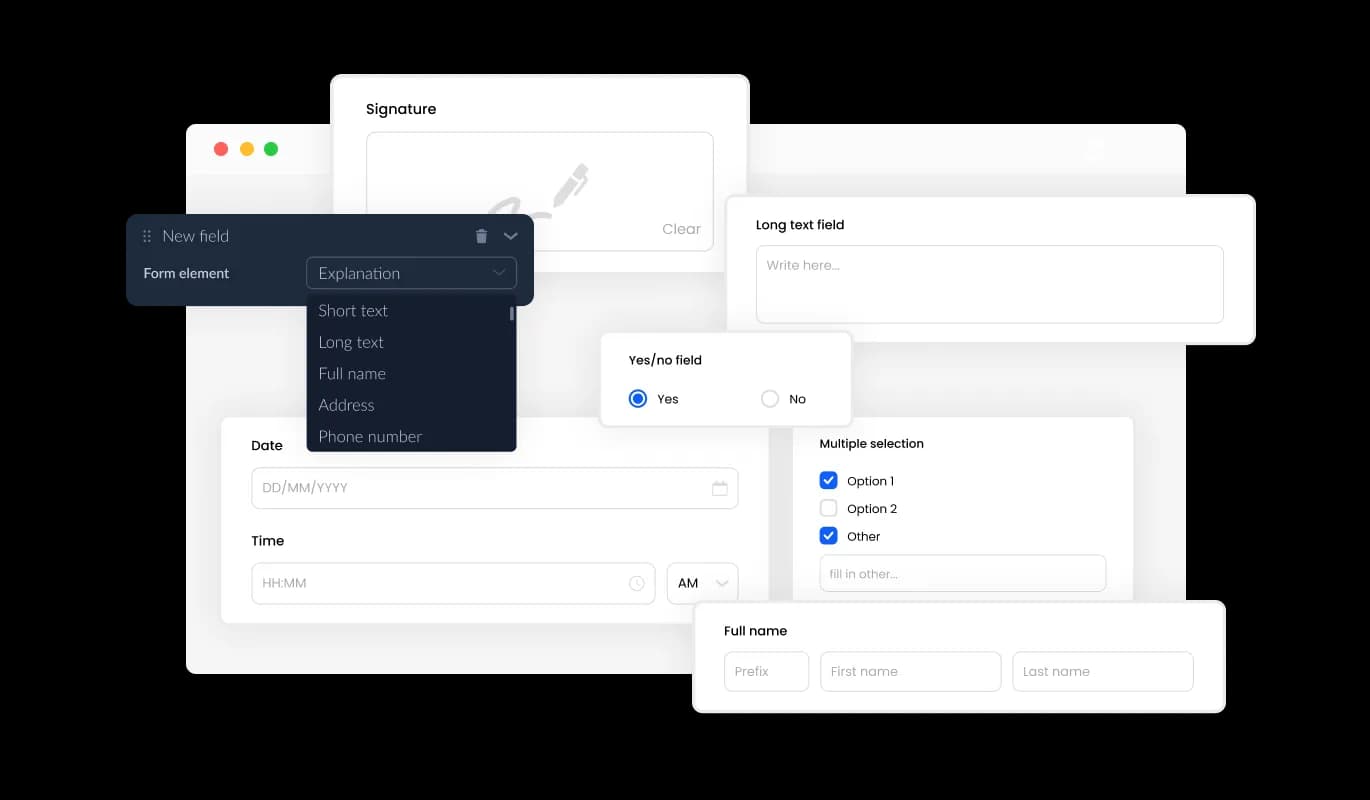
The RSVP Form provides a selection of fields, from basic to specialized formats, enabling you to create event registration forms that meet your needs and goals. To include a field, click on the "Add Field" option and choose from an extensive range of field types. Moreover, conveniently modify the field sequence by utilizing the drag-and-drop feature.
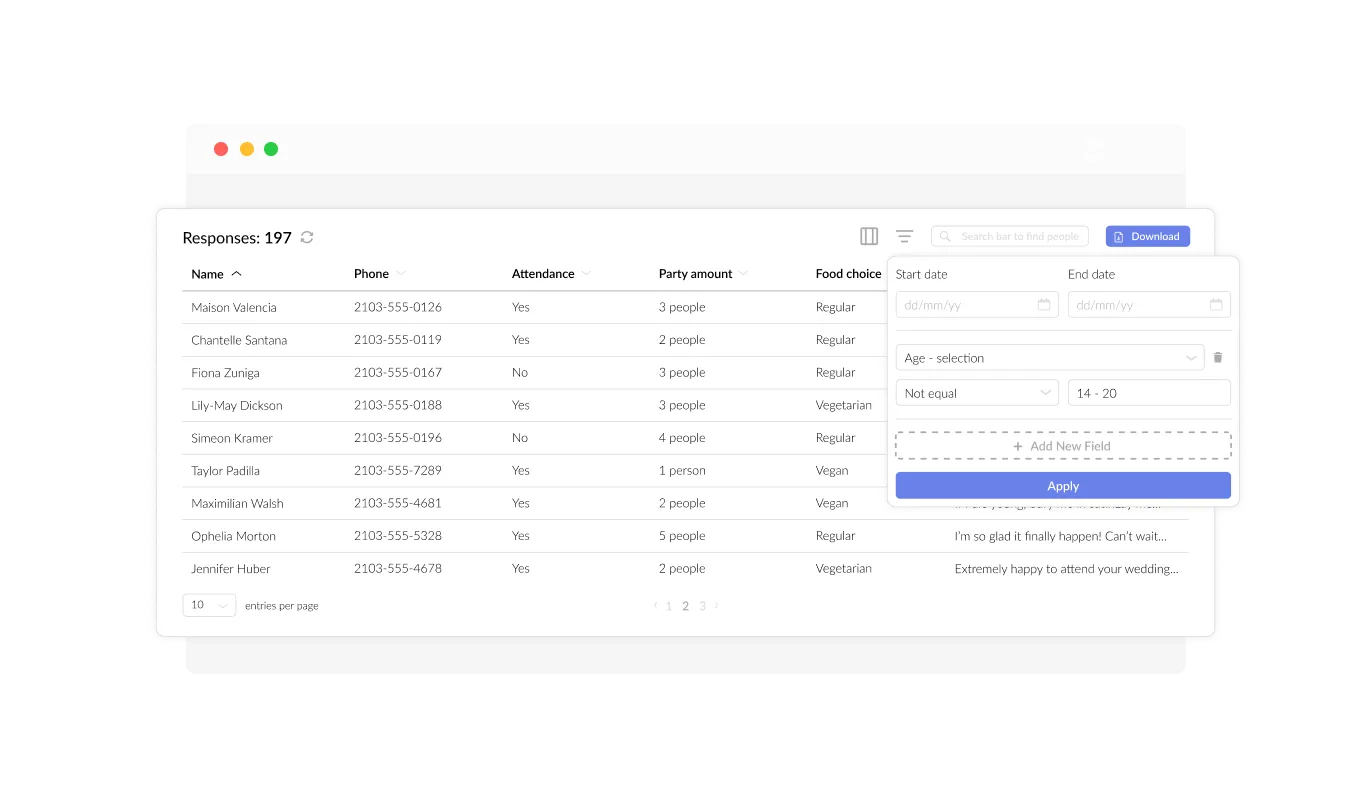
The Event Registration Form simplifies the organization and display of all guest RSVP data (information submitted in the forms) in an easy-to-understand and accessible layout. This functionality streamlines the monitoring of event attendee submissions, ensuring that you can review and manage responses more efficiently and effectively.
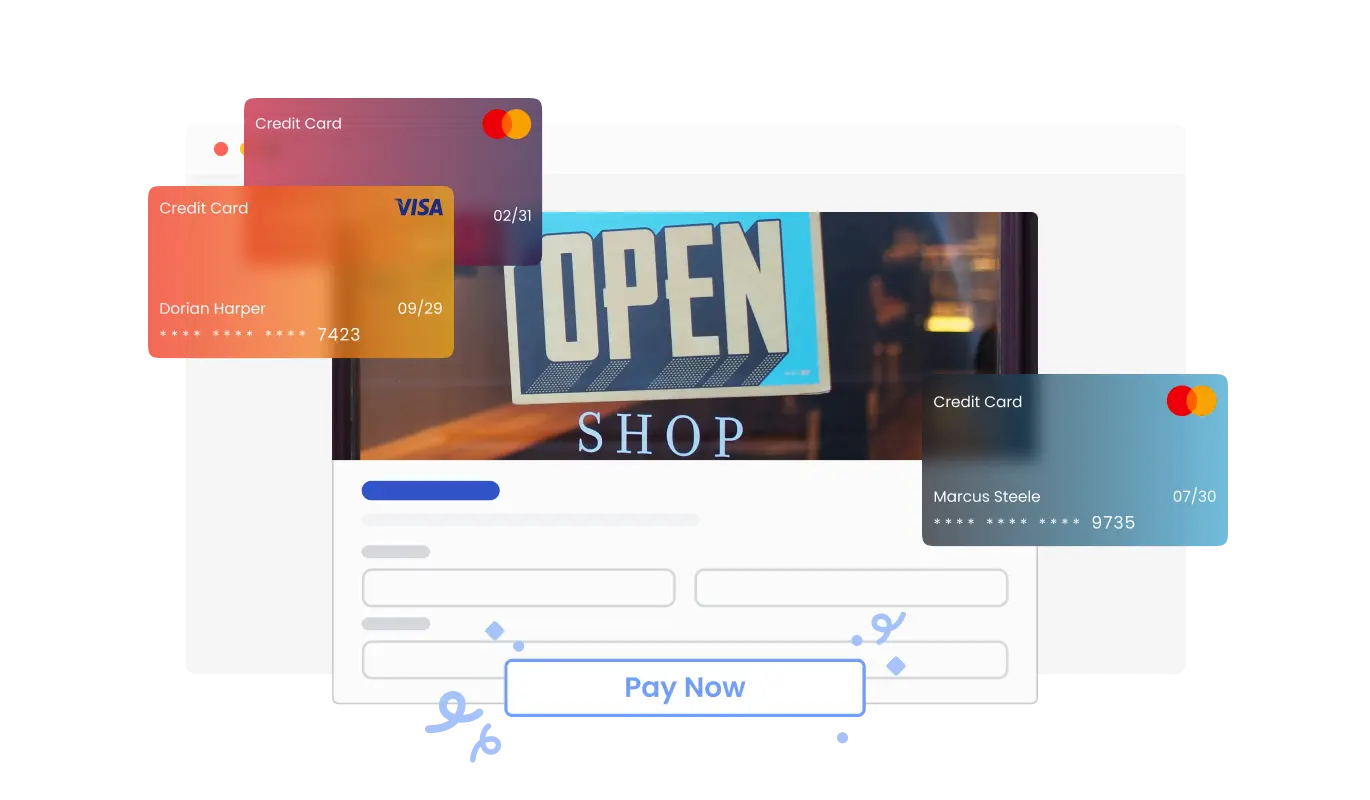
The RSVP Form allows you to seamlessly accept payments from your users. Whether you’re managing event fees, deposits, or donations, this feature integrates secure payment options directly into your form. With an intuitive setup and reliable payment processing, you can simplify your event management while providing a convenient experience for your attendees.
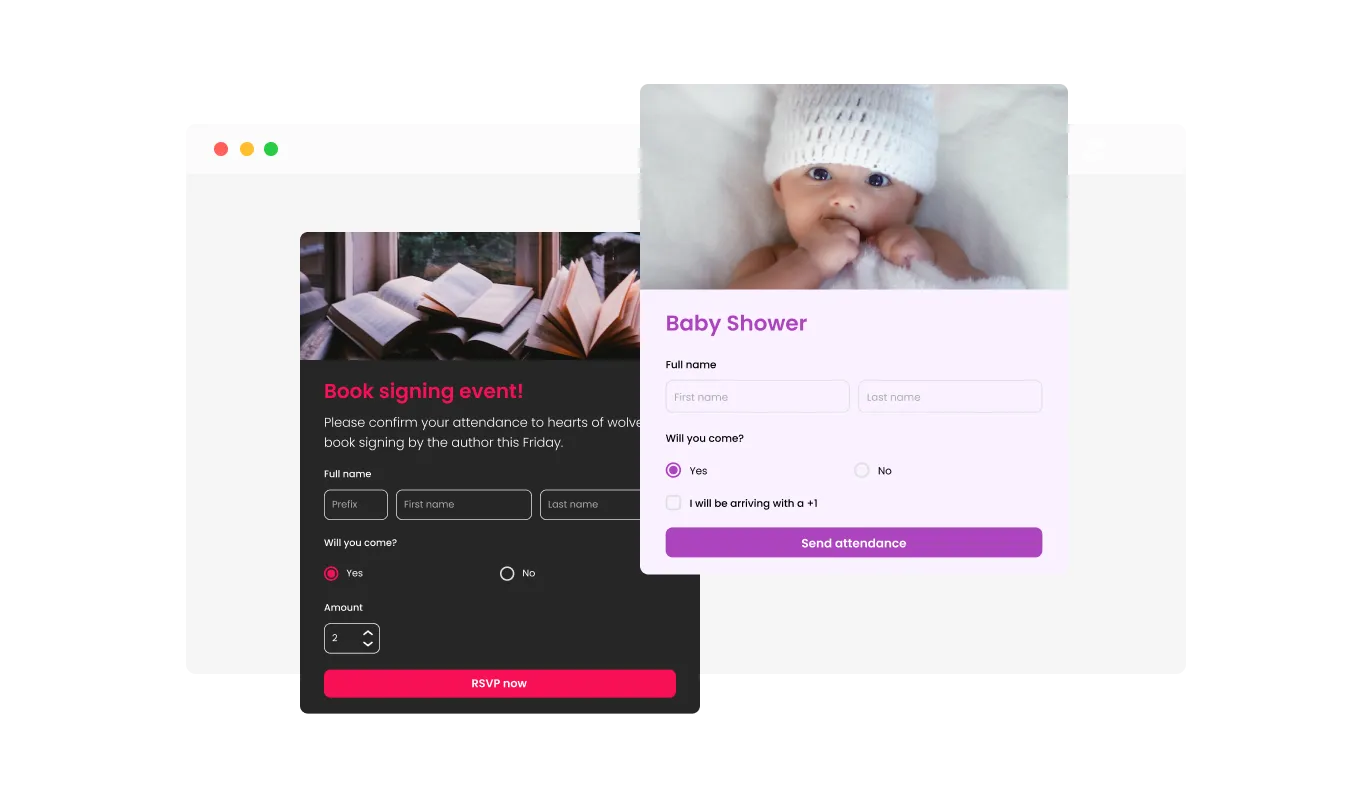
By incorporating specific RSVP Form fields such as meal preferences, guest details, and more, you can collect additional information that helps you manage your event more efficiently. Including fields like special accommodations, dietary restrictions, or group affiliation can provide further insight into the attendees' needs and preferences, offering a more comprehensive understanding of their requirements and ensuring a well-organized event experience.
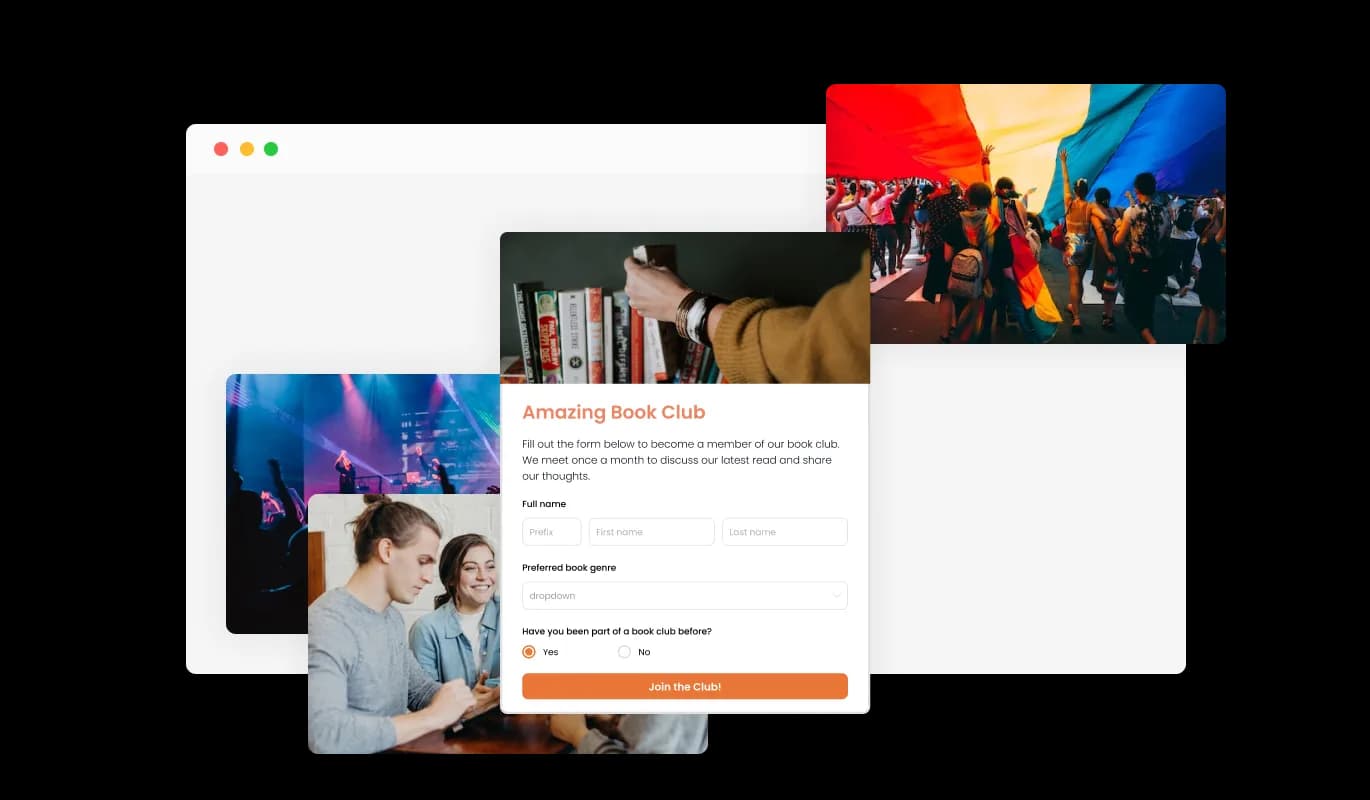
Incorporating headings, descriptive text, and visuals into your Event Registration Form creates a more engaging and user-friendly submission experience for attendees. Including informative form elements can guide guests through the registration process, promoting a smooth experience and increasing the likelihood of successful event sign-ups.
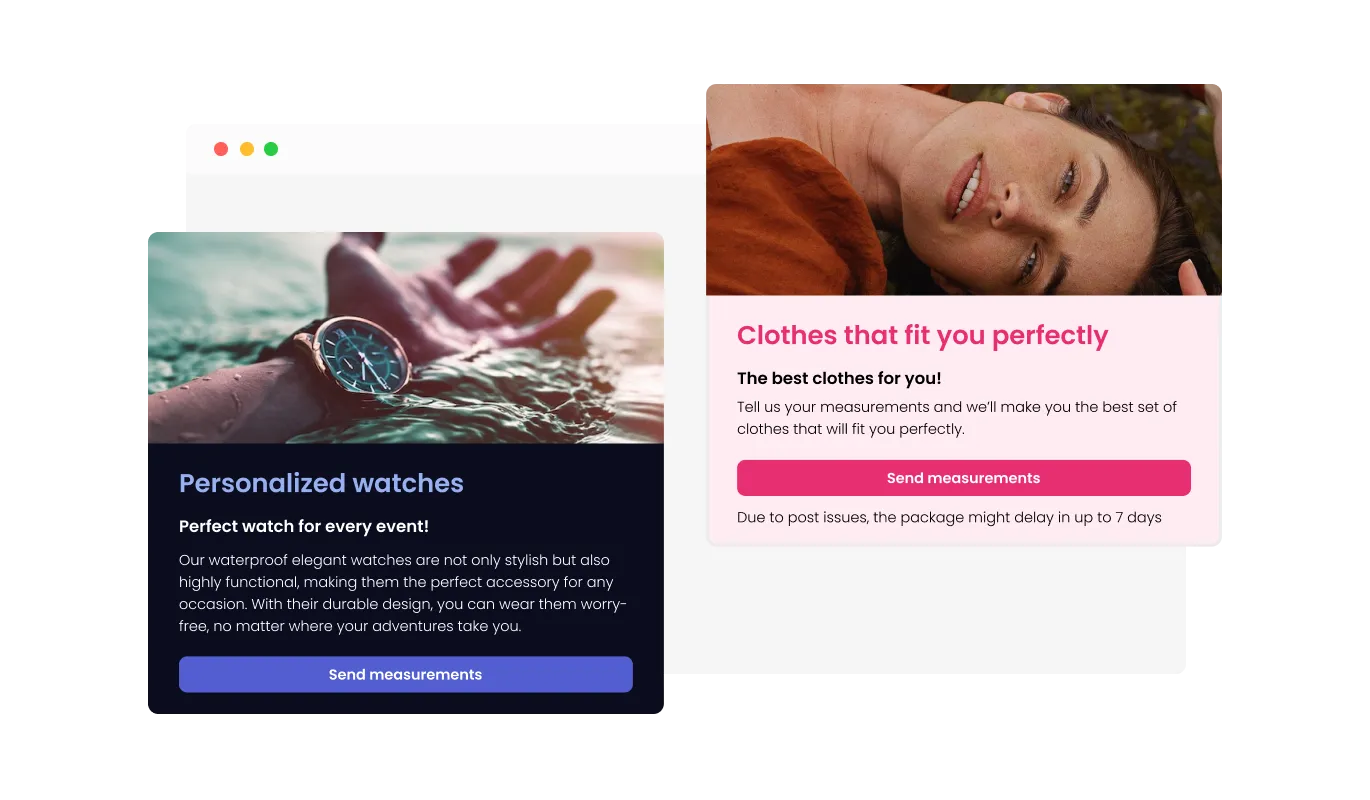
The RSVP Form provides header and footer customization options, including the capability to include images. This functionality presents a great opportunity to reinforce your event's branding and create an aesthetically pleasing form that seamlessly aligns with your website's overall appearance and style.
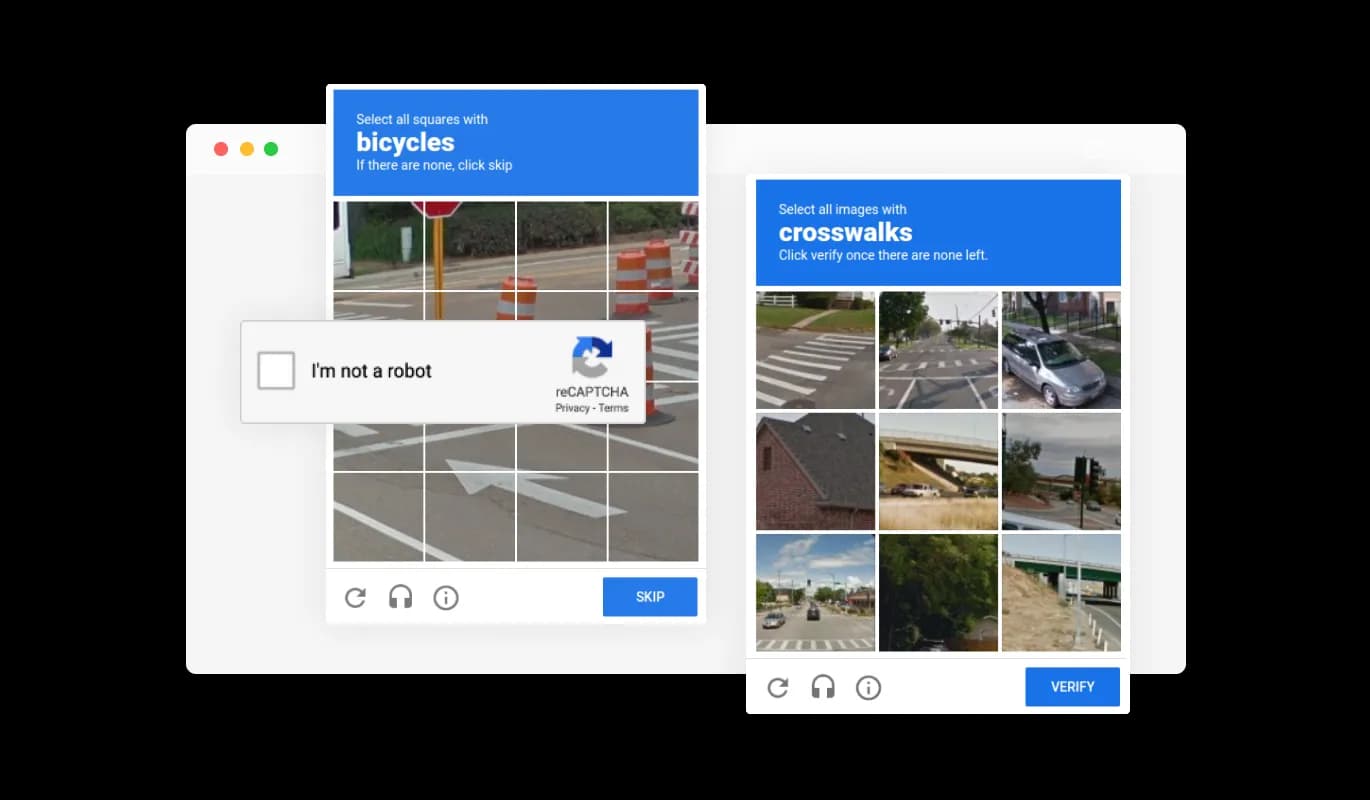
The Event Registration Form permits you to activate the CAPTCHA anti-spam feature, which attendees must complete before submitting their registration. This functionality helps deter bots and automated scripts from submitting spam entries through your RSVP form, ensuring that you receive legitimate submissions from genuine guests.
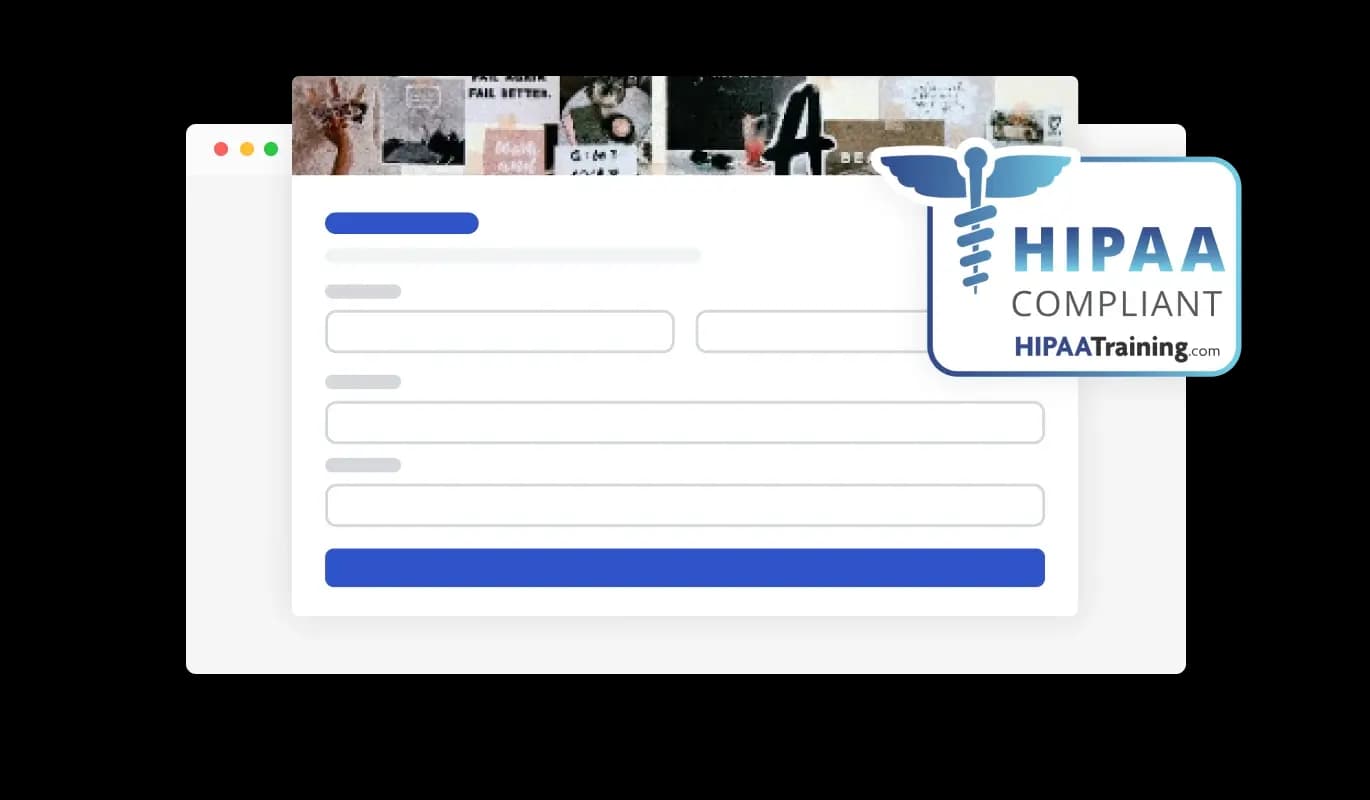
The RSVP Forms ensures HIPAA compliance, offering end-to-end data encryption and role-based access management to protect sensitive information. Seamless integrations, including a HIPAA-compliant API and support for tools like Google Sheets and EMR systems, enhance functionality. Additionally, activity tracking and audit logs provide full transparency over data access.
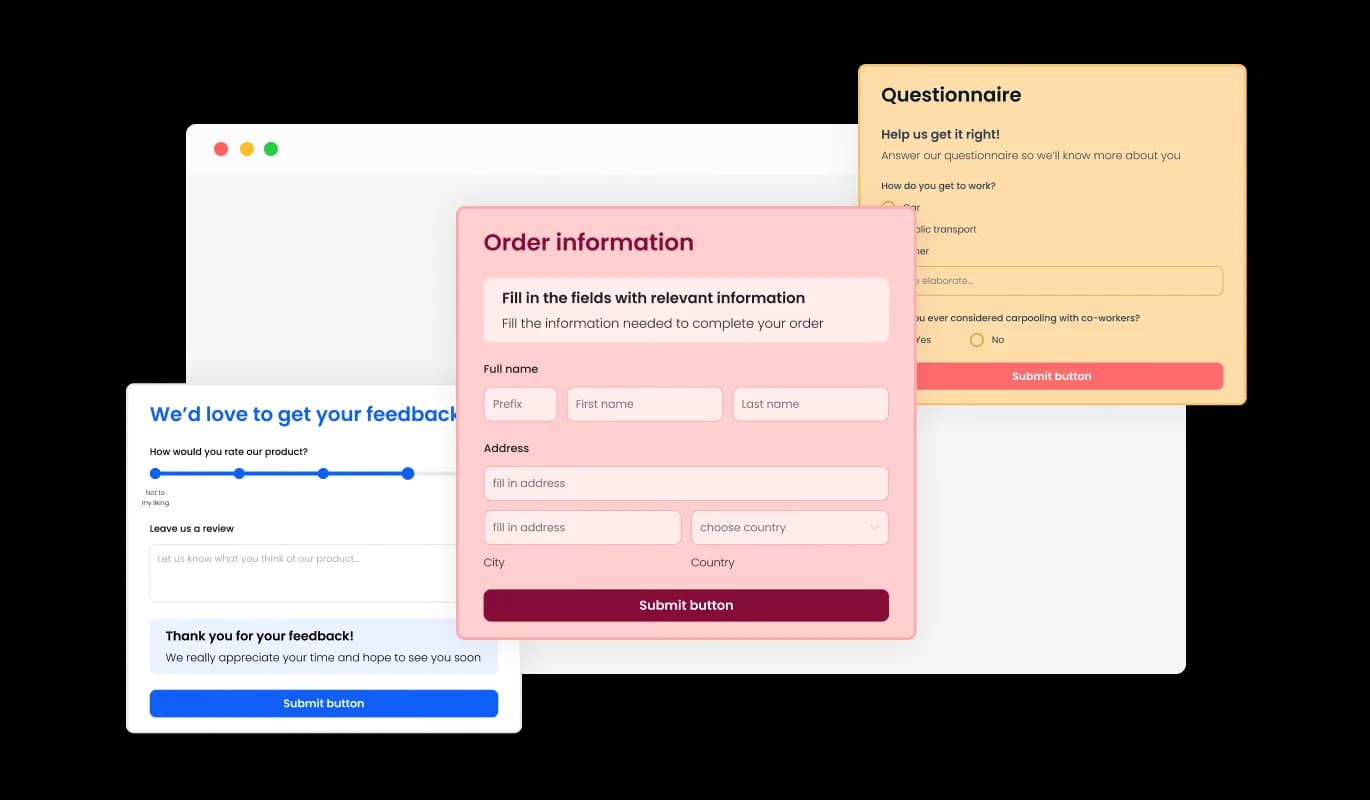
The Event Registration Form widget features an array of visually appealing skins that you can select from, streamlining the design process and reducing the need for extensive customization. These pre-designed skins cater to various aesthetics, enabling you to easily align your form with your website's appearance and style.
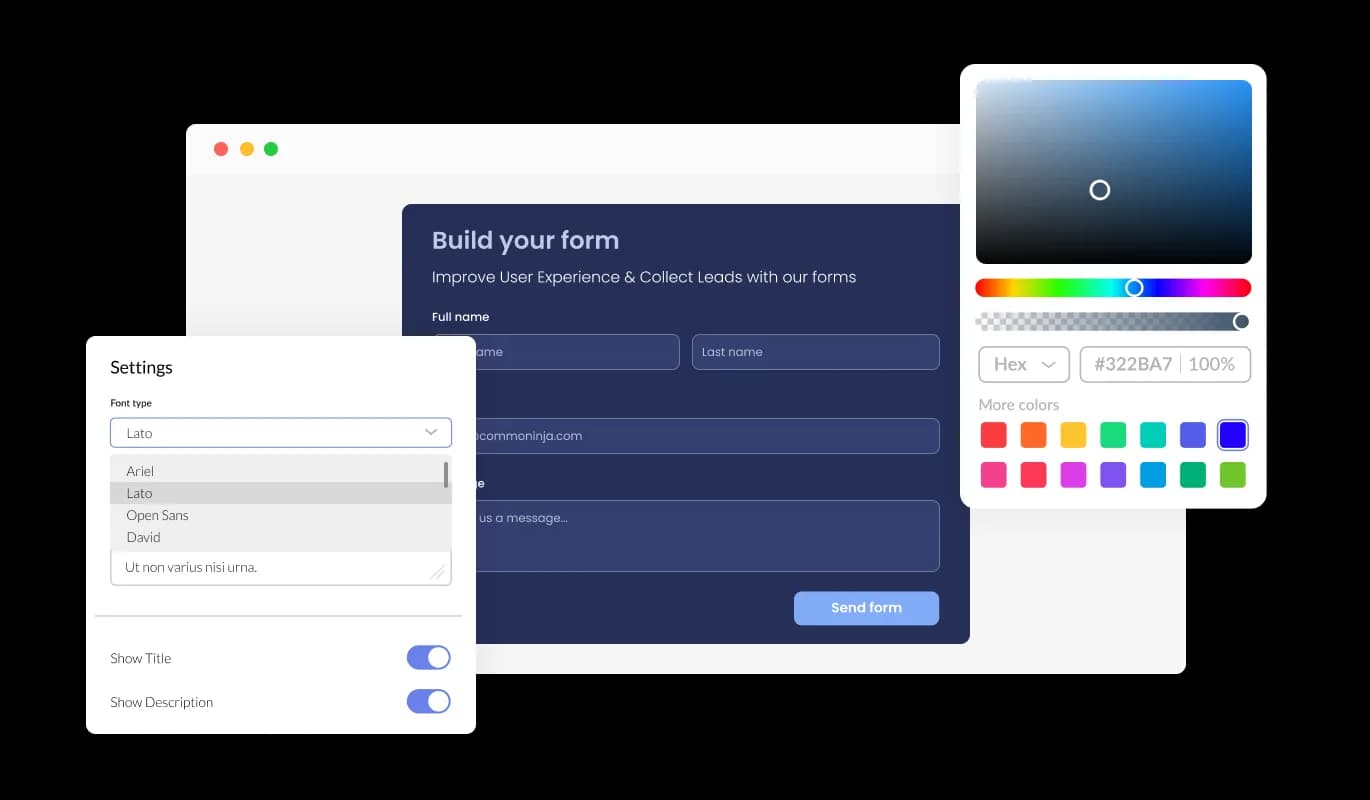
The Event Registration Form widget offers extensive customization options, allowing you to personalize the design to suit your specific needs. From modifying colors and fonts to adjusting field layouts, you have full control over the form's appearance and functionality.
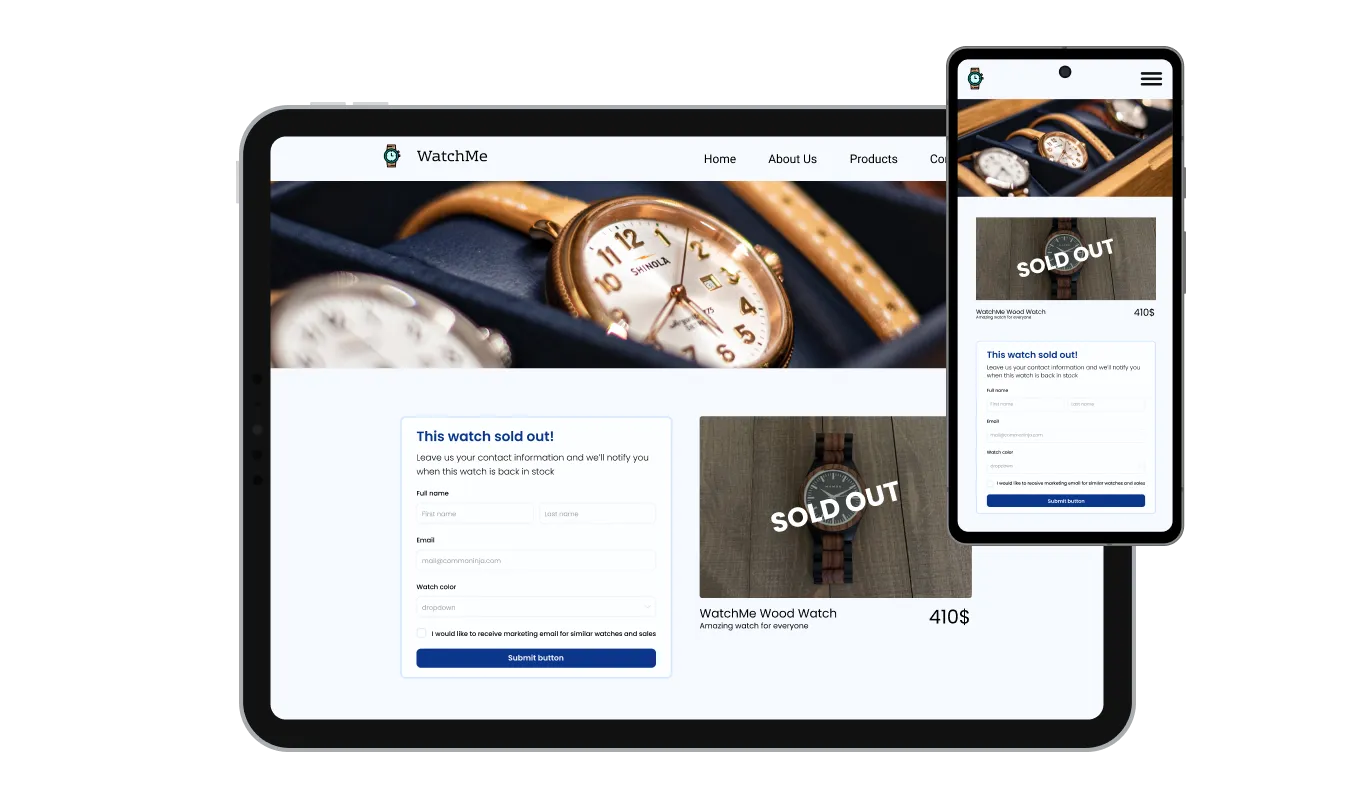
The Event Registration Form widget is optimally responsive and will display flawlessly on any device. Having a form that is optimized for mobile viewing is crucial in a world where an increasing number of people are accessing the internet through their phones and tablets.

Our advanced editor is a powerful tool that provides you with complete control over the Event Registration Form's appearance. With this feature, you can easily customize every aspect of the widget's design, from colors and fonts to layout and positioning. For those seeking to explore their creativity further, direct CSS editing provides even more extensive customization options.

To embed the Event Registration Form widget into your website, copy and paste the provided code snippet into your page's HTML code. The widget is designed to auto-update, meaning any modifications you make in the Event Registration Form editor will be automatically reflected on your website. This functionality streamlines the embedding process and ensures that your registration form is always up-to-date.
The RSVP Form's submission data can be exported to a CSV file, allowing you to move it to other applications or tools for detailed analysis or integration. This feature is particularly useful for organizers looking to maintain a complete record of event attendee information for data evaluation, reporting, and event management purposes.
The RSVP Form features the option to enable notifications for both the form owner and the attendee. You can activate automated email notifications for each event registration submission, send them to multiple recipients, and also send a confirmation email to the guest upon successful submission.
The Event Registration Form widget is user-friendly and doesn't demand any coding expertise. With just a few clicks, you can customize the form to your preferences using our intuitive interface, making it an effortless and straightforward experience.
Common Ninja has amazing no-code widgets that would beautify a website built on any builder. It is very easy to use and customise. It has as many widgets for almost everyone willing to make their website impressive.
Outstanding service. I use their widgets to help me with my web design business and whenever I need help they are very quick to help.
Excellent company with excellent service!!! We used it to build a survey, it was very user friendly. The service was perfect. Amit helped us with every problem and question we had, thank you very much!!!
Common Ninja saved the day when building our website and the customer service Daniel, the co-founder and CEO, provided was amazing.
Yes. The free plan covers one RSVP Form with no time limit and no credit card. Upgrade only when you need additional forms, more submissions per month, payment collection, premium skins, advanced field types, or features like webhook integrations and conditional logic.
A Contact Form is for general inquiries (name, email, message). A Form Builder is for any custom multi-field form. This RSVP Form is pre-tuned for events. Attendance, guest count, +1 names, dietary preferences, song requests, so you start from a complete event-RSVP template instead of building every field from scratch. Same data backend; different starting point.
Yes. On plans that include payment integration. Connect a payment provider in the editor, set a fee per submission (workshop ticket, donation, dinner ticket), and the form collects the payment alongside the RSVP response. Guests register and pay in one step instead of bouncing between an RSVP form and a separate checkout page.
Responses save to your Common Ninja dashboard with one row per submission. Export the full guest list to CSV whenever you need it. For seating arrangements, catering counts, name-tag printing, or follow-up communications. The CSV includes every field (name, attendance, guest count, dietary preferences, custom answers) in one file.
Yes. Set notification email addresses in the editor. The host (and co-hosts) get an email whenever a new RSVP arrives, with the submission detail included. Useful for quick visibility into who's signed up without checking the dashboard. Configure separate notification recipients per form if you run multiple events.
On paid plans, yes. Set a submission cap and the form closes automatically when the cap is reached. Visitors arriving after the cap see a "sold out" or "closed" message instead of the form. Useful for capacity-limited events where you need to stop accepting RSVPs at a specific count.
Build the form in the Common Ninja editor (add event fields, customize design, set notification emails), copy the embed snippet, and paste it into your site: Canva via the Embed app in the Apps panel; Shopify via a Custom HTML section in your theme editor or a Custom Code app; Framer via a Code Embed element. Edits in the editor push to every embed without re-paste.
Yes. Field layouts adapt across mobile, tablet, and desktop breakpoints. Inputs reflow to single-column on narrow screens, dropdowns and radios stay tappable, the submit button stays finger-sized, and the form uses the correct mobile keyboard for each field type (numeric keyboard for guest count, email keyboard for email field).
Pick your platform. Each takes under 4 minutes.
Create your form for any purpose with a friendly form builder

Allow users to send messages or inquiries, save submissions, enable notifications, and more
Manage Events, Engage Visitors, and Elevate Your Brand’s Image
Manage appointments, sync calendars, and send reminders efficiently.

Easily craft engaging, personalized popups to boost conversions.
Displays a timer counting down to a specific date or event
An RSVP Form is a web-based form that event organizers use to collect RSVP responses from guests who plan to attend an event. The form typically includes fields for guest information, attendance status, and any additional details the organizer needs to plan the event. The RSVP Form can be embedded on a website or sent out as a link in email invitations.
Some best practices for creating an effective RSVP Form include keeping the form concise and straightforward, using clear and descriptive labels for each field, offering options for guests to indicate any special accommodations or dietary restrictions, and providing a clear and prominent call-to-action button to submit the form. It's also essential to optimize the form for mobile viewing, enable anti-spam measures, and provide automated email notifications for both the event organizer and the guests who submit the form.
Yes, the Event Registration Form widget provides a variety of customizable fields, from basic to specialized formats.
Yes, you can enable automated email notifications for each event registration submission and send them to multiple recipients.
Yes, you can activate the CAPTCHA anti-spam feature to deter bots and automated scripts from submitting spam entries through your RSVP form.
Yes, the Event Registration Form widget is optimally responsive and will display flawlessly on any device.
You can embed the Event Registration Form widget into your website by copying and pasting the provided code snippet into your page's HTML code. The widget is designed to auto-update, so any modifications you make in the editor will be automatically reflected on your website.
Yes, the advanced editor provides full control over the form's appearance, and direct CSS editing allows for even more extensive customization options.
Yes, you can easily do so from the “Templates” tab.
Yes, there are lots of beautiful skins that you can choose from to save time and start using the widget as quickly as possible.
It’s simple. All you need to do is to sign up and start using the free version.
Common Ninja’s RSVP Form widget is free to use. It is limited to a certain amount of views, however.
Common Ninja’s RSVP Form widget is compatible with ALL current and future website builders.
Yes, the RSVP Form widget is GDPR-compliant.
No. Using our RSVP Form widget is very simple. The widget comes with an intuitive drag-and-drop interface and fully customizable options. Once you’ve finished editing the widget to your liking, all you need to do is copy the provided code and add it to your website.
Yes. We are eager to hear your request. Please visit our Feature Request page.
Collect event responses with pre-tuned attendance, guest count, +1 names, and dietary preference fields, optional payment collection, spam protection, host notifications, CSV export, stylish skins, and Custom CSS. Embed on 200+ platforms including Canva, Shopify, Framer, HighLevel, WordPress, and Readymag.
Create your RSVP FormNo credit card · Setup in under 5 minutes