


Verified review
Common Ninja has amazing no-code widgets that would beautify a website built on any builder. It is very easy to use and customise. It has as many widgets for almost everyone willing to make their website impressive.
Try the editor, no signup
Pick a template, customize it, and watch it update live, no signup.
No credit card · Free forever plan
No credit card · Free forever plan
The Common Ninja Testimonials Slider widget is a free, no-code testimonials slider, quote carousel, and social proof widget for any website.
Showcase curated customer quotes (including offline testimonials you collected privately) in a sliding carousel with star ratings, photos, source icons, and multiple skins.
Pick from distinct layouts, customize colors and fonts, and paste one line of embed code on 200+ platforms including Shopify, Webflow, Wix, Avada, and Carrd.
A testimonials section under the hero or above the pricing helps visitors who do not know your brand yet. Real customer quotes show that other people trusted you and got value, in their own words rather than in marketing copy you wrote yourself.
Unlike review widgets that pipe from a public review platform, this widget lets you add quotes collected privately, via email, a sales call, an exit survey, or a signed feedback form. You decide which testimonials appear, in what order, with what photo and source icon. Perfect for B2B services where the best testimonials never reach Google Reviews.
Service businesses, agencies, and consultancies pair each case study with a client quote. Designers and writers anchor portfolio pieces with feedback from the brief. The quote carousel layout lets a single section cycle through 5 to 50 quotes without dominating the page.
Testimonials right above the pricing CTA or near the checkout button address the doubt that creeps in the moment a visitor reaches for their card. Show three to five strong quotes from customers in the same segment as the visitor, and the pricing page reads as validated by peers instead of asking for trust on faith.
Type or paste customer quotes one by one with author name, role, company, photo, and optional star rating. Drag-and-drop reorder so the most persuasive testimonial leads the slider, and group testimonials by audience segment if you need different walls on different landing pages.
Choose from a horizontal slider, vertical wall, grid layout, or quote-card carousel. Match colors, fonts, avatar shape, and source icons to your brand. The widget renders identically across mobile, tablet, and desktop with responsive breakpoints baked in.
Copy the embed snippet and drop it into your site. Future testimonial additions or edits push live automatically, so adding a fresh quote after a new sale is a single change in the dashboard. No theme edit, no plugin update, no developer required.
Switch between a horizontal auto-scrolling slider for evergreen home-page social proof, a vertical wall for a dense testimonials page, a grid for an at-a-glance overview, or a quote-card carousel for case-study pages. Same testimonial content, four ways to surface it.
Pick from card-style, minimal, framed-quote, or photo-prominent skins, then tune colors, fonts, avatar shape, and spacing. For deeper customization, use the Custom CSS field to override any visual property and match the testimonials slider exactly to your brand system.
Each testimonial carries a star rating (toggleable 1 to 5), an author photo, role, company, and an optional source icon (Google, Facebook, LinkedIn, Trustpilot, or a custom upload). Visitors see exactly where the quote came from, which raises perceived credibility.
The widget renders right-to-left out of the box. Text reverses, slider direction flips, and source icons reposition. No separate RTL theme, no CSS workaround, no rebuild for an Arabic, Hebrew, Persian, or Urdu version of your site.
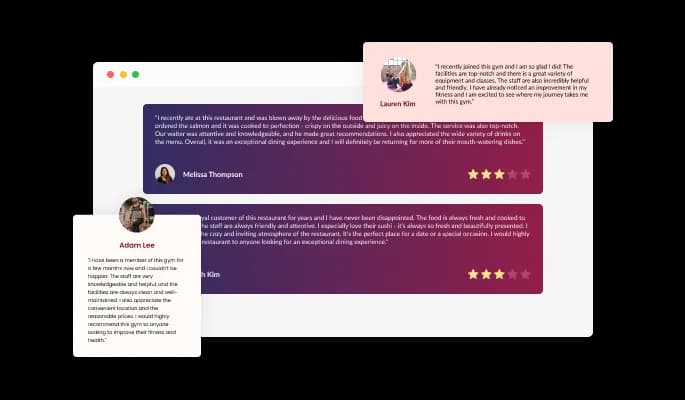
The Testimonials widget features three of the most commonly used layout styles, each of which rearranges the elements within the testimonials and creates an entirely different style that can be used to enhance your website’s design. The layouts can be customized further by toggling the “Stretch Height” option, which will make all the testimonials as tall as the tallest one, thus creating a single, unified style.
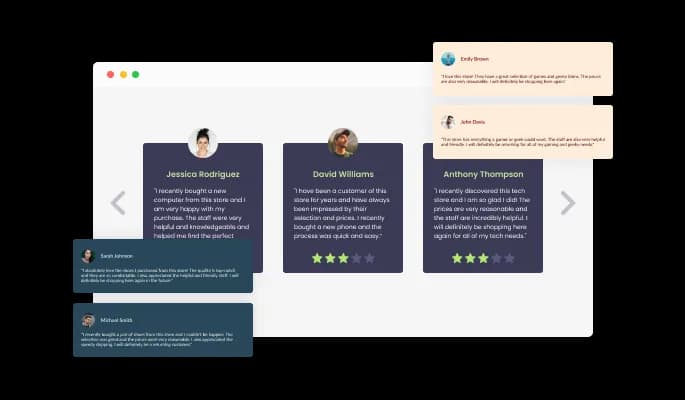
The Testimonials Slider widget comes available with a variety of beautiful skins with the help of which you can kickstart your testimonial-creating process and avoid spending too much time on extensive customization.
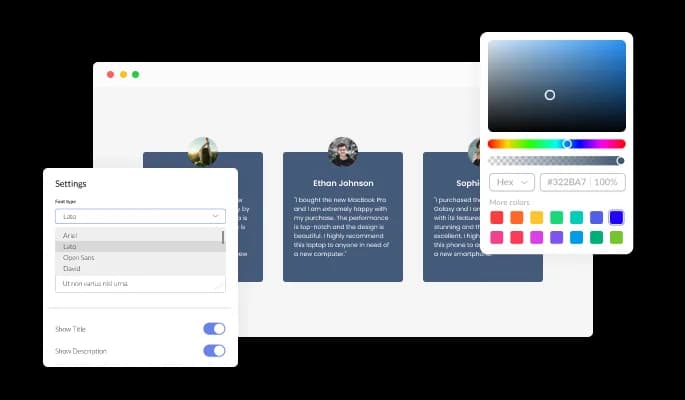
The Testimonials Slider widget features full customization options so you can edit the design to fit your needs. Change the colors, the fonts, the spacing and anything else!
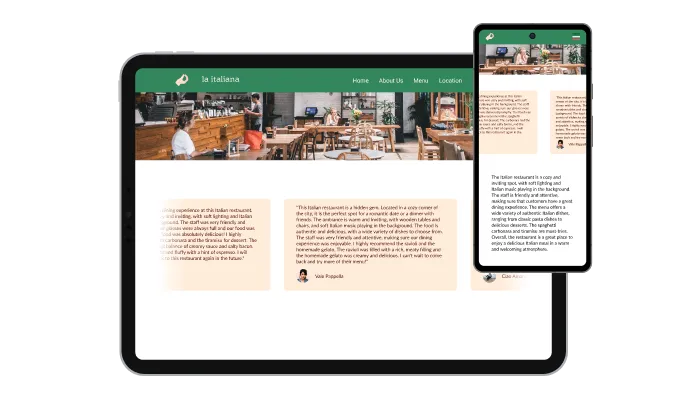
The Testimonials Slider widget is fully responsive and will look great on any device. This feature will put you ahead of your competitors in a mobile-first world.

As with all of Common Ninja’s widgets, you can add custom CSS to customize the Testimonials Slider widget and be even more creative.

You can embed the Testimonials carousel widget on your website easily by copying a single line of code. The widget will also be updated automatically with every change you make.
The Testimonials Slider widget allows you to add control elements like arrows and pagination, with which you can improve the user’s experience through better navigation. In addition, these elements are fully customizable and can be further enhanced by adding a “fade edge” effect to the background and arrow containers.
The Testimonials carousel widget features a lovely set of arrow icons that you can choose from. This selection of icons can be further wrapped in several different container types to ensure that the Testimonials widget fits your website’s design needs.
The Testimonials widget provides full RTL support for those who write from right to left. Make your news accessible to more users from all over the world.
The Testimonials carousel widget is easy to use and requires no coding knowledge. Our intuitive dashboard with the drag-and-drop feature will enable you to customize the widget any way you’d like to with just a few simple clicks.
Ready to add a testimonials slider to your site?
Open the editorNo credit card · Setup in under 3 minutes
Common Ninja has amazing no-code widgets that would beautify a website built on any builder. It is very easy to use and customise. It has as many widgets for almost everyone willing to make their website impressive.
Outstanding service. I use their widgets to help me with my web design business and whenever I need help they are very quick to help.
Excellent company with excellent service!!! We used it to build a survey, it was very user friendly. The service was perfect. Amit helped us with every problem and question we had, thank you very much!!!
Common Ninja saved the day when building our website and the customer service Daniel, the co-founder and CEO, provided was amazing.
Yes. The free plan covers one Testimonials Slider widget with no time limit, no credit card, and no trial countdown. Upgrade only when you need additional widgets, premium skins, or higher monthly view limits.
Yes. The whole point of the Testimonials Slider is that you curate the content yourself. Type or paste any quote, regardless of where it came from (email, a sales call, an exit survey, a signed feedback form, a Google Review, a LinkedIn recommendation). Add the author name, role, company, photo, star rating, and source icon. You decide which testimonials display, in what order.
Yes. "Testimonials slider", "social proof widget", and "quote carousel" describe the same widget with different framing. The same content surfaces equally well in a slider for evergreen home-page social proof, a quote carousel for case-study pages, or a vertical wall on a dedicated testimonials page.
Yes. In your Shopify admin, edit the theme and add a Custom Liquid section (or Custom HTML in a Page). Paste the Common Ninja embed snippet, save, and the slider renders on your storefront. Place it above the product reviews section on a PDP, or under the hero on the home page for above-the-fold social proof.
Yes. In Webflow Designer, drag an Embed element onto the page where you want the slider, paste the Common Ninja embed snippet into the Embed code field, and publish. The testimonials slider renders responsively and stays in sync with future edits.
Google Reviews and Trustpilot widgets pipe in public reviews from those platforms, so you cannot filter or curate which reviews display, and they always carry the source platform's branding. The Testimonials Slider lets you curate exactly which quotes show, including private testimonials never posted publicly, and the widget matches your brand. Use both: Google Reviews for verifiable public proof, Testimonials Slider for curated B2B and portfolio quotes. They serve different parts of the funnel.
No. A hand-coded HTML/CSS testimonial slider needs keyframe animations, swipe gestures, responsive breakpoints, image lazy-loading, and a content-management layer for adding quotes. Common Ninja's widget handles all of that, plus a hosted editor for adding new testimonials without touching code.
Yes. Choose from multiple built-in skins (card-style, minimal, framed-quote, photo-prominent), then tune colors, fonts, avatar shape, source icons, and spacing in the editor. For deeper customization, use the Custom CSS field to override any visual property and match the slider exactly to your brand system.
Pick your platform. Each takes under 4 minutes.
Present Google reviews for your business on your website
Present Facebook reviews for your business on your website

Displays multiple logos in a scrolling or rotating manner
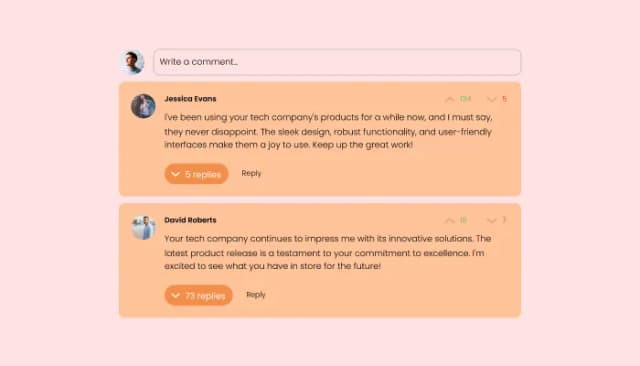
Comments system with upvote/downvote, email notifications, reply threads, and moderation tools.

Allow users to send messages or inquiries, save submissions, enable notifications, and more

Easily craft engaging, personalized popups to boost conversions.
Yes, you can do so by using selecting the review you’d like to change the rating in, and moving the rating slider to the desired result.
Yes, you can do so from within the “Look & Feel” tab.
Yes, you can do so from within the “Look & Feel” tab.
Yes, you can do so from within the “Look & Feel” tab.
Yes, you can do so from within the “Look & Feel” tab.
Yes, you can do so from within the “Look & Feel” tab.
Yes, you can do so from within the “Look & Feel” tab.
Yes, you can do so from within the “Look & Feel” tab.
Yes, you can do so from within the “Look & Feel” tab.
Yes, you can do so from within the “Look & Feel” tab.
Yes, you can do so from within the “Settings” tab.
Yes, you can do so from within the “Settings” tab.
Yes, you can do so from within the “Settings” tab.
Can I change the Testimonial’s carousel speed?
Using the Testimonials Slider widget is very easy. Simply sign up and start using the free version. There's no need to worry about complicated setup or installation processes, as the Testimonials Slider widget is designed to be user-friendly and straightforward. Once you've signed up, you'll have access to all of the basic features and functions of the widget, which you can use to enhance your website and improve your online presence. From there, you can choose to upgrade to the paid version if you want to access more advanced features and capabilities. Regardless of which version you choose, you'll find that the widget is a powerful and easy-to-use tool that can help you take your online presence to the next level.
The Common Ninja Testimonials Slider widget is a free tool reach with features and options. While this widget is free to use, it does have a limit on the number of views it can handle. This means that after a certain number of views, the chat button may no longer be visible or functional on your website. It is important to note that this view limit may vary depending on your plan. Despite this limitation, Common Ninja's Testimonials Slider is still a valuable tool for businesses looking to increase customer engagement and improve the overall user experience of their website.
The Common Ninja's Testimonials Slider widget is a versatile tool for any website builder. This means that you can easily add this widget to your website or store no matter what platform you use to build your website. Whether you are using a popular website builder or something more specialized, the Testimonials Slider widget will work seamlessly with your platform. This means you can enjoy all the benefits of this powerful tool without having to worry about compatibility issues.
It’s very easy to embed Common Ninja’s Testimonials widget on your website and the process consists of two steps:
The Testimonials Slider widget is designed to comply with the General Data Protection Regulation (GDPR), a set of EU regulations protecting personal data and privacy. When using the Testimonials Slider widget, you can be confident that it will not collect or store personal data that could violate GDPR regulations. This ensures that your business is in compliance with these regulations and can protect your customers' data privacy. Overall, the Testimonials Slider widget is a secure and reliable tool that can be used to enhance your website without any concerns about GDPR compliance.
No need for coding skills. Our Testimonials Slider widget is designed to be easy to use, even for those with limited technical experience. The widget features a user-friendly interface that allows you to easily customize the widget without coding knowledge. You can fully customize the Testimonials Slider to match your branding. When you're done, simply copy the provided code and paste it into your website. It's that simple!
Embedding the Testimonials Slider widget on your website is a straightforward process. Simply copy the provided code and paste it into the desired location on your website. The widget will seamlessly integrate into your site, allowing you to take advantage of its features and functions. No technical expertise or programming knowledge is required - just copy and paste the code to get started. This simple process allows you to easily add the widget to your website and enhance its functionality without any hassle.
Yes. We are eager to hear your request. Please refer to this page.
Displaying testimonials on your website can have several benefits, including:
Displaying testimonials on your website can help increase your business's credibility, trust, and perceived value, which can lead to increased conversions and customer satisfaction.
Social proof, also known as informational social influence, is a psychological phenomenon in which people look to the actions and behaviors of others to guide their own decisions and behaviors. It is based on the idea that people are more likely to trust and follow the actions of others, especially when they perceive those others to be similar to themselves or to be experts in a particular field.
In the context of marketing and branding, social proof can influence potential customers' decisions by showing them that other people have had positive experiences with a product or service. This can be achieved through various means, such as displaying customer reviews, testimonials, social media followers, or other metrics that demonstrate the popularity or success of a product or service.
Using social proof can be an effective way to increase the perceived value of a product or service and to encourage more people to purchase or use it. It can also help build trust and credibility with potential customers, as they are more likely to trust the opinions of others than they are to trust a business's claims.
A testimonial widget is a pre-designed, interactive element that can be added to a website or application to display customer testimonials or reviews. Testimonial widgets are often created using JavaScript libraries or other web development tools and can be easily customized to display different types of testimonials or to meet specific design requirements.
Testimonial widgets can be used to display customer feedback clearly and concisely, making it easier for visitors to the website or users of the application to understand the experiences of others with the business or product. They can also be interactive, allowing users to browse multiple testimonials or filter them by specific criteria, such as product or service.
Using testimonial widgets can help improve the user experience on a website or application by providing valuable information about the business or product and by making it more engaging for users to browse through the testimonials. They can also be a valuable tool for presenting customer feedback in a professional and visually appealing way, which can increase the credibility of the information being presented.
Works on 200+ platforms including Shopify, Webflow, Wix, Avada, and Carrd.
Create your testimonials sliderNo credit card · Setup in under 3 minutes