


Verified review
Common Ninja has amazing no-code widgets that would beautify a website built on any builder. It is very easy to use and customise. It has as many widgets for almost everyone willing to make their website impressive.
Try the editor, no signup
Pick a template, customize it, and watch it update live, no signup.
No credit card · Free forever plan
No credit card · Free forever plan
The Common Ninja Tumblr Feed is a free, no-code widget that displays a live feed of Tumblr posts on any website. Paste the blog, pick a layout, and add one line of embed code.
It handles the mix Tumblr is made of: text posts, photo sets, quotes, and links all land in the same feed and keep their formatting.
The feed refreshes on its own, and layouts, ready-made skins, ticker animation, character length control, RTL support, and custom CSS are all included. Works on 200+ platforms including WordPress, Wix, Shopify, Carrd, and Notion.
Years of photo sets, illustrations, and posts sit on Tumblr where they do nothing for your portfolio. A feed puts that body of work on your own domain, where people arriving from search can actually see it.
Most people who post on Tumblr do not also update a website. The feed removes the choice: post where you already post, and the site follows on its own with no second copy to maintain.
Reblogs, replies, and asks are the part of Tumblr that shows an audience exists. Putting that on a page is stronger proof than a follower count, because a visitor can read it and judge for themselves.
Text, photo, quote, and link posts land in the same feed and keep their shape. You do not have to pick one kind of content or build a separate section for each, which is usually what stops a Tumblr archive getting onto a site at all.
Paste the Tumblr blog you want on the page. The widget pulls in recent posts with their images and text, so photo sets and text posts arrive together without anything being copied by hand.
Pick a layout and one of the ready-made skins. Because Tumblr posts vary so much in shape, the character limit setting matters here: capping it keeps a grid of mixed text and photo posts looking deliberate rather than ragged.
Copy the snippet from the Add to Website tab and paste it where the feed belongs. Auto-refresh keeps it current, so reblogging or posting updates the page for you.
Choose what the widget follows and how it lays out, then change either later from the editor without touching the page the embed already lives on.
Ready-made skins so a feed looks finished before you style anything, plus an optional ticker that scrolls posts sideways in a single strip when a full grid would take too much of the page.
Cap the visible characters so a long text post does not tower over a photo post, and set the date and time format yourself instead of inheriting one.
Full right-to-left rendering for Arabic, Hebrew, Persian, and Urdu layouts, and a custom CSS field for exact design matching. One embed snippet, 200+ platforms, nothing to install.
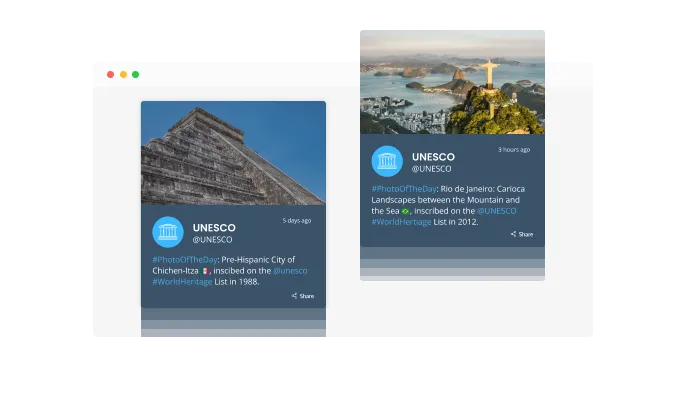
You can add a sense of movement to your Tumblr feed pages by using the "ticker" animation, which mimics a news ticker. You can use it to grab the user's attention immediately.

With the "auto-refresh" option toggled on, the Tumblr Feed widget automatically updates the feed with new posts.
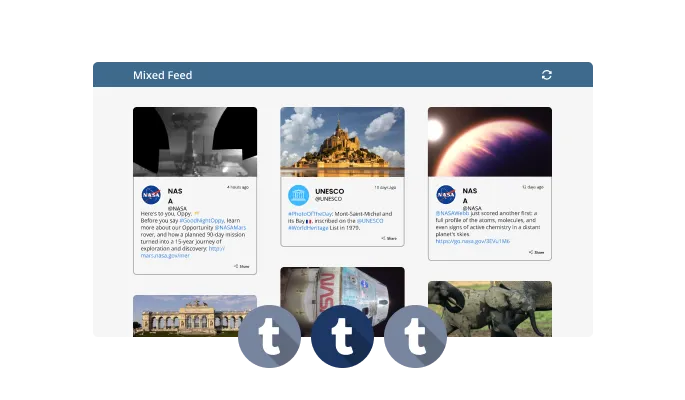
The Tumblr Feed widget offers two feed types: Tabs and Mixed. Tabs are arranged based on feed order, while Mixed feeds are mixed together to create a diversified feed.
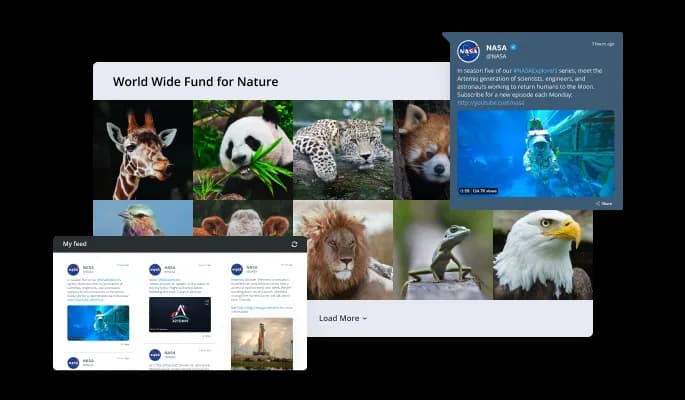
In order to make sure the Tumblr Feed widget fits your overall design and style, it comes with multiple layout options.
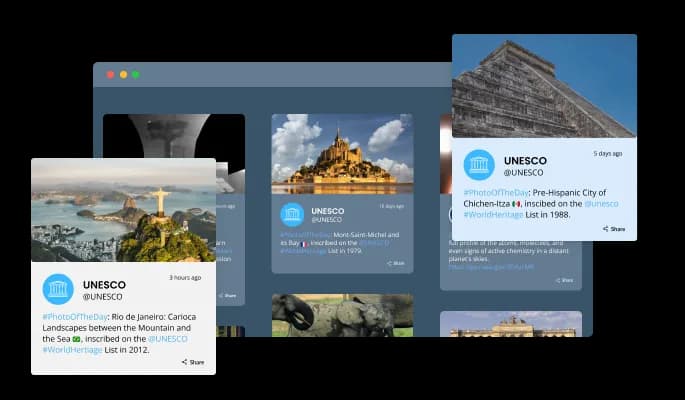
A variety of gorgeous skins are available for the Tumblr Feed widget, so customizing it isn't difficult.
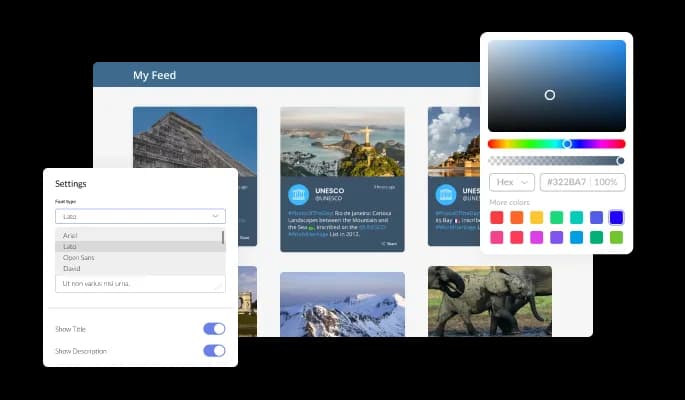
The Tumblr Feed widget allows you to customize the design to meet your needs. There are a lot of options for changing the colors, fonts, and spacing!
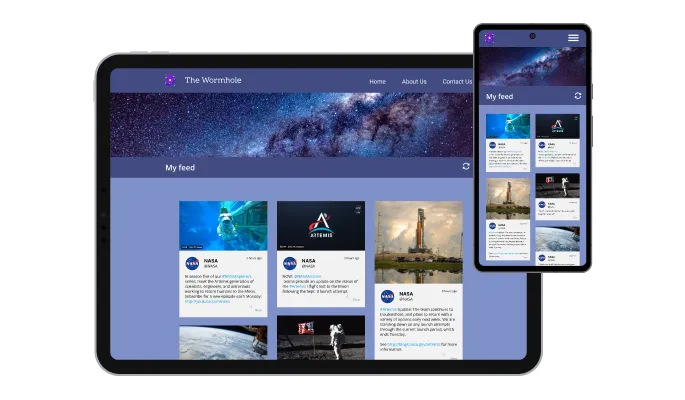
Any device will be able to use this Tumblr Feed widget. This feature will give you an edge over your competitors in a mobile-centric world.

The Tumblr Feed widget and all of Common Ninja's widgets can be customized with CSS.

Simply copy and paste the code into your website to embed the widget. Whenever you make a change to your Tumblr Feed, the widget will automatically update.
You can further customize the Tumblr Feed widget by displaying the time and date of the feeds.
Customize the length of the characters in the Tumblr Feed widget to make it more compact.
The Tumblr Feed widget provides full RTL support for those who write from right to left. It will be easier for your news to be accessed by more people around the world.
The Tumblr Feed widget is easy to install and requires no coding knowledge. Customize the widget in any way you like with our drag-and-drop dashboard.
Build your Tumblr feed in the editor
Open the editorFree to use · No credit card · No signup to try it
Common Ninja has amazing no-code widgets that would beautify a website built on any builder. It is very easy to use and customise. It has as many widgets for almost everyone willing to make their website impressive.
Outstanding service. I use their widgets to help me with my web design business and whenever I need help they are very quick to help.
Excellent company with excellent service!!! We used it to build a survey, it was very user friendly. The service was perfect. Amit helped us with every problem and question we had, thank you very much!!!
Common Ninja saved the day when building our website and the customer service Daniel, the co-founder and CEO, provided was amazing.
Open the editor, paste the Tumblr blog you want, choose a layout and skin, then copy the snippet from the Add to Website tab into your page. It works anywhere you can add an HTML block, and nothing is installed on your site.
Yes. Text, photo, quote, and link posts all appear in the same feed with their images intact. Because those post types are such different shapes, the character limit setting is what keeps a mixed grid tidy, so set it before you publish rather than after.
No. You paste the blog into the editor and Common Ninja handles fetching the posts. There is no application to register, no API key to generate, and no rate limit for you to manage.
Yes, for public blogs, which covers featuring an artist, a fan blog, or a community you are part of. Password-protected and deleted blogs will not display, since the widget only reads what Tumblr serves publicly.
The feed reflects what the blog publishes, so a blog that reblogs heavily will show a mix of its own posts and reblogged ones. If you want the page to show only your own work, either post originals to a dedicated blog and point the widget there, or use the character and layout settings to keep the feed tight.
Treat the feed as something visitors see rather than as content that will rank, because it loads in the browser. Its value is keeping people on the page and proving the work is real. Your own written pages are what earn rankings.
Yes, the layouts are responsive and cards reflow to the screen width. Tumblr photo sets can be tall, so preview at phone width and adjust the layout or the character cap if a single post is taking over the screen.
Yes. Each feed is its own widget with its own blog and settings, so a portfolio blog can sit on one page and a news blog on another. On the free plan each widget counts separately against your plan's widget allowance.
Pick your platform. Each takes under 4 minutes.

Display the latest posts from your Instagram page

Display a feed of the latest posts from a Facebook user or page

Display the latest tweets from your X

Display the latest posts from your Linkedin page

Display the latest posts from any RSS feed

Display the latest posts from any platform and website's RSS feed
Yes, you can limit the number of posts that will be shown per page.
Yes, you can choose where to position the tabs from the settings menu.
Yes, you can add a background image, and to further customize its behavior.
Yes, there’s an auto-refresh option that can be easily toggled on or off.
Yes, you can customize the feed’s height.
Yes, currently there’s a “ticker” animation that you can trigger.
Yes, you can easily do so from the “Templates” tab.
Yes, there are lots of beautiful skins that you can choose from to save time and start using the widget as quickly as possible.
Yes, you can either upload an image, or select an icon from a large selection of available icons to add to your Tumblr Feed, or, alternatively, you can leave it all blank.
Using the Tumblr Feed widget is very easy. Simply sign up and start using the free version. There's no need to worry about complicated setup or installation processes, as the Tumblr Feed widget is designed to be user-friendly and straightforward. Once you've signed up, you'll have access to all of the basic features and functions of the widget, which you can use to enhance your website and improve your online presence. From there, you can choose to upgrade to the paid version if you want to access more advanced features and capabilities. Regardless of which version you choose, you'll find that the widget is a powerful and easy-to-use tool that can help you take your online presence to the next level.
The Common Ninja Tumblr Feed widget is a free tool reach with features and options. While this widget is free to use, it does have a limit on the number of views it can handle. This means that after a certain number of views, the chat button may no longer be visible or functional on your website. It is important to note that this view limit may vary depending on your plan. Despite this limitation, Common Ninja's Tumblr Feed is still a valuable tool for businesses looking to increase customer engagement and improve the overall user experience of their website.
The Common Ninja's Tumblr Feed widget is a versatile tool for any website builder. This means that you can easily add this widget to your website or store no matter what platform you use to build your website. The Tumblr Feed widget will work seamlessly with your platform whether you are using a popular website builder or something more specialized. This means you can enjoy all the benefits of this powerful tool without having to worry about compatibility issues.
The Tumblr Feed widget is designed to comply with the General Data Protection Regulation (GDPR), a set of EU regulations protecting personal data and privacy. When using the Tumblr Feed widget, you can be confident that it will not collect or store personal data that could violate GDPR regulations. This ensures that your business is in compliance with these regulations and can protect your customers' data privacy. Overall, the Tumblr Feed widget is a secure and reliable tool that can be used to enhance your website without any concerns about GDPR compliance.
No need for coding skills. Our Tumblr Feed widget is designed to be easy to use, even for those with limited technical experience. The widget features a user-friendly interface that allows you to easily customize the widget without coding knowledge. You can fully customize the Tumblr Feed to match your branding. When you're done, simply copy the provided code and paste it into your website. It's that simple!
Yes. We are eager to hear your request. Please visit our Feature Request page.
Embedding the Tumblr Feed widget on your website is a straightforward process. Simply copy the provided code and paste it into the desired location on your website. The widget will seamlessly integrate into your site, allowing you to take advantage of its features and functions. No technical expertise or programming knowledge is required - just copy and paste the code to get started. This simple process allows you to easily add the widget to your website and enhance its functionality without any hassle.
A live Tumblr feed that refreshes itself and handles text, photo, quote, and link posts together. Multiple layouts, ready-made skins, ticker animation, character length control, RTL support, and custom CSS. Embed on 200+ platforms including WordPress, Wix, Shopify, Carrd, and Notion.
Create your Tumblr feedFree to use · No credit card · No coding