


Verified review
Common Ninja has amazing no-code widgets that would beautify a website built on any builder. It is very easy to use and customise. It has as many widgets for almost everyone willing to make their website impressive.
Try the editor, no signup
Pick a template, customize it, and watch it update live, no signup.
No credit card · Free forever plan
No credit card · Free forever plan
The Common Ninja WordPress Feed is a free, no-code widget that displays a live feed of WordPress posts on any website. Paste the blog address, pick a layout, and add one line of embed code.
It is most often used to put a WordPress blog somewhere that is not WordPress: a Shopify store, a Webflow site, a PrestaShop shop, or a landing page built elsewhere.
The feed refreshes on its own, with layouts, ready-made skins, ticker animation, excerpt length control, RTL support, and custom CSS included. Works on 200+ platforms including PrestaShop, Shopify, Webflow, WordPress, and Jimdo.
Plenty of shops run on Shopify or PrestaShop while the blog stayed on WordPress. Migrating is a project nobody wants. A feed puts the posts on the store's pages today, with no export, no redirects, and no rebuild.
If you run a main site plus microsites, campaign pages, or a partner portal, the same feed can appear on all of them. Write once and every site shows it, instead of copying posts around and watching them drift.
News sites, industry blogs, and partner publications can all be surfaced as a curated reading section. It gives a thin page something worth returning for without you writing the content.
The blog you pull from needs nothing installed, which matters when it is a client's site, a site you do not administer, or one where every extra plugin is another thing to keep updated and secure.
Paste the WordPress site you want to pull from. The widget reads its published posts with titles, excerpts, and featured images, so nothing has to be exported or copied by hand.
Pick a layout and one of the ready-made skins, then set the date format and cap how much of each post appears. Blog posts are long, so the excerpt length is what turns them into cards rather than walls of text.
Copy the snippet from the Add to Website tab and paste it in. Auto-refresh keeps pulling new posts, so publishing on the blog updates the other site with no second step.
Pull a WordPress blog onto another platform, or embed the widget inside WordPress to show a different blog. Same widget, same editor, whichever way round you need it.
Choose what the widget follows and how it lays out, then change either later from the editor without touching the page the embed already sits on.
Cap the visible characters so each post becomes a readable card of the same height, and set the date format yourself rather than inheriting the blog's.
Full right-to-left rendering for Arabic, Hebrew, Persian, and Urdu layouts, and a custom CSS field so the feed matches the host site rather than the source blog.
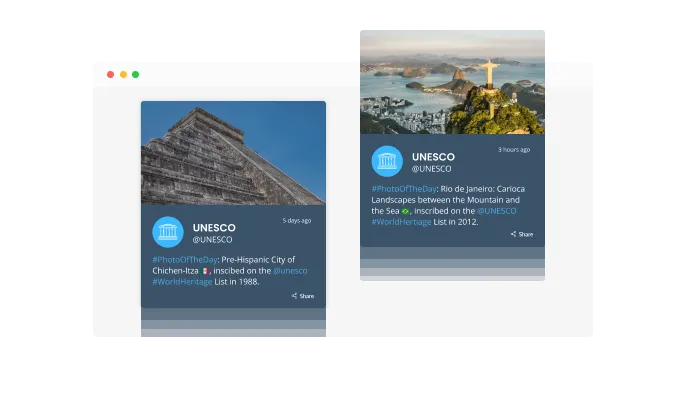
The WordPress Feed widget comes with a “ticker” animation that imitates an old news ticker and adds a sense of action to your page. Use it to immediately grab the user’s attention.

The WordPress Feed widget has the “auto-refresh” option which, when toggled, keeps refreshing and updating the feed with new posts.
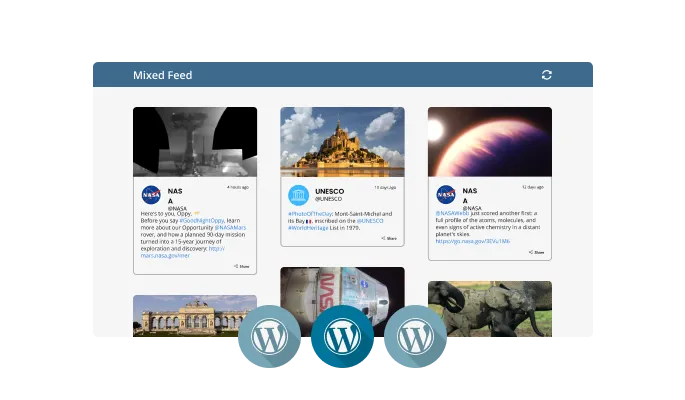
Two different feed types are available in the WordPress Feed widget: Tabs and Mixed. The Tabs type keeps all your tabs organized by order of feed, while the Mixed type, mixes the various WordPress feeds to create a diverse feed.
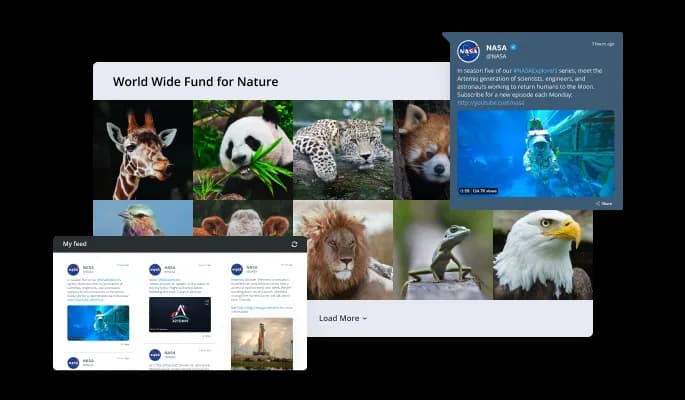
The WordPress Feed widget comes available with multiple layouts that you can choose from to make sure it fits your overall website design and style.
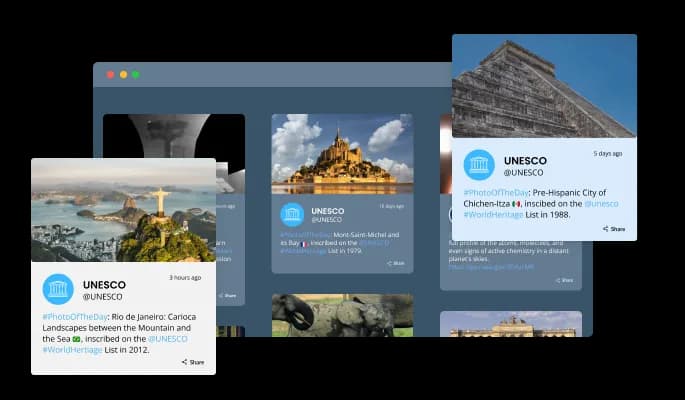
The WordPress Feed widget comes with a variety of beautiful skins that you can choose from so you don’t have to spend much time on extensive customization.
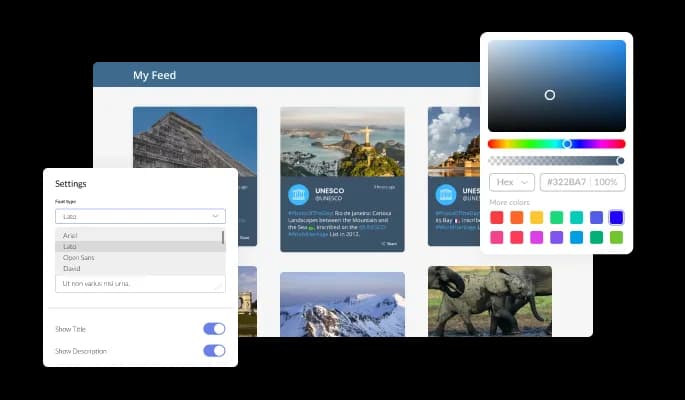
The WordPress Feed widget features full customization options so you can edit the design to fit your needs. Change the colors, the fonts, the spacing and anything else!
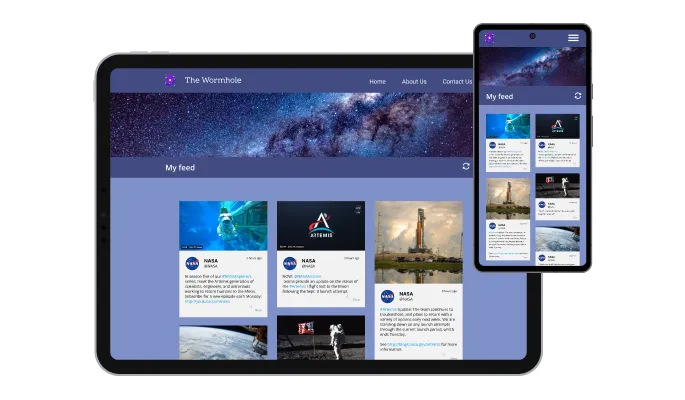
The WordPress Feed widget is fully responsive and will look great on any device. In a mobile-first world, this feature will put you ahead of your competitors.

As with all of Common Ninja’s widgets, you can add custom CSS to customize the WordPress Feed widget and be even more creative.

You can embed the widget on your website quickly by copying a single line of code. The WordPress Feed widget will also be updated automatically with every change you make.
There are various options for displaying the date and time of the feeds — an option that will enable you to further customize the WordPress Feed widget according to your needs, and the preferences of your visitors.
You can easily customize the characters' length to save space and make the WordPress Feed widget more compact.
The WordPress Feed widget provides full RTL support for those who write from right to left. Make your news accessible to more users from all over the world.
The WordPress Feed widget is easy to use and requires no coding knowledge. Our intuitive dashboard with the drag-and-drop feature will enable you to customize the widget any way you’d like to with just a few simple clicks.
Build your WordPress feed in the editor
Open the editorFree to use · No credit card · No signup to try it
Common Ninja has amazing no-code widgets that would beautify a website built on any builder. It is very easy to use and customise. It has as many widgets for almost everyone willing to make their website impressive.
Outstanding service. I use their widgets to help me with my web design business and whenever I need help they are very quick to help.
Excellent company with excellent service!!! We used it to build a survey, it was very user friendly. The service was perfect. Amit helped us with every problem and question we had, thank you very much!!!
Common Ninja saved the day when building our website and the customer service Daniel, the co-founder and CEO, provided was amazing.
Paste the blog address into the editor, choose a layout, then copy the embed snippet into the other site. That covers a Shopify store, a Webflow site, a PrestaShop shop, a Jimdo page, or anywhere else that accepts an HTML block. The WordPress site itself needs nothing installed.
Yes. Add a Custom HTML block to any post or page and paste the snippet, which is useful for showing a different blog, a partner's posts, or a second site you run. Because it is an embed rather than a plugin, there is nothing to update or keep compatible with your theme.
Neither. The widget reads the blog's published posts, so nothing gets installed on the WordPress side and there is no key to generate. That is what makes it usable on a client's site or one you do not administer.
It reads publicly published posts, so a self-hosted WordPress site and a public WordPress.com blog both work. A site that is private, password-protected, or set to discourage access will not be readable, which is expected rather than a fault.
No, because nothing is republished. The feed shows titles, images, and short excerpts linking back to the original post, so there is only ever one full copy. That is different from importing posts into a second CMS, which is where duplicate content actually comes from.
Each widget follows one source, so showing two blogs means two widgets on the page, one per blog. That is often better anyway, because you can give each its own heading and styling rather than mixing two voices into one undifferentiated list.
Yes, where the source posts have them, which is what makes the cards look like a designed blog section rather than a list of links. Posts without a featured image will render as text cards, so a source blog with inconsistent images will produce an inconsistent grid.
Yes, the layouts are responsive and cards reflow to the screen width. Blog excerpts are the thing most likely to overflow on a narrow screen, so set the character cap and preview at phone width before publishing.
Pick your platform. Each takes under 4 minutes.

Display the latest posts from your Instagram page

Display a feed of the latest posts from a Facebook user or page

Display the latest tweets from your X

Display the latest posts from your Linkedin page

Display the latest posts from any RSS feed

Display the latest posts from any platform and website's RSS feed
Yes, you can limit the number of posts that will be shown per page.
Yes, you can choose where to position the tabs from the settings menu.
Yes, you can add a background image, and to further customize its behavior.
Yes, there’s an auto-refresh option that can be easily toggled on or off.
Yes, you can customize the feed’s height.
Yes, currently there’s a “ticker” animation that you can trigger.
Yes, you can easily do so from the “Templates” tab.
Yes, there are lots of beautiful skins that you can choose from to save time and start using the widget as quickly as possible.
Yes, you can either upload an image, or select an icon from a large selection of available icons to add to your Notification Bar, or, alternatively, you can leave it all blank.
Using the WordPress Feed widget is very easy. Simply sign up and start using the free version. There's no need to worry about complicated setup or installation processes, as the WordPress Feed widget is designed to be user-friendly and straightforward. Once you've signed up, you'll have access to all of the basic features and functions of the widget, which you can use to enhance your website and improve your online presence. From there, you can choose to upgrade to the paid version if you want to access more advanced features and capabilities. Regardless of which version you choose, you'll find that the widget is a powerful and easy-to-use tool that can help you take your online presence to the next level.
The Common Ninja WordPress Feed widget is a free tool reach with features and options. While this widget is free to use, it does have a limit on the number of views it can handle. This means that after a certain number of views, the chat button may no longer be visible or functional on your website. It is important to note that this view limit may vary depending on your plan. Despite this limitation, Common Ninja's WordPress Feed is still a valuable tool for businesses looking to increase customer engagement and improve the overall user experience of their website.
The Common Ninja's WordPress Feed widget is a versatile tool for any website builder. This means that you can easily add this widget to your website or store no matter what platform you use to build your website. The WordPress Feed widget will work seamlessly with your platform whether you are using a popular website builder or something more specialized. This means you can enjoy all the benefits of this powerful tool without having to worry about compatibility issues.
The WordPress Feed widget is designed to comply with the General Data Protection Regulation (GDPR), a set of EU regulations protecting personal data and privacy. When using the WordPress Feed widget, you can be confident that it will not collect or store personal data that could violate GDPR regulations. This ensures that your business is in compliance with these regulations and can protect your customers' data privacy. Overall, the WordPress Feed widget is a secure and reliable tool that can be used to enhance your website without any concerns about GDPR compliance.
No need for coding skills. Our WordPress Feed widget is designed to be easy to use, even for those with limited technical experience. The widget features a user-friendly interface that allows you to easily customize the widget without coding knowledge. You can fully customize the WordPress Feed to match your branding. When you're done, simply copy the provided code and paste it into your website. It's that simple!
Yes. We are eager to hear your request. Please visit our Feature Request page.
Embedding the WordPress Feed widget on your website is a straightforward process. Simply copy the provided code and paste it into the desired location on your website. The widget will seamlessly integrate into your site, allowing you to take advantage of its features and functions. No technical expertise or programming knowledge is required - just copy and paste the code to get started. This simple process allows you to easily add the widget to your website and enhance its functionality without any hassle.
A live WordPress feed that refreshes itself, with nothing installed on the source blog. Multiple layouts, ready-made skins, ticker animation, excerpt length control, RTL support, and custom CSS. Nothing is republished, so there is no duplicate content. Embed on 200+ platforms including PrestaShop, Shopify, Webflow, WordPress, and Jimdo.
Create your WordPress feedFree to use · No credit card · No coding