


Verified review
Common Ninja has amazing no-code widgets that would beautify a website built on any builder. It is very easy to use and customise. It has as many widgets for almost everyone willing to make their website impressive.
Pick a template, change the colours, the numbers and their labels, and watch your numbers counter update as you go. No sign-up until you save.
Try the editor, no signup
Pick a template, customize it, and watch it update live, no signup.
No credit card · Free forever plan
No credit card · Free forever plan
The Common Ninja Number Counter is a free, no-code animated counter widget that reveals statistics, milestones, and KPIs with a smooth count-up animation.
Add multiple counters, set start and end values, add prefixes or suffixes like %, $, +, or K, pick a layout and skin, then paste one line of embed code on 200+ platforms including Canva, Webs, Notion, WordPress, and Squarespace.
Build and ship in under 5 minutes.
"50,000+ customers served" lands harder than a static paragraph. Counters turn the numbers you're already proud of into a moment of visual delight on every landing page, pricing page, and case study.
Years in business, awards won, projects shipped, funds raised, trees planted, lives changed. Animated counters give milestones the weight they deserve without resorting to stock-photo collages.
A 47% lift in conversions reads as a flat data point in body copy. Counted up from zero on scroll, it becomes the headline of the case study. Same number, ten times the attention.
Sustainability reports, fundraising pages, partner dashboards, and team OKR pages all need numbers front-and-center. Counters give non-data-viz pages a way to feature metrics without a heavy chart library.
Add as many counters as you need. Set the start value, end value, label, and any prefix or suffix (%, $, +, K, custom unit). Reorder anytime in the editor.
Choose vertical, horizontal, or grid layout. Match your brand with skin colors, icon picks from the built-in library, font weight, and number size in a live-preview editor.
Copy the embed snippet and drop it anywhere on your site. Counters animate on scroll into view. Future edits push automatically with no re-embed.
Counters stay still until the visitor scrolls them into view, then animate from your start value to your end value with easing you control. No jank, no flicker, no layout shift.
Wrap your number in the unit that matches it: $, %, +, K, M, kg, custom labels. Position the prefix or suffix wherever it reads naturally and the animation will respect it.
Stack counters vertically, line them up horizontally, or arrange a grid. Pair each one with an icon from the built-in outline library so the visual reads as more than just digits.
Drop into a brand-matched skin with one click or fine-tune colors, typography, spacing, and icon style in the visual editor. Custom CSS is available when you want pixel-perfect control.
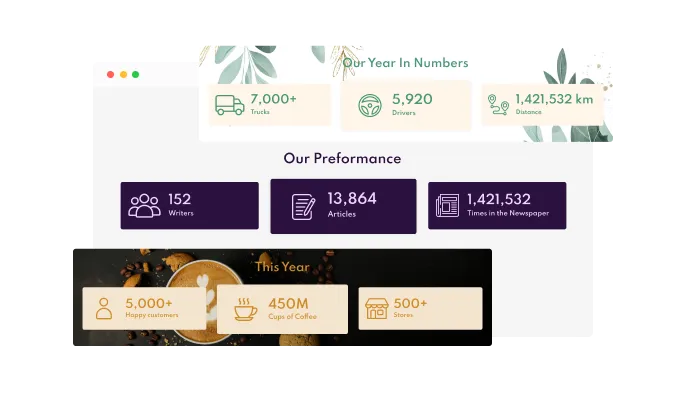
The Animated Number Counter app comes with a variety of beautiful skins that you can choose from so you don’t have to spend much time on extensive customization.
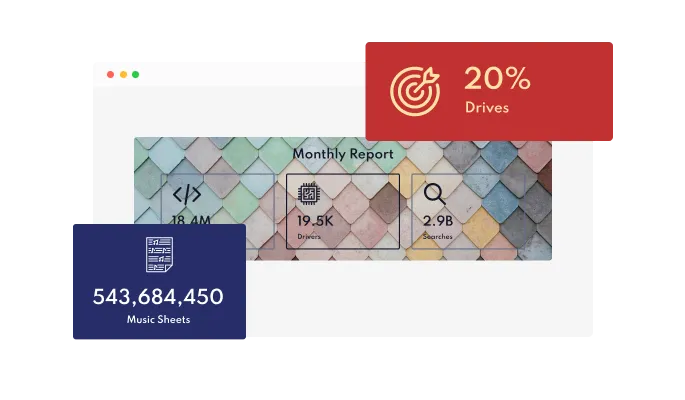
The Animated Number Counter app features commonly used layouts that you can choose from to fit your web page’s design.
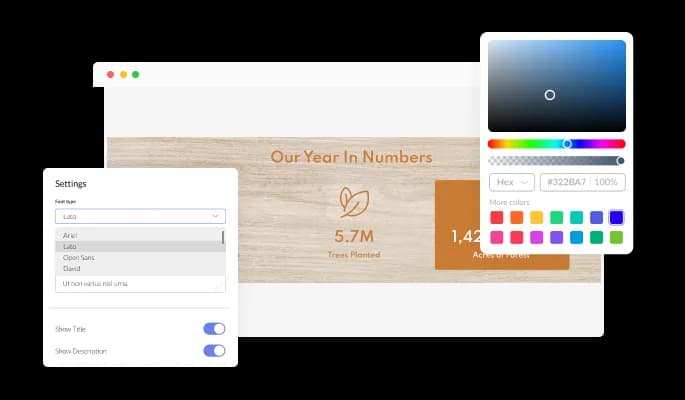
The Animated Number Counter app features full customization options so you can edit the design to fit your needs. Change the colors, the fonts, the spacing and anything else!
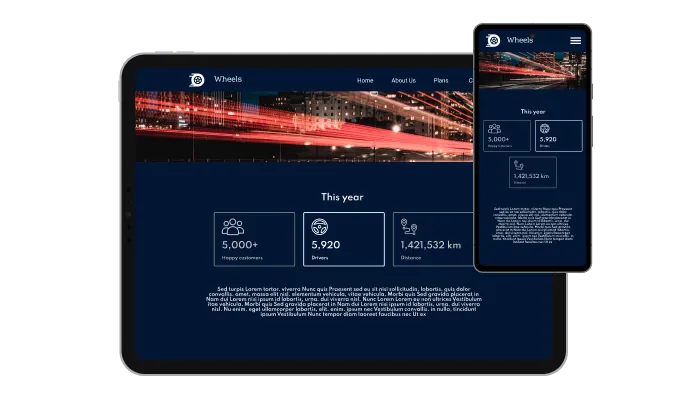
The Animated Number Counter app is fully responsive and will look great on any device. In a mobile-first world, this feature will put you ahead of your competitors.

As with all of Common Ninja’s apps, you can add custom CSS to customize the Animated Number Counter app and be even more creative.

You can embed the app on your website easily by copying a single line of code. The Animated Number Counter app will also be updated automatically with every change you make.
The Animated Number Counter app features an entertaining, eye-catching “counting” animation that is sure to add a sense of action to your website, as well as help focus the user’s attention on important information.
In addition to the option to add images to the number counter, the app has a large selection of icons that you can choose from to add instead of images.
You can customize the app any way you see fit, including deciding on what the starting number of the counter will be.
Do you want to add a plus sign after a number? Or perhaps to denominate that the number refers to users? Or maybe even that the number represents a certain currency? Regardless of what you want to add, you can easily do this by adding a prefix or a suffix to appear before or after the number.
You can easily add links to the Animated Number Counter app, to improve navigation and increase conversions.
You can add a background in the form of an image to really set your number counter apart and to further complement your website’s design direction.
The Animated Number Counter widget is easy to use and requires no coding knowledge. Our intuitive dashboard with the drag-and-drop feature will enable you to customize the app any way you’d like to with just a few simple clicks.
Common Ninja has amazing no-code widgets that would beautify a website built on any builder. It is very easy to use and customise. It has as many widgets for almost everyone willing to make their website impressive.
Outstanding service. I use their widgets to help me with my web design business and whenever I need help they are very quick to help.
Excellent company with excellent service!!! We used it to build a survey, it was very user friendly. The service was perfect. Amit helped us with every problem and question we had, thank you very much!!!
Common Ninja saved the day when building our website and the customer service Daniel, the co-founder and CEO, provided was amazing.
No. The Common Ninja Number Counter animates numbers you set in the editor (revenue, signups, milestones, KPIs, social proof). It does not count live visitors or page views. For real-time visitor tracking, use Google Analytics, Plausible, or a dedicated traffic-counter tool. Use this widget when you want a designed, animated reveal of a specific number on a landing page.
Yes. The free plan covers a single Number Counter widget with no time limit, no credit card, and no trial countdown. Upgrade only when you need additional widgets, premium skins, or higher monthly view limits.
No. Build the entire counter in a drag-and-drop editor, enter your numbers and labels, customize colors and layout, then paste one line of embed code. Most users finish setup in under 5 minutes.
Yes. Each counter accepts a prefix and a suffix you set in the editor: dollar signs, plus signs, percentages, K/M/B abbreviations, or custom unit labels. The position is configurable and the animation respects whatever you choose.
Yes. By default, each counter stays still until it scrolls into view, then animates from your start value to your end value. You can also trigger the animation on page load or disable the animation entirely.
As many as your plan allows. Stack them vertically, line them up horizontally, or arrange a grid. Each counter is independently configurable, so you can mix counts of different sizes, prefixes, and icons in the same layout.
Yes. Layouts adapt automatically to phones, tablets, and laptops. Number size, gap, and icon dimensions scale down on small screens while staying legible. Test in the editor's responsive preview before publishing.
200+ platforms including Canva, Webs, Notion, WordPress, Squarespace, Shopify, Wix, Webflow, Google Sites, Blogger, and any custom HTML page that accepts an embed snippet.
Pick your platform. Each takes under 4 minutes.
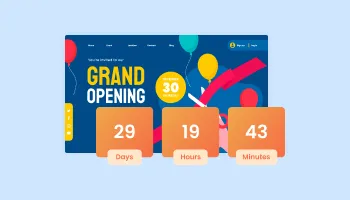
Displays a timer counting down to a specific date or event

A simple slider that lets visitors compare before and after images to see visual changes clearly.
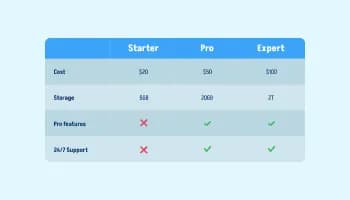
Displays data or features side-by-side, allowing users to compare and contrast the information easily
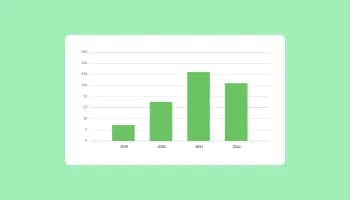
Visualize data and information using various chart types, including bar, pie, and line graphs, and more

Track real-time visitor counts on your website with our customizable Visitor Counter widget.
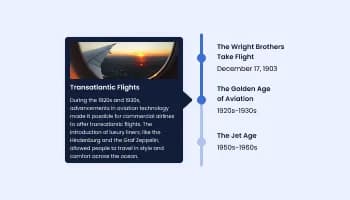
Show events or important moments in the order they occurred, using pictures and text
Sure you can. It’s very easy. Just head over to the “Templates” tab, and select the layout you prefer.
Yes, you can easily do so by adding a prefix or a suffix, which will display the symbol before or after the number accordingly.
Yes, you can customize the animation’s duration and delay.
Yes, there is a hover effect that will highlight the selected number.
Using the Animated Number Counter widget is very easy. Simply sign up and start using the free version. There's no need to worry about complicated setup or installation processes, as the Animated Number Counter widget is designed to be user-friendly and straightforward. Once you've signed up, you'll have access to all of the basic features and functions of the widget, which you can use to enhance your website and improve your online presence. From there, you can choose to upgrade to the paid version if you want to access more advanced features and capabilities. Regardless of which version you choose, you'll find that the widget is a powerful and easy-to-use tool that can help you take your online presence to the next level.
The Common Ninja Animated Number Counter widget is a free tool rich with features and options. While this widget is free to use, it does have a limit on the number of views it can handle. This means that after a certain number of views, the widget may no longer be visible or functional on your website. It is important to note that this view limit may vary depending on your plan. Despite this limitation, Common Ninja's Animated Number Counter is still a valuable tool for businesses looking to increase customer engagement and improve the overall user experience of their website.
The Common Ninja's Animated Number Counter widget is a versatile tool for any website builder. This means that you can easily add this widget to your website or store no matter what platform you use to build your website. The Animated Number Counter widget will work seamlessly with your platform whether you are using a popular website builder or something more specialized. This means you can enjoy all the benefits of this powerful tool without having to worry about compatibility issues.
Yes. The Animated Number Counter widget can be used in a GDPR-compliant way. Collecting visitor information is always opt-in: it stays off until you turn it on in the widget’s settings, and you decide what is collected. As the website owner, you remain responsible for how you use your visitors’ data.
No need for coding skills. Our Animated Number Counter widget is designed to be easy to use, even for those with limited technical experience. The widget features a user-friendly interface that allows you to easily customize the widget without coding knowledge. You can fully customize the Animated Number Counter to match your branding. When you're done, simply copy the provided code and paste it into your website. It's that simple!
Yes. We are eager to hear your request. Please visit our Feature Request page.
An animated number counter is a user-interface element that allows a website or application to display a number that increases or decreases over time. This can be used to create an interesting and dynamic visual effect, and it is often used to display statistics or other numerical data. An animated number counter may use a variety of animation techniques, such as smooth transitions, easing, or acceleration, to create a realistic and visually appealing effect. Some animated number counters may also include additional features, such as the ability to customize the animation speed or the number format or display multiple numbers at once. Overall, an animated number counter can be a useful and engaging way to display numerical data on a website or application.
An animated number counter widget can be used to display a wide range of numerical data or statistics on a website or application. Some common examples of content that can be shown on an animated number counter widget include:
In general, any type of numerical data or statistic that can be represented as a single number or a series of numbers can be shown on an animated number counter widget. The widget can be customized to display the numbers in a variety of formats, such as currency, percentage, or decimal, and it can be used to display both positive and negative numbers. Additionally, the widget can be used to display multiple numbers at once, allowing users to compare different data points or statistics easily.
An animated number counter widget can improve a website's user experience (UX) by providing a dynamic and engaging way to display numerical data or statistics. The animation effect of the widget can make the numbers more visually appealing and engaging, which can help to capture the user's attention and keep them interested in the content. Additionally, the animated number counter widget can provide users with a clear and concise way to view numerical data, which can make it easier for them to understand and interpret the information. This can improve the overall usability and user-friendliness of the website, as users can easily access and interact with the numerical data without having to search for it or interpret it in a different format. Overall, an animated number counter widget can be a useful and effective tool for enhancing the UX of a website.
Whether it is better to display an animated number counter with an image or without an image depends on the website or application's specific context and goals. In some cases, displaying the animated number counter with an image can be more effective and visually appealing, as the image can provide additional context and information about the data being displayed. For example, if the animated number counter is being used to display the total number of products sold, an image of the product can provide a more engaging and informative visual representation of the data. On the other hand, in some cases, displaying the animated number counter without an image may be more effective, as it can allow the numbers to be more prominent and easily visible to the user. Additionally, using an image may not always be appropriate or feasible, depending on the nature of the data being displayed or the design of the website. Ultimately, the decision to display an animated number counter with or without an image will depend on the specific goals and needs of the website or application.
Embedding the Animated Number Counter widget on your website is a straightforward process. Simply copy the provided code and paste it into the desired location on your website. The widget will seamlessly integrate into your site, allowing you to take advantage of its features and functions. No technical expertise or programming knowledge is required - just copy and paste the code to get started. This simple process allows you to easily add the widget to your website and enhance its functionality without any hassle.
Works on 200+ platforms. Trusted by 500K+ businesses.
Create your number counterNo credit card · Setup in under 5 minutes