Verified review
Common Ninja has amazing no-code widgets that would beautify a website built on any builder. It is very easy to use and customise. It has as many widgets for almost everyone willing to make their website impressive.


Try the editor, no signup
Pick a template, customize it, and watch it update live, no signup.
No credit card · Free forever plan
No credit card · Free forever plan
The Common Ninja 3D Cards widget is a no-code way to add animated 3D cards to any website. Each card tilts with depth as the visitor moves the mouse over it, so a row of features or services reads as something to explore rather than a flat block of tiles.
A card carries a title, an image or icon, a short explanation, and a button that links to the page you want next. Card flipping is an optional extra: turn it on and visitors click an arrow to see the back of the card.
Layouts, skins, colors, fonts, spacing, and custom CSS are all adjustable. Works on 200+ platforms including WordPress, Google Sites, Squarespace, Carrd, and Framer.
Flat tiles blend into the rest of the page. Cards that respond to the cursor with depth and motion pull the eye to the section that matters, whether that is your services, your plans, or your portfolio.
Each card can carry a button linking to the page it introduces, such as a product, a booking page, or checkout. The card does the attracting and the button does the routing.
The depth effect reacts to hover, so the section feels alive the moment a visitor's mouse crosses it. That small response is often what turns a skim into a pause on a landing page.
Turn on card flipping and every card gets a back side. Put the headline and image on the front and the detail behind it, so a row of four cards holds eight panels of content in the same space.
Give each card a title, an image or an icon from the built-in set, a short line of text, and a button. Keep the text short: the depth effect draws the eye, and the card only has to say enough to earn the click.
Pick a layout and a skin, then decide whether cards should flip. With flipping on, visitors click an arrow to turn the card over, which gives you a back side for the detail that did not fit on the front.
Copy the snippet from the Add to Website tab and paste it where the cards belong. Editing a card later updates every page carrying the embed, without re-pasting the code.
Cards tilt with depth as the visitor moves the mouse, giving the section a sense of interactivity before anything is clicked. It is the feature that separates these from ordinary card tiles.
Toggle flipping on and visitors click an arrow to see the back of the card. Leave it off for a clean single-sided row, or use it to hide longer detail until someone asks for it.
Upload your own image for each card, pick from a selection of icons, or leave the visual out. Icons work well for services and features; images suit products and portfolio pieces.
Choose a layout and a ready-made skin, adjust colors, fonts, and spacing, and add custom CSS for anything else. Cards are responsive, and one embed snippet works on 200+ platforms.
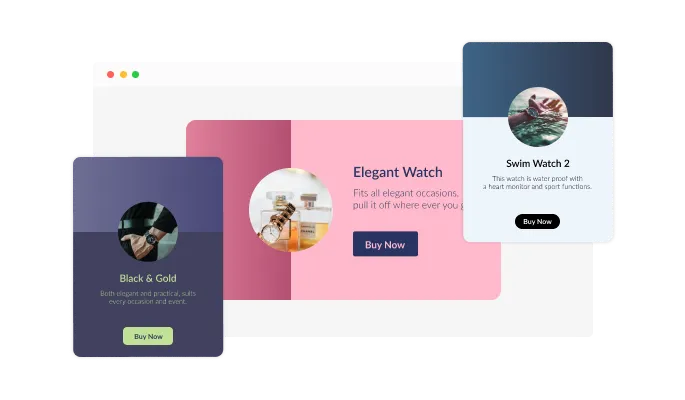
The 3D Cards widget comes available with multiple layouts that you can choose from to make sure it fits your overall website design and style.
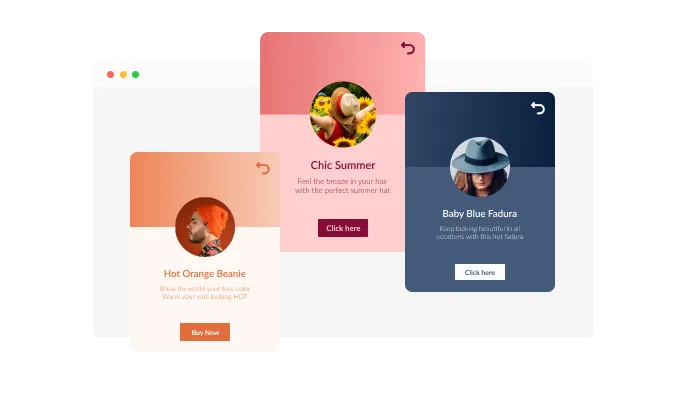
The 3D Cards widget comes with a variety of beautiful skins that you can choose from so you don’t have to spend much time on extensive customization.
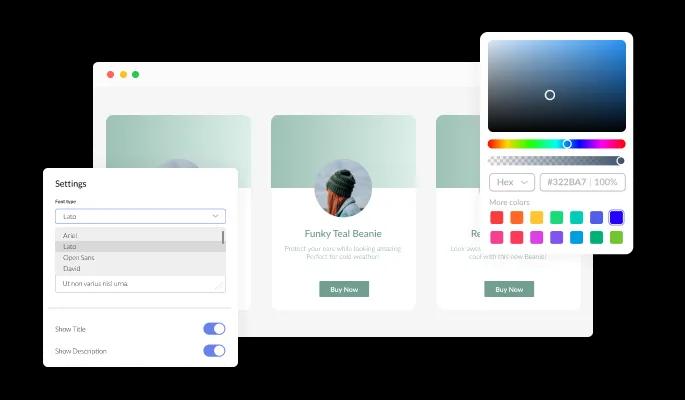
The 3D Cards widget features full customization options so you can edit the design to fit your needs. Change the colors, the fonts, the spacing, and anything else!
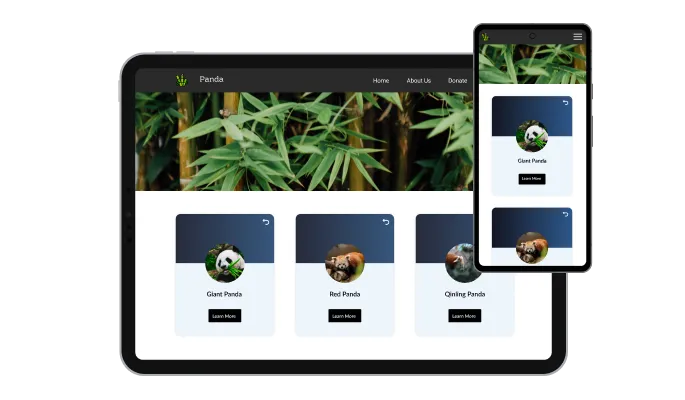
The 3D Cards widget is fully responsive and will look great on any device. In a mobile-first world, this feature will put you ahead of your competitors.
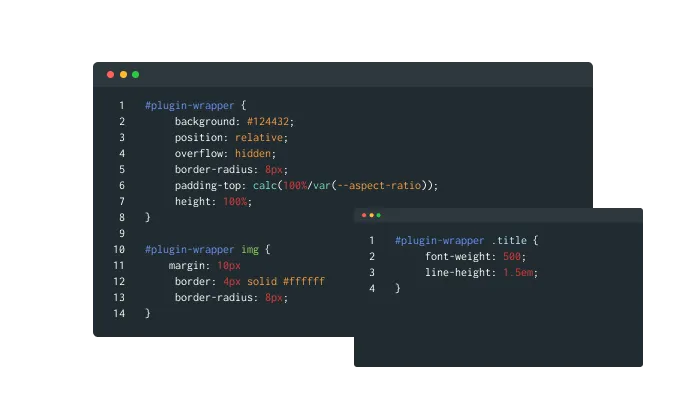
As with all of Common Ninja’s widgets, you can add custom CSS to customize the 3D Cards widget and be even more creative.
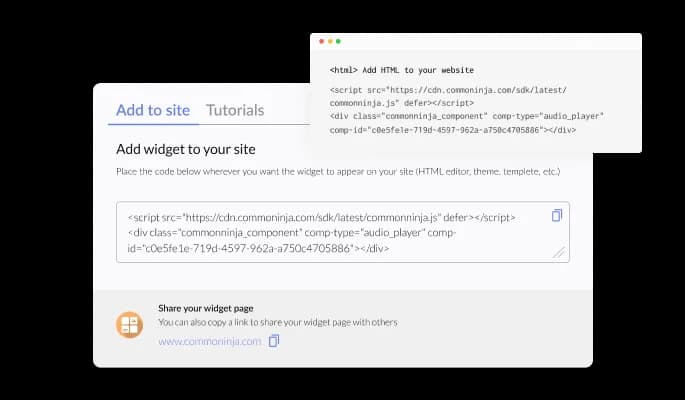
You can embed the widget on your website easily by copying a single line of code. The 3D Cards widget will also be updated automatically with every change you make.
The widget features a lovely 3D animation that will react to your user’s hovering motion, creating a fun, interactive experience for your users.
The widget has the option to toggle flipping on, which will enable users to click on an arrow and flip the card to show its backside, thereby enabling you to add more content to the card.
The 3D Cards widget comes with a selection of beautiful icons that you can use to add to it and enrich its visual appearance.
The 3D Cards widget is easy to use and requires no coding knowledge. Our intuitive dashboard with the drag-and-drop feature will enable you to customize the widget any way you’d like to with just a few simple clicks.
Common Ninja has amazing no-code widgets that would beautify a website built on any builder. It is very easy to use and customise. It has as many widgets for almost everyone willing to make their website impressive.
Outstanding service. I use their widgets to help me with my web design business and whenever I need help they are very quick to help.
Excellent company with excellent service!!! We used it to build a survey, it was very user friendly. The service was perfect. Amit helped us with every problem and question we had, thank you very much!!!
Common Ninja saved the day when building our website and the customer service Daniel, the co-founder and CEO, provided was amazing.
A 3D card is a content card (image, title, short text, often a button) that moves with depth when a visitor hovers over it, as if it were a physical card tilting toward them. The motion makes a row of cards feel interactive and draws attention to that section of the page.
No. This is a hosted widget: you build the cards in a visual editor and paste one embed line into your page, so there is no React, HTML, or CSS for you to maintain. If you need 3D card UI code to own and modify inside your app, a component library is the right tool rather than a widget.
A flip card is built around turning over to reveal a back side. A 3D card is built around depth on the front: it reacts to the cursor before anyone clicks. This widget can flip too, by an arrow the visitor clicks, but the flip is optional and the depth effect is the main event.
Anything a visitor should pause on and then act on: services, key features, plans, benefits, or portfolio pieces. Keep each card to a title, a visual, a sentence or two, and a button. If the content needs paragraphs, turn on flipping and put the detail on the back.
Yes. A card can carry a button that links to a relevant page, such as a product page or checkout. That is what makes the cards useful for conversions rather than just decoration.
The cards are responsive and reflow to the screen width. Touch screens have no hover, so treat the depth effect as a bonus rather than the message: the title, visual, and text on each card should carry it on their own.
Yes. Each card can show an uploaded image, an icon from the built-in selection, or neither. Icons keep a row of service or feature cards consistent; images suit products and portfolio work.
Pick your platform. Each takes under 4 minutes.

Show image and text cards that, when clicked, flip to reveal additional content on the other side

Add interactive, two-sided cards to your website with customizable flip animations.
Present a carousel display featuring images and text cards
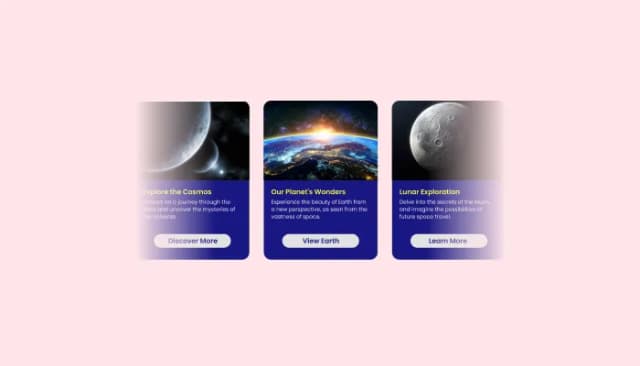
Create interactive content sliders to showcase images, text, and buttons with customizable options.

Upload, tilt, and rotate images interactively on any website.

Present images and text with a variety of animated effects and transitions for an engaging visual display
Yes, you can easily do so from the “Templates” tab.
Yes, there are lots of beautiful skins that you can choose from to save time and start using the widget as quickly as possible.
Yes, you can either upload an image, or select an icon from a large selection of available icons to add to your 3D Cards, or, alternatively, you can leave it all blank.
Using the 3D Cards widget is very easy. Simply sign up and start using the free version. There's no need to worry about complicated setup or installation processes, as the 3D Cards widget is designed to be user-friendly and straightforward. Once you've signed up, you'll have access to all of the basic features and functions of the widget, which you can use to enhance your website and improve your online presence. From there, you can choose to upgrade to the paid version if you want to access more advanced features and capabilities. Regardless of which version you choose, you'll find that the widget is a powerful and easy-to-use tool that can help you take your online presence to the next level.
The Common Ninja 3D Cards widget is a free tool rich with features and options. While this widget is free to use, it does have a limit on the number of views it can handle. This means that after a certain number of views, the widget may no longer be visible or functional on your website. It is important to note that this view limit may vary depending on your plan. Despite this limitation, Common Ninja's 3D Cards is still a valuable tool for businesses looking to increase customer engagement and improve the overall user experience of their website.
The Common Ninja's 3D Cards widget is a versatile tool for any website builder. This means that you can easily add this widget to your website or store no matter what platform you use to build your website. The 3D Cards widget will work seamlessly with your platform whether you are using a popular website builder or something more specialized. This means you can enjoy all the benefits of this powerful tool without having to worry about compatibility issues.
Yes. The 3D Cards widget can be used in a GDPR-compliant way. Collecting visitor information is always opt-in: it stays off until you turn it on in the widget’s settings, and you decide what is collected. As the website owner, you remain responsible for how you use your visitors’ data.
No need for coding skills. Our 3D Cards widget is designed to be easy to use, even for those with limited technical experience. The widget features a user-friendly interface that allows you to easily customize the widget without coding knowledge. You can fully customize the 3D Cards to match your branding. When you're done, simply copy the provided code and paste it into your website. It's that simple!
Yes. We are eager to hear your request. Please visit our Feature Request page.
Embedding the 3D Cards widget on your website is a straightforward process. Simply copy the provided code and paste it into the desired location on your website. The widget will seamlessly integrate into your site, allowing you to take advantage of its features and functions. No technical expertise or programming knowledge is required - just copy and paste the code to get started. This simple process allows you to easily add the widget to your website and enhance its functionality without any hassle.
Animated cards that tilt with depth on hover, with optional flipping, images or icons, link buttons, multiple layouts and skins, full responsiveness, and custom CSS. Embed on 200+ platforms including WordPress, Google Sites, Squarespace, Carrd, and Framer.
Create your 3D cardsNo credit card · No coding