


Verified review
Common Ninja has amazing no-code widgets that would beautify a website built on any builder. It is very easy to use and customise. It has as many widgets for almost everyone willing to make their website impressive.
Try the editor, no signup
Pick a template, customize it, and watch it update live, no signup.
No credit card · Free forever plan
No credit card · Free forever plan
The Common Ninja Bracket Maker is a free, no-code bracket generator for adding interactive tournament brackets to any website. Build the bracket in a visual editor, then paste one line of embed code.
It handles single elimination, double elimination, round robin, group stage, and four-division formats, plus prediction, Pick'em, and voting brackets when you want the audience to take part rather than just watch.
Add participants one at a time or in bulk, seed or randomize the matchups, attach photos and team logos, and let visitors submit scores or vote on matchups. Works on 200+ platforms including Canva, WordPress, Wix, Webflow, and Elementor.
Sports leagues, esports ladders, office competitions, and school tournaments all need the same thing: one page everyone checks for the current standings. Advance winners as rounds finish and every embed updates, so nobody has to hunt for a fresh PDF or a screenshot in a group chat.
Switch on votes and predictions and the bracket stops being a scoreboard and becomes the activity itself. Run a Pick'em pool, a fan vote on best album or best mascot, or a community poll shaped as a knockout. Visitors fill in their picks on your page instead of a third-party site.
Attach an image to every participant so the bracket reads visually rather than as a wall of names. Useful for creator tournaments, product knockouts, mascot votes, and anything where the picture is the point. Add a prizes section so the stakes are visible on the same page.
March Madness, World Cup groups, awards season, and end-of-year fan votes all pull searches for a bracket to fill in. Spin one up in minutes, open a signup page so participants add themselves, and let scores come in from visitors instead of your inbox.
Type in teams or players one at a time, or open the Participants tab and paste a whole list at once. There is no cap on how many participants a bracket can hold. Attach a photo or team logo to any entry, and add group names, dates, or game locations if your tournament needs them.
Choose single elimination, double elimination, round robin, group stage, or a four-division layout. Seed the matchups yourself or let the widget randomize them. Then toggle on what you want from the Settings tab: a third-place match, a prizes section, a signup page, score submission, votes and predictions, or the champion view.
Copy the snippet from the Add to Website tab and paste it wherever you want the bracket to appear. Results you update later push through to every embed without touching the code again, so you can advance winners round by round while the tournament runs.
Single elimination, double elimination, round robin, group stage, and four-division layouts, plus prediction, Pick'em, and voting variants. Pick the format when you build and change your mind later without re-entering participants.
Set the matchups by hand when seeding matters, or let the widget draw them at random for a blind bracket. Ties are broken randomly rather than left unresolved, so a round never stalls waiting on a decision.
Toggle on a signup page and participants add themselves instead of emailing you. Toggle on score submission and the people playing report their own results. Both are switches in the Settings tab, with no forms to build or wire up.
Save the finished bracket as an image or PDF for a recap post or a printout. Restyle it with built-in skins, layouts, and table types, or drop in custom CSS. One embed snippet works on 200+ platforms with no plugin to install.
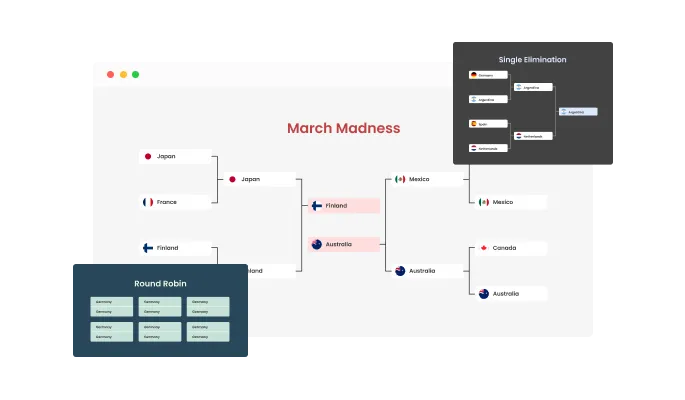
The online Free Brackets Maker features multiple bracket types for you to choose from. These include single elimination, double elimination, March Madness, custom brackets and more! Whatever your tournament type is, we’ve got the bracket for you.
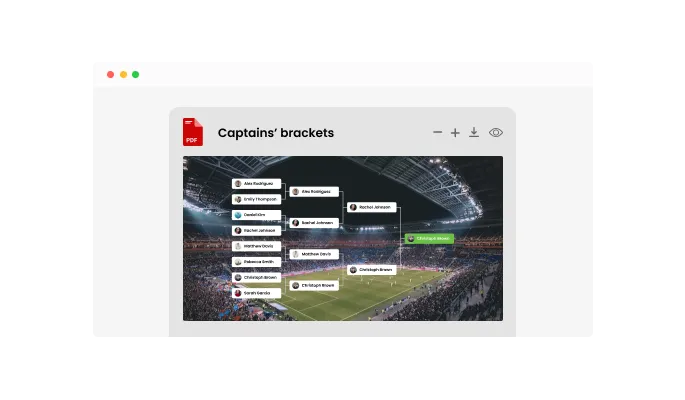
You can export your brackets and download the brackets as an image or a PDF file, to quickly and easily share it with other people or to post it on your website or social media accounts. With this feature, ensuring that your brackets are always accessible and presentable becomes effortless, enhancing the overall user experience and interaction.
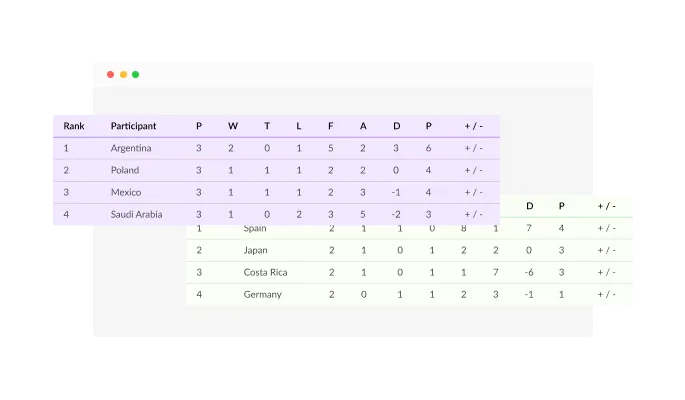
The Brackets maker features various types of tables that you can add to your tournaments. You can select the Standings table, which includes participants and their ranks, you can select the Participants table for a simple overview of your participants and their information & you can select the Ranking table which is based on the predictions that have been made.
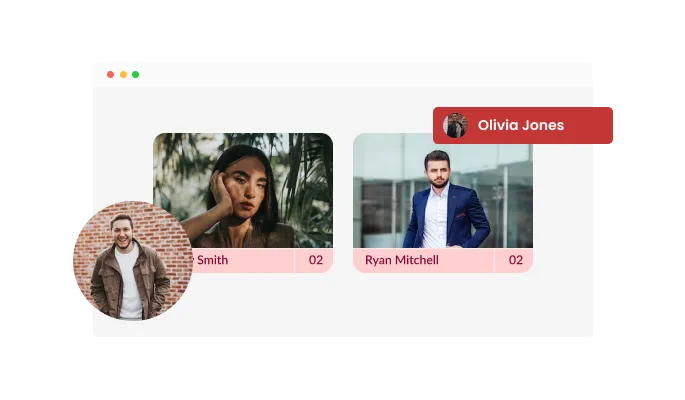
The online Brackets generator features multiple layouts including squares, circles & others. You can easily choose the Brackets layout that is most applicable to your website design and customize your brackets however you want. This versatility in design options ensures that your bracket not only functions seamlessly but also aesthetically complements the overall theme and feel of your platform.
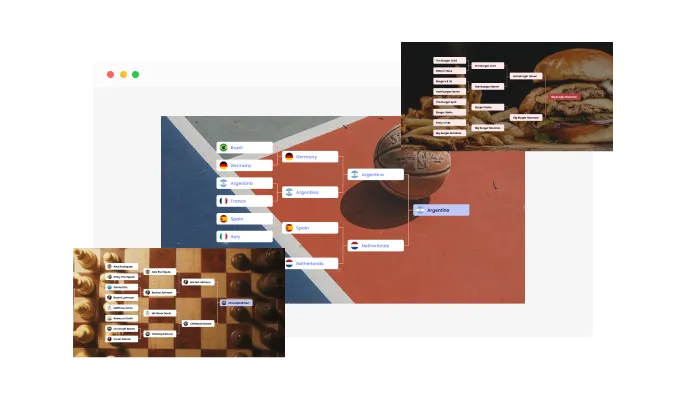
The online Brackets Creator features multiple skins for you to choose from. We have a wide selection of brackets skins in solid colors, or with complementing images that capture most tournament types. Set your Brackets tournament up quickly without the need for extensive customization.
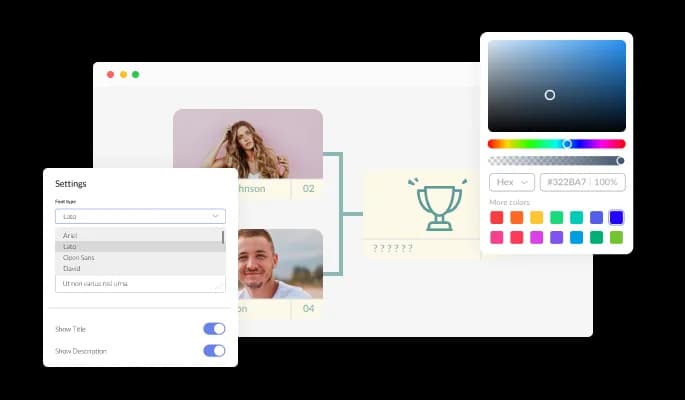
The Brackets & Tournaments app features full customization options so you can edit the design to fit your needs. Change the colors, the fonts, the spacing and anything else! With such adaptability, your bracket becomes a true reflection of your brand's identity, ensuring a cohesive and memorable user experience.
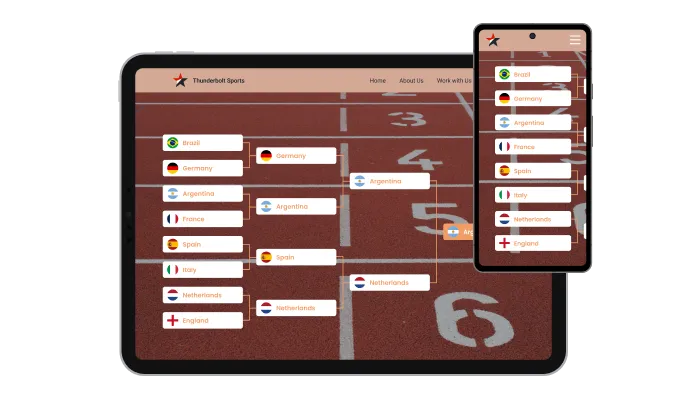
The Online Brackets Generator is fully responsive and will look great on any device. In a mobile-first world, this feature will put you ahead of your competitors. Ensuring that your bracket displays perfectly across all devices enhances user accessibility and engagement, setting a high standard in the bracket-making realm.

As with all of Common Ninja’s widgets, you can add custom CSS to customize the online Brackets & Tournaments and be even more creative. By integrating your own CSS, your bracket can truly stand out, embodying a unique design that resonates with your brand's distinct style and vision.

You can embed the online Brackets & Tournaments on your website easily by copying a single line of code. The app will also be updated automatically with every change you make. This ensures that your bracket remains up-to-date and consistent, providing your audience with a seamless and dynamic experience every time they visit.
The Online Brackets Maker features the ability to collect votes and predictions. These options will make the online brackets more interactive, engaging and fun for your users. The Online Brackets Maker features the ability to collect votes and predictions. These options will make the online brackets more interactive, engaging and fun for your users.
The online Bracket generator features a signup page option that will enable your bracket users to sign up and participate in your tournament and allow you to collect emails and generate leads for your email marketing campaigns. By integrating this feature, you not only enhance user engagement but also create a valuable touchpoint for future communications and promotions.
In the Brackets Maker, you can select different ways of pitting participants against each other: by order, randomized order, or traditional seeding. This flexibility ensures that every tournament can be tailored to fit its unique requirements and dynamics, enhancing the competitive spirit.
The Brackets Maker is easy to use and requires no coding knowledge. Our intuitive dashboard with the drag-and-drop feature will enable you to customize the app any way you want it with just a few simple clicks.
Common Ninja has amazing no-code widgets that would beautify a website built on any builder. It is very easy to use and customise. It has as many widgets for almost everyone willing to make their website impressive.
Outstanding service. I use their widgets to help me with my web design business and whenever I need help they are very quick to help.
Excellent company with excellent service!!! We used it to build a survey, it was very user friendly. The service was perfect. Amit helped us with every problem and question we had, thank you very much!!!
Common Ninja saved the day when building our website and the customer service Daniel, the co-founder and CEO, provided was amazing.
Open the Bracket Maker editor, add your teams or players, pick a format such as single elimination or round robin, and the bracket lays itself out. Style it with a skin or your own CSS, then copy the embed snippet from the Add to Website tab and paste it into any page. Nothing to install, and no coding needed at any step.
The Bracket Maker is free to use with no credit card. Participants are unlimited, and you get the full editor: every bracket format, seeding and randomization, votes and predictions, signup pages, and score submission. The free plan has a monthly view limit, so a bracket that gets very heavy traffic will need a paid plan to keep displaying past that point.
Yes. Set the matchups yourself when seeding matters, or have the widget draw them at random for a blind bracket. Randomization also handles ties: if a match ends level, the winner is picked at random so the round advances rather than stalling.
Yes. Every participant accepts an image, so you can run a bracket of logos, product shots, album covers, or headshots rather than plain text. This is the usual setup for creator tournaments, mascot votes, and product knockouts where the picture is the whole point.
Single elimination is the fastest and the format most people picture: lose once and you are out. Double elimination gives everyone a second life through a losers bracket, so it is fairer but roughly twice as many matches. Round robin has everyone play everyone, which suits small fields and league play. Group stage splits a large field into pools first, then sends the pool winners into a knockout, which is how tournaments like the World Cup are run. All four are available in the same editor, so you can switch without re-entering participants.
Yes, and they are separate switches. Score submission lets the people playing report their own results instead of sending them to you. Votes and predictions let visitors pick winners for a Pick'em pool or a fan vote. You can run either on its own, or both on the same bracket.
Yes. The Templates tab on this page has ready-made brackets you can open, rename, and publish, which is faster than starting from an empty grid. Pick the one closest to the tournament you are running, swap in your own participants, and embed it.
Open your Canva website design and click Apps in the left sidebar, then search for Embed. Paste the Common Ninja embed link into the Embed app and click the block that appears. Position the bracket in your design and publish the site. It stays fully interactive on the published Canva URL, including voting and score submission.
Yes. It runs as an embed snippet rather than a plugin, so there is nothing to install, update, or keep compatible with your theme. Add a Custom HTML block to any post or page, paste the snippet, and the bracket renders inline. The same approach works in Elementor and any builder that accepts an HTML block.
Pick your platform. Each takes under 4 minutes.
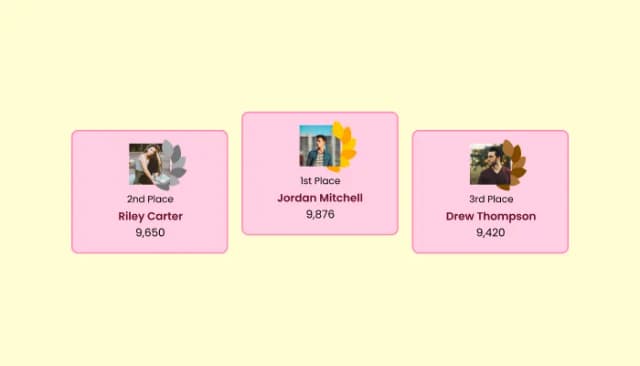
Create customizable leaderboards to display rankings and track participant scores.
An interactive Tier List widget for ranking and organizing items into customizable tiers.
Interactive Polls Widget for Real-Time User Feedback and Engagement.
Quiz Maker for easy custom quiz creation and integration.
Interactive wheel offering rewards to boost user engagement, gather leads and increase conversions.
Displays a timer counting down to a specific date or event
You can add as many Brackets participants as you’d like.
Yes, the Bracket Generator enables you to load the team more than once.
No. If there’s a tie then the winner will be chosen randomly.
Yes, you can! In the Brackets Editor, go to the 'Participants' tab and select the group icon where it says 'Participants List'. For a more detailed guide, please refer to this article.
Certainly! You can enable voting in the Brackets by selecting the 'Votes/Predictions' tab on your dashboard. For a more detailed guide, please refer to this article.
You can easily enable the Brackets Predictions option by selecting the 'Votes/Predictions' tab on your dashboard. For a more detailed guide, please refer to this article.
Of course! You can set in the brackets a third-place winner by selecting the “Settings” tab and toggling the “3rd Place Match” button.
Yes, you can! You can easily add a prizes section in the Brackets by selecting the “Settings” tab and toggling the “Prizes” button.
Certainly! You can highlight and celebrate your Brackets champion by selecting the “Settings” tab and toggling the “Champion View” button.
Yes, you can! You can create an online brackets signup page by selecting the “Settings” tab and toggling the “Signup Page” button.
Yes, they can! You can add score submission by selecting the “Settings” tab and toggling the “Scores Submission” button.
Yes, you can! You can easily add the game’s location by selecting the “Settings” tab and toggling the “Game Locations” button.
Of Course! You can easily add group names by selecting the “Settings” tab and toggling the “Group Names” button.
Certainly! You can easily add the dates of the games by selecting the “Settings” tab and toggling the “Dates” button.
Using the Brackets Maker widget is very easy. Simply sign up and start using the free version. There's no need to worry about complicated setup or installation processes, as the Brackets Maker widget is designed to be user-friendly and straightforward. Once you've signed up, you'll have access to all of the basic features and functions of the widget, which you can use to enhance your website and improve your online presence. From there, you can choose to upgrade to the paid version if you want to access more advanced features and capabilities. Regardless of which version you choose, you'll find that the widget is a powerful and easy-to-use tool that can help you take your online presence to the next level.
The Common Ninja Brackets Maker widget is a free tool rich with features and options. While this widget is free to use, it does have a limit on the number of views it can handle. This means that after a certain number of views, the chat button may no longer be visible or functional on your website. It is important to note that this view limit may vary depending on the plan you are using. Despite this limitation, Common Ninja's Bracket Maker is still a valuable tool for businesses looking to increase customer engagement and improve the overall user experience of their website.
The Common Ninja's Bracket Maker widget is a versatile tool for any website builder. This means that you can easily add this widget to your website or store no matter what platform you use to build your website. The Brackets Maker widget will work seamlessly with your platform whether you are using a popular website builder or something more specialized. This means you can enjoy all the benefits of this powerful tool without having to worry about compatibility issues.
It’s very easy to embed Common Ninja’s Brackets & Tournaments app on your website and the process consists of two steps:
Yes. The Bracket Maker widget can be used in a GDPR-compliant way. Collecting visitor information is always opt-in: it stays off until you turn it on in the widget’s settings, and you decide what is collected. As the website owner, you remain responsible for how you use your visitors’ data.
No need for coding skills. Our Brackets Maker widget is designed to be easy to use, even for those with limited technical experience. The widget features a user-friendly interface that allows you to easily customize the widget without coding knowledge. You can fully customize the Brackets Maker to match your branding. When you're done, simply copy the provided code and paste it into your website. It's that simple!
Embedding the Brackets Maker widget on your website is a straightforward process. Simply copy the provided code and paste it into the desired location on your website. The widget will seamlessly integrate into your site, allowing you to take advantage of its features and functions. No technical expertise or programming knowledge is required - just copy and paste the code to get started. This simple process allows you to easily add the widget to your website and enhance its functionality without any hassle.
Yes. We are eager to hear your request. Please refer to this page.
Single elimination brackets are a type of tournament format used in competitions where the goal is to determine a single winner. In a single elimination bracket, each participant is paired with another participant in a one-on-one match, and the winner of each match advances to the next round while the loser is eliminated from the competition. This continues until only one participant remains, who is declared the winner of the tournament.
Single elimination brackets are often used in sports tournaments and other competitions where a large number of participants compete against each other. The format is simple and easy to understand and allows for a clear determination of the winner without the need for multiple rounds of matches. However, the format can be considered unfair because a single loss eliminates a participant from the competition, regardless of their overall skill level or performance.
This can result in a situation where the best team or player does not win the tournament, because they may be eliminated in an early round due to an unlucky matchup or a single mistake.
A Round Robin Bracket is a type of tournament format where each team or player plays against every other team or player in the competition. This ensures that each team or player has an equal opportunity to compete and win.
The bracket is typically set up in a circular or circular-like shape, with the teams or players arranged in a way that ensures each team or player plays against every other team or player. The team or player with the most wins determines the winner of the tournament.
A double-elimination bracket is a type of tournament format where a team or player is not eliminated from the competition after losing their first game. Instead, they are moved to a separate bracket where they have another chance to compete and win. The winner of the main bracket and the elimination bracket compete against each other in the final game to determine the tournament's overall winner. This format allows for more competitive play and ensures that all teams or players have a fair chance at winning the tournament.
March Madness is the popular nickname for the NCAA Division I Men's Basketball Tournament, which is held every year in the United States. The tournament features 68 college basketball teams from across the country, who compete in a single-elimination tournament to determine the national champion. The tournament is known for its unique bracket format, where teams are seeded based on their regular season performance and then matched up in a bracket for the tournament. The tournament is a popular event for fans and bettors, who often fill out their own bracket predictions in hopes of correctly predicting the outcome of each match.
A four division bracket is a type of tournament format where the competition is divided into four separate divisions or groups. Each division contains a certain number of teams or players competing against each other within their own division. The winners of each division then face off in a final round to determine the tournament's overall winner. This format allows for a larger number of teams or players to compete in the tournament, and ensures a fair and balanced competition by dividing the teams or players into separate divisions.
A prediction bracket is a type of bracket used for predicting the outcome of a tournament or competition. This can be done by a single person or a group of people, and is often used for betting or as a fun activity among friends or colleagues. In a prediction bracket, the person or group fills out the bracket by predicting the winners of each match in the tournament. The person or group with the most accurate predictions is typically declared the winner. Prediction brackets are commonly used for sports tournaments, such as the NCAA March Madness basketball tournament, but can also be used for other types of competitions, such as reality TV shows or political elections.
Pick'em brackets are a type of prediction bracket where the person or group filling out the bracket must choose the winners of each match in the tournament. This is different from a traditional bracket, where the tournament organizers determine the winners. In a pick'em bracket, the person or group must use their knowledge and expertise to make educated guesses about which teams or players will win each match. The person or group with the most accurate predictions is typically declared the winner. Pick'em brackets are often used for sports tournaments, but can also be used for other types of competitions, such as reality TV shows or political elections.
A voting bracket is a type of bracket used to conduct a vote or poll among a group of people. In a voting bracket, the options or candidates being voted on are arranged in a bracket format, with each option or candidate facing off against another in a series of match-ups. The people participating in the vote then cast their ballots by selecting the option or candidate they prefer in each match-up. The option or candidate with the most votes in each match-up advances to the next round, until a winner is determined. Voting brackets can be used for a variety of purposes, such as choosing a favorite food, determining the best movie in a series, or selecting the most popular candidate in an election.
A Group Stage bracket is a type of tournament format where the teams or players are divided into groups or pools based on their performance or ranking. Each group or pool contains a certain number of teams or players, who compete against each other within their own group. The winners of each group or pool then advance to the next round of the tournament, where they face off against the winners of the other groups or pools. This format allows for a larger number of teams or players to compete in the tournament and ensures a fair and balanced competition by dividing the teams or players into separate groups. Group Stage brackets are commonly used in sports tournaments, such as soccer or basketball, but can also be used for other types of competitions.
Single elimination, double elimination, round robin, group stage, and four-division brackets, plus prediction, Pick'em, and voting formats. Unlimited participants, seeding or random draws, photos and logos, signup pages, and score submission. Embed on 200+ platforms including Canva, WordPress, Wix, Webflow, and Elementor.
Create your bracketFree to use · No credit card · No coding