


Verified review
Common Ninja has amazing no-code widgets that would beautify a website built on any builder. It is very easy to use and customise. It has as many widgets for almost everyone willing to make their website impressive.
Try the editor, no signup
Pick a template, customize it, and watch it update live, no signup.
No credit card · Free forever plan
No credit card · Free forever plan
The Common Ninja March Madness Bracket Maker is a free, no-code widget for running a bracket pool on your own website. Build the bracket, open it for predictions, and paste one line of embed code.
Participants fill in their picks, a scoring system rates them as results come in, and a leaderboard ranks everyone, so the pool runs itself through every round.
Signup pages, automatic round advancement, shareable brackets, multiple layouts, export to image or PDF, and custom CSS are all included. Works on 200+ platforms including WordPress, Wix, Shopify, Squarespace, and Webflow.
Someone always ends up collecting picks by email and maintaining a scoring sheet by hand. Predictions, scoring, and the leaderboard all happen in the widget, so the pool runs without a volunteer administrator losing their March.
A bracket pool brings the same visitors back for three weeks to check standings. Very little else on a website earns that kind of repeat traffic from an audience that is enjoying itself.
The signup page means entrants identify themselves to join the pool, which turns a seasonal bit of fun into a list of people who chose to engage with your site rather than anonymous traffic.
The big bracket platforms keep the audience and the data. Hosting the pool on your own site means the attention, the repeat visits, and the entrants belong to you.
Set up the matchups and pick a layout and style. Do this before the tournament starts: once the first round is under way, people want to enter immediately and any delay costs you entries.
Turn on the signup page so participants add themselves, and enable predictions so they submit their picks. The scoring system rates each entry as results come in, and the leaderboard ranks everyone automatically.
Copy the snippet from the Add to Website tab and paste it on your page, then share the bracket link. Rounds advance automatically as results are entered, so you are not updating a spreadsheet between games.
Entries are scored as results come in and participants are ranked automatically. That combination is what makes it a pool rather than just a bracket people look at.
Winners move through the bracket as results are entered, so you are not redrawing the next round by hand while sixty people are refreshing the page.
Participants add themselves rather than emailing you, and the bracket has a link you can drop into a group chat, a newsletter, or a social post to pull entries in.
Several bracket layouts and ready-made styles, export to image or PDF for a recap post or a printout, and custom CSS so the bracket matches your site rather than looking bolted on.

Allow users to sign up before submitting their March Madness bracket predictions and joining the competition. This helps you manage participants while also collecting contact information for future updates, contests, or marketing communication.

Download the completed March Madness bracket as an image or PDF so it can be easily shared with others. This makes it simple to post predictions on social media, send them to friends, or publish the bracket on a website.

Pick from a selection of pre-designed styles to give your March Madness bracket a polished look in just a few clicks. This helps you launch faster and create a more engaging experience without spending time on manual design adjustments.

Customize the look of your March Madness bracket so it fits perfectly with your website or brand. Adjust colors, fonts, spacing, and other visual elements to create a consistent and polished experience for your visitors.

The March Madness Bracket Maker is fully responsive and works smoothly on any device, including desktops, tablets, and smartphones. This ensures that users can create, view, and follow their bracket predictions easily wherever they are.

The March Madness Bracket Maker allows you to add custom CSS for deeper design control. This gives you the freedom to tailor the bracket’s appearance and create a look that perfectly matches your website and brand.

Add the March Madness Bracket Maker to your website in seconds by copying a simple embed code. Any updates you make are applied automatically, so your bracket always stays current for your visitors.
Set up a scoring system that awards points for correct picks in each round of the tournament. This makes it easy to run March Madness competitions, track performance, and identify the winning bracket.
Create and customize your March Madness bracket quickly with an intuitive builder that requires no technical knowledge. The straightforward interface makes it easy to set up the bracket and adjust it in just a few clicks.
Show a live leaderboard that ranks participants based on how accurate their March Madness predictions are. This adds a competitive element to the experience and gives users a reason to return after each round to see how they compare.
Let participants share their March Madness bracket predictions with friends, coworkers, or followers on social media. This helps increase engagement, attract more participants, and spread awareness of the bracket challenge.
Automatically move winning teams to the next round as results are updated. This keeps the bracket accurate, saves time for organizers, and helps participants follow the tournament with ease.
Choose from several bracket layouts to match the style and structure that works best for your website. Flexible layout options allow you to present your March Madness bracket in a clear and visually appealing way that fits naturally with your site’s design.
Build your March Madness bracket in the editor
Open the editorFree to use · No credit card · No signup to try it
Common Ninja has amazing no-code widgets that would beautify a website built on any builder. It is very easy to use and customise. It has as many widgets for almost everyone willing to make their website impressive.
Outstanding service. I use their widgets to help me with my web design business and whenever I need help they are very quick to help.
Excellent company with excellent service!!! We used it to build a survey, it was very user friendly. The service was perfect. Amit helped us with every problem and question we had, thank you very much!!!
Common Ninja saved the day when building our website and the customer service Daniel, the co-founder and CEO, provided was amazing.
Open the editor, set up the matchups, pick a layout and style, then switch on the signup page and predictions so people can enter. Copy the embed snippet onto your page and share the link. Do it before the first round, because entries all arrive in the first day or two.
Use this one for a March Madness pool, where the point is people submitting predictions, being scored, and appearing on a leaderboard. Use the general Bracket Maker when you are running an actual tournament and advancing real results, or when the format is not a March Madness pool at all: round robin, group stage, double elimination, and so on.
Yes, that is the point of it. Each participant submits their own picks, the scoring system rates them as results come in, and the leaderboard ranks everyone. That is what turns a bracket into a pool.
Switch on the signup page and participants add themselves, rather than emailing you their picks for you to enter by hand. Share the bracket link in a group chat, a newsletter, or a post and entries come in on their own.
Rounds advance automatically as results are entered, so you are not redrawing the next round by hand. You still enter the results, which is the one job that cannot be automated away.
Before the field is announced if you can, and certainly before the first games. Interest in bracket pools is compressed into a few days, so a bracket published late misses most of the entries it would otherwise have had. It is the single biggest practical factor in how well a pool does.
Yes. A prizes section makes the stakes visible on the same page as the bracket, and the champion can be highlighted when the tournament finishes, which is also the moment worth exporting as an image for a recap post.
You can, but the general Bracket Maker is the better fit for that, since it covers single and double elimination, round robin, group stage, and four-division formats. Use this page's widget when you want the March Madness pool shape specifically.
Pick your platform. Each takes under 4 minutes.
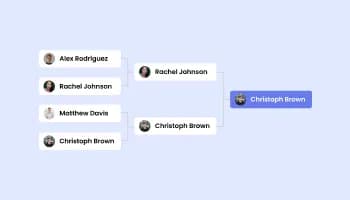
Create Advanced online Brackets & Tournaments With Images, Voting, and Predictions
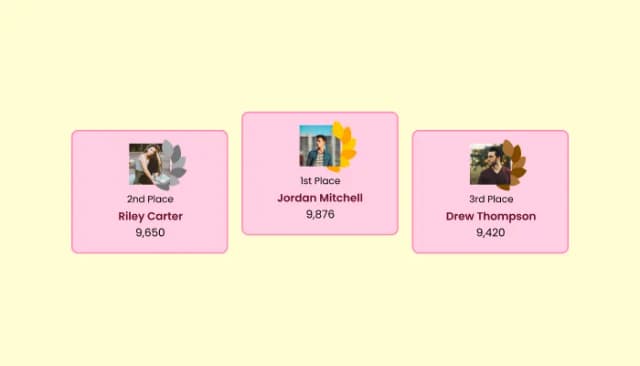
Create customizable leaderboards to display rankings and track participant scores.
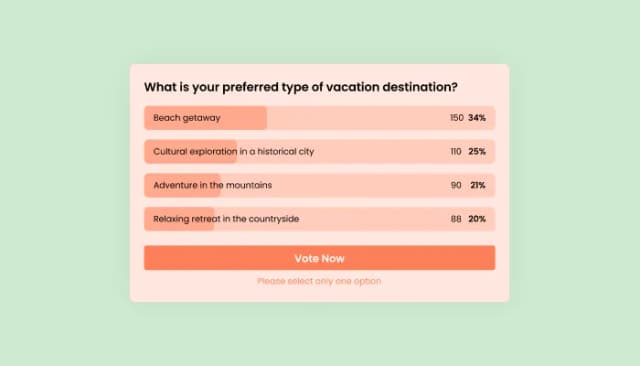
Interactive Polls Widget for Real-Time User Feedback and Engagement.
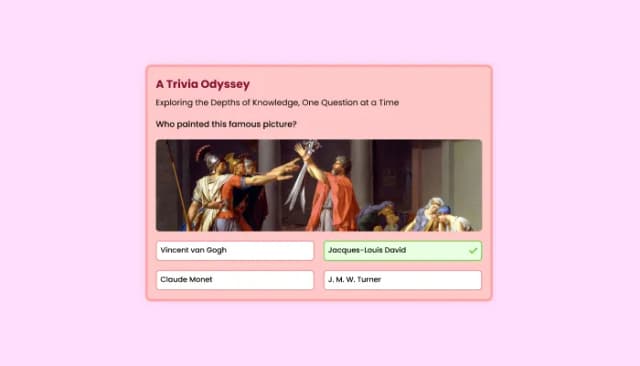
Quiz Maker for easy custom quiz creation and integration.
Interactive wheel offering rewards to boost user engagement, gather leads and increase conversions.
Displays a timer counting down to a specific date or event
Yes. The March Madness Bracket Maker allows participants to submit their predictions directly in the bracket. Once the Predictions option is enabled, users can choose winners for each matchup and follow how their bracket performs throughout the tournament.
Yes. You can add a prize section to your March Madness bracket challenge to highlight rewards for winners or top participants. This is a great way to motivate users to join the competition and stay engaged during the tournament.
Yes. The bracket can automatically highlight the tournament champion once the final matchup is completed. This makes it easy for participants to see the winning team and celebrate the final result of the March Madness bracket.
Yes. The March Madness Bracket Maker includes an optional participant signup page that allows users to register before submitting their predictions. This helps you manage participants and collect contact information for updates or future events.
Getting started is simple. Sign up for the platform, create your March Madness bracket, customize the layout and prediction settings, and embed the bracket on your website using the provided code.
Yes. A free version of the March Madness Bracket Maker is available and includes core features for creating and displaying brackets. Premium plans provide additional customization options and advanced features.
The March Madness Bracket Maker works with virtually any website platform. You can embed it on websites built with WordPress, Wix, Shopify, Webflow, Squarespace, and many other builders.
Embedding the bracket is simple. Copy the embed code generated in the dashboard and paste it into your website where you want the bracket to appear.
Yes. The March Madness Bracket Maker is designed with privacy and data protection in mind and can be used in a GDPR compliant environment.
No coding skills are required. The bracket builder provides a simple interface that allows you to create and customize your March Madness bracket without writing any code.
Not at all. Simply copy the embed code and paste it into your website. The bracket will appear instantly and update automatically whenever you make changes.
A March Madness bracket is a tournament prediction chart used during the NCAA Division I Men’s Basketball Tournament. Fans predict the winners of each matchup across all rounds, from the Round of 64 to the Championship, and compete to see whose predictions are the most accurate.
A prediction bracket allows participants to forecast the winners of each matchup in a tournament. In March Madness contests, users fill out their brackets before the tournament begins and earn points based on how accurate their predictions are.
A Pick’em bracket is a type of prediction competition where participants choose the winners of each game in the tournament. The participant with the most accurate predictions across all rounds typically wins the bracket challenge.
Yes. The March Madness Bracket Maker allows you to create prediction contests where participants compete to see whose bracket performs best. Users can submit their picks and compare results throughout the tournament.
Yes. A leaderboard can display the current rankings of participants based on how accurate their predictions are. This helps create a competitive atmosphere and encourages users to return after each round to see their position.
Points can be awarded for each correct prediction in the bracket. You can define a scoring system that gives different point values to different rounds, making later games more valuable and increasing the excitement as the tournament progresses.
Yes. Participants can share their bracket predictions with friends, coworkers, or on social media. Sharing predictions helps bring more people into the competition and increases engagement around the tournament.
Yes. You can create private bracket competitions for offices, communities, or groups of friends. This makes the March Madness Bracket Maker perfect for office pools or internal events.
Yes. As game results are updated, participants can see how their predictions are performing. This allows them to follow each round and see whether their bracket is still on track.
Yes. The March Madness Bracket Maker offers design customization options so you can match the bracket to your website or brand. You can adjust colors, fonts, layouts, and other visual elements.
Yes. The bracket can be embedded on almost any website using a simple embed code. This allows you to easily add a March Madness bracket contest to your site without complex setup.
A bracket pool on your own site with prediction scoring, a participant leaderboard, a signup page, automatic round advancement, shareable brackets, multiple layouts, export to image or PDF, and custom CSS. Embed on 200+ platforms including WordPress, Wix, Shopify, Squarespace, and Webflow.
Create your March Madness bracketFree to use · No credit card · No coding