


Verified review
Common Ninja has amazing no-code widgets that would beautify a website built on any builder. It is very easy to use and customise. It has as many widgets for almost everyone willing to make their website impressive.
Try the editor, no signup
Pick a template, customize it, and watch it update live, no signup.
No credit card · Free forever plan
No credit card · Free forever plan
The Common Ninja Mega Footer widget is a free, no-code embed that drops a structured multi-column site footer onto any page. Navigation links grouped by category, contact info, social icons, logo, and address.
Build column groups with custom headings and link lists, add your logo and brand image, integrate social media icons, configure address and contact fields, pick from multiple skins, layer Custom CSS, and paste a one-line embed snippet on Shopify, Canva, WordPress, Squarespace, Webflow, Kajabi, and 200+ other platforms.
Use it to give site builders without a native footer template a complete footer in minutes, replace a weak built-in footer on a budget theme, or unify footer design across multiple pages and microsites without rebuilding it per template.
Some site builders ship a barebones footer (just a copyright line) or no footer template at all. A mega-footer widget gives you the full nav-grid + social + contact + brand setup in minutes, without coding a footer component or paying for a theme upgrade that includes one.
Visitors who scroll all the way to the bottom of a page are often looking for something specific (legal pages, contact info, support links, secondary nav). A structured footer with grouped link columns helps them find it without scrolling back up, and signals professionalism that bare footers don't.
A complete footer typically has four jobs: link nav, social icons, brand reinforcement (logo, tagline), and trust signals (address, contact info). This widget handles all four in one component, instead of stacking three or four separate embeds at the bottom of every page.
Footers are one of the densest internal-link surfaces on most sites. Every page on the site typically gets a link from the footer, which spreads link equity to deep pages search engines might otherwise miss. A structured mega footer with categorized links does this job better than a single-line nav strip.
Add as many columns as you need. "Products", "Resources", "Company", "Support". Each column has a heading and a list of links (label + URL). Drag-and-drop link order, add or remove links freely, and the columns reflow to single-column on mobile.
Upload your logo and optional brand image, add social media icon links (Instagram, LinkedIn, X, Facebook, YouTube, GitHub, and more), and configure an address field for physical-location credibility. Each section is optional. Pick what fits your footer's tone and brand needs.
Copy the one-line embed snippet and paste it on Shopify, Canva, WordPress, Squarespace, Webflow, Kajabi, or any of the 200+ supported platforms. The footer renders at the bottom of every page where the snippet loads. Edits in the Common Ninja editor push to every embed without re-paste.
Add as many columns as you need, typically 3-5 categories like Products, Resources, Company, Support. Each column has a heading and a link list. Reorder columns and links via drag-and-drop in the editor; the grid reflows to single-column on mobile.
Upload your logo (SVG, PNG, JPG) and optionally a brand image (banner, tagline graphic) to anchor the footer's brand presence. Logo position is configurable: top-left of the footer (standard), top-center (for centered designs), or as a column anchor.
Add social media icons (Instagram, LinkedIn, X, Facebook, YouTube, GitHub, TikTok, and more) directly in the footer. Each icon links to your profile on that platform. No separate social-icons widget needed; the footer handles the brand-social presence in one component.
Pick from a library of pre-designed skins (minimal-clean, corporate-tiered, dark-luxe, brand-vibrant, magazine) for a fast visual fit. Layer Custom CSS for pixel-level control over column spacing, link typography, social-icon sizing, divider styling, and per-breakpoint sizing.
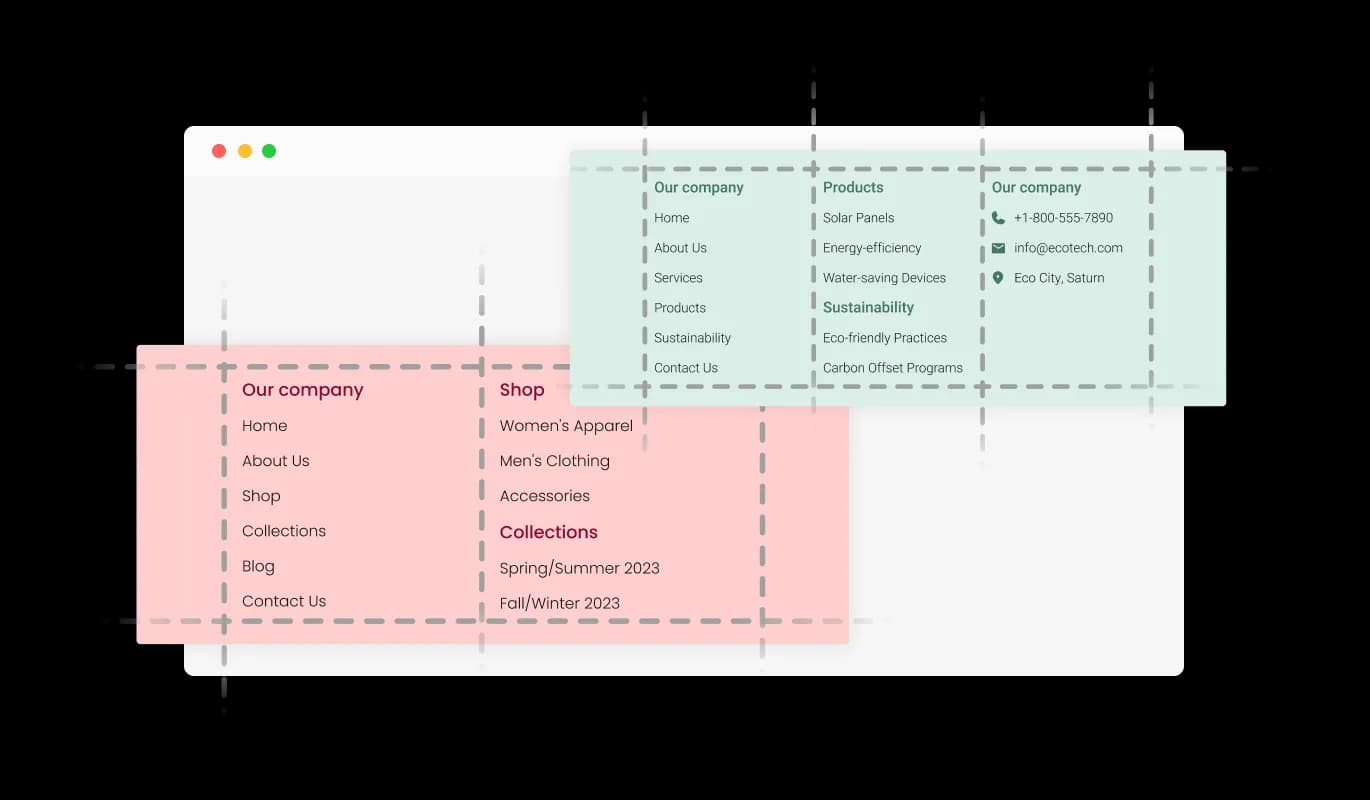
The Mega Footer widget facilitates a well-organized and clean layout by allowing you to segregate links and information into multiple columns. This functionality not only enhances the visual appeal but also aids in categorizing content in a manner that is easy to navigate. It's a practical way to ensure that your website's footer is both user-friendly and aesthetically pleasing.

Showcase your brand's identity prominently with the Mega Footer widget's logo and media display feature. This functionality allows you to exhibit your logo and other pertinent images at the footer, adding a visual appeal and fostering brand recognition. It's a simple method to enhance your website's professional look and create a lasting impression on visitors.

The Mega Footer widget facilitates seamless integration of social media links right at the footer of your website. This feature allows for a centralized space where visitors can easily find and access your social platforms, encouraging better engagement and community interaction. It's a straightforward way to expand your online presence and foster a closer connection with your audience.
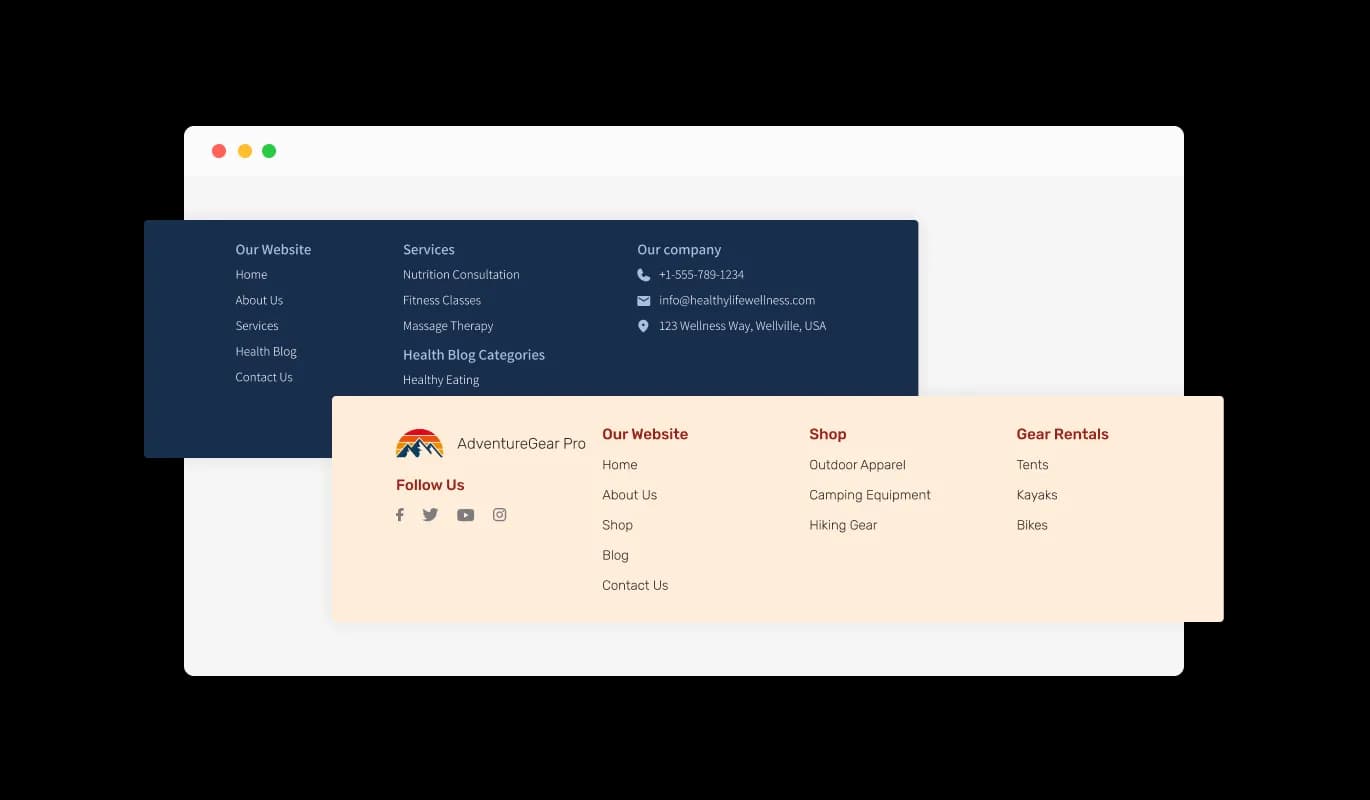
The Mega Footer widget offers a variety of beautiful skins to choose from, significantly shortening the design process. This feature enables you to select a skin that aligns with your brand's aesthetics and the overall look and feel of your website. It's a convenient way to maintain brand consistency while adding a touch of professionalism and visual appeal to your site's footer area.
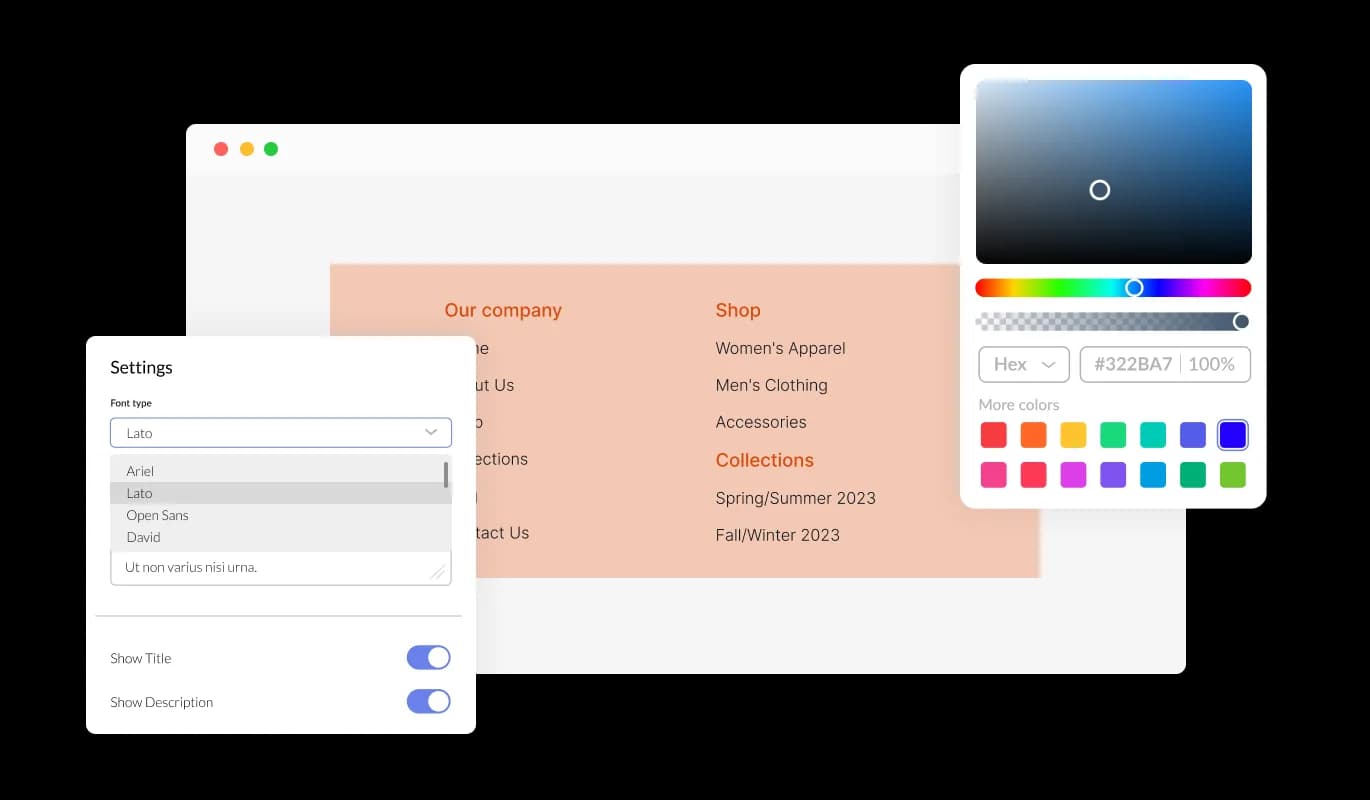
With the Mega Footer widget, tailoring the appearance and ambiance of your footer is a breeze. Effortlessly modify elements like colors, fonts, and spacing to resonate with your brand or personal preference. Whether you're aiming for a contemporary, sleek layout or a more classic appearance, the Mega Footer widget accommodates your needs. Offering a plethora of customization possibilities, it allows for fine-tuning every facet of your footer to achieve the ideal aesthetic for your project.
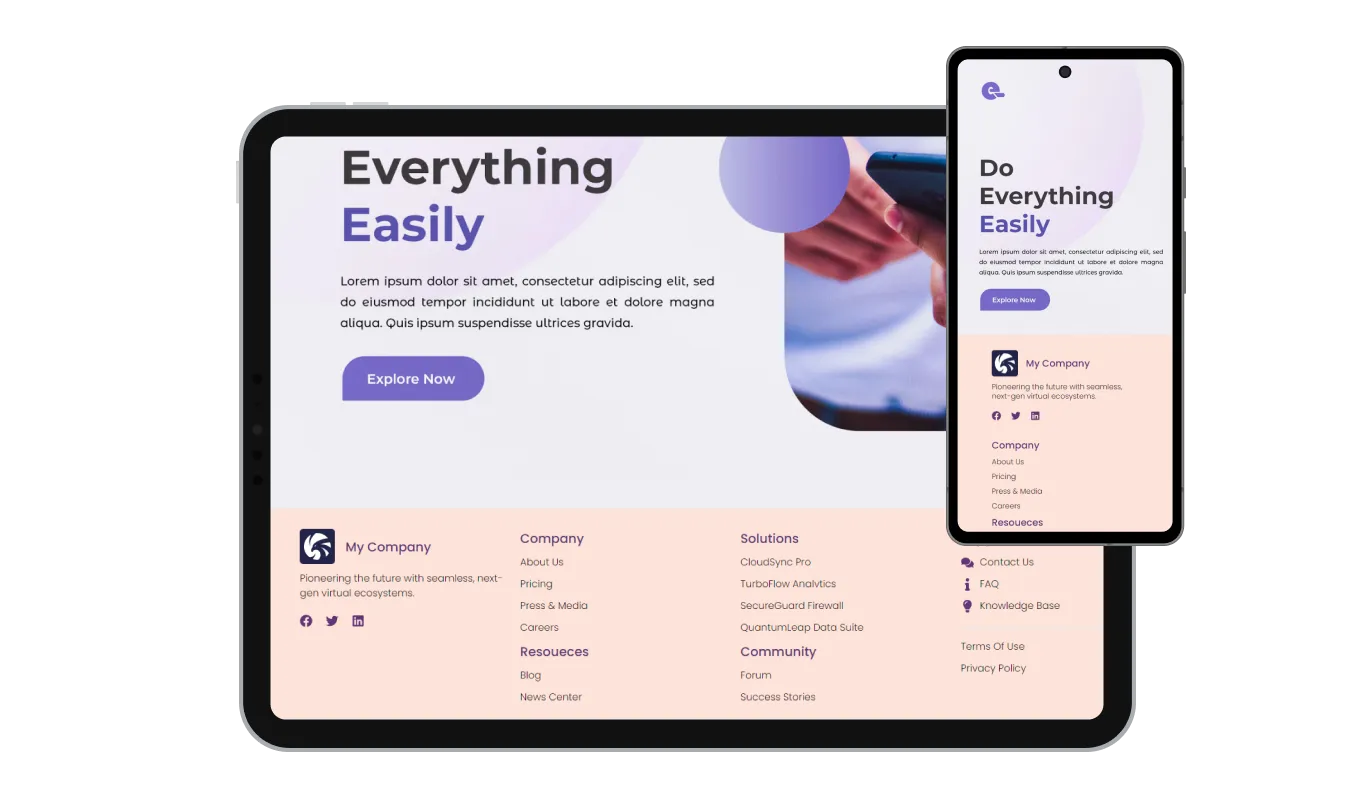
The Mega Footer widget is fully responsive, guaranteeing that your content maintains its optimal presentation on any device. This ensures that your compelling links and visually appealing layout will preserve their effectiveness and readability, whether accessed via desktop, tablet, or smartphone.

Similar to our other tools, the Mega Footer widget also offers the versatility to incorporate custom CSS, allowing for a genuinely customized appearance. Users proficient in coding can enhance the widget's visual appeal, achieving their desired design style by integrating their own custom CSS code.

The Mega Footer widget is straightforward to embed on any website, requiring only basic technical knowledge. This means you can swiftly configure it without the necessity for extensive assistance or advanced skills, facilitating a smoother and quicker setup process.
With the Mega Footer widget, you can effortlessly categorize and group your footer links under distinct titles. This functionality allows for a more organized and intuitive navigation experience, helping visitors to locate the information they're interested in without hassle. It's a thoughtful way to streamline content and enhance user satisfaction on your website.
The Mega Footer widget makes adding links to both internal and external pages a breeze. This feature allows for a seamless integration of various links, facilitating quick navigation to different sections of your website or external resources. It's a simple yet effective tool to enhance the connectivity and resourcefulness of your website
Keep your contact details readily accessible with the Mega Footer widget's address field feature. This section enables you to display essential contact details such as phone numbers, email addresses, and physical addresses prominently in the footer. It's a straightforward way to encourage communication and foster a sense of trust and transparency with your website visitors.
The Mega Footer widget is crafted with user-friendliness at its core, promising effortless utilization and comprehension of its features. Its intuitive design promotes user engagement, ensuring that visitors can navigate through the widget with ease, contributing to an improved overall website experience.
Common Ninja has amazing no-code widgets that would beautify a website built on any builder. It is very easy to use and customise. It has as many widgets for almost everyone willing to make their website impressive.
Outstanding service. I use their widgets to help me with my web design business and whenever I need help they are very quick to help.
Excellent company with excellent service!!! We used it to build a survey, it was very user friendly. The service was perfect. Amit helped us with every problem and question we had, thank you very much!!!
Common Ninja saved the day when building our website and the customer service Daniel, the co-founder and CEO, provided was amazing.
Yes. The free plan covers one Mega Footer widget with no time limit and no credit card. Upgrade only when you need additional footers (e.g. different footers per page type), more columns or links, premium skins, advanced custom layouts, or features like A/B variants and link-click analytics.
Depends on your platform. Mature platforms (Webflow, Squarespace, WordPress with a good theme) ship robust footer systems and this widget is unnecessary. Site builders that ship minimal or no footer template (some Canva site setups, Notion, Carrd, Kajabi) benefit most. The widget gives you a complete footer where you'd otherwise be stuck with a barebones default.
As many as your plan supports. Most footers work best with 3-5 column groups (any more becomes hard to scan on desktop and stacks awkwardly on mobile). Each column has a heading and a link list; reorder columns and links via drag-and-drop in the editor.
Yes. Upload your logo (SVG recommended for sharpness; PNG/JPG also supported) and place it in the footer (top-left standard, top-center for centered designs). Add social media icons that link to your brand profiles (Instagram, LinkedIn, X, Facebook, YouTube, and more). The footer handles brand-social presence in one component.
Yes, indirectly. Footers are one of the densest internal-link surfaces on most sites. Every page typically gets a footer link, which spreads link equity to deep pages. A structured mega-footer with categorized links serves this job better than a single-line nav strip or no footer at all. The widget content is in the rendered HTML, so search engines crawl and index every footer link.
Build the widget in the Common Ninja editor (set up columns, add logo, configure social), copy the embed snippet, and paste it into your site: Shopify via your theme's footer.liquid template (for sitewide installation) or a Custom HTML section; Canva via the Embed app in the Apps panel; WordPress via your theme's footer.php template or a Footer widget area with a Custom HTML widget. Edits in the editor push to every embed without re-paste.
Depends on the platform. On sites with a customizable theme, you can typically replace the default footer with a Custom HTML block holding the widget snippet. On sites with locked layouts, the widget loads alongside the default footer (you may want to hide the default with CSS if both compete for visual space).
Yes. Column groups reflow to single-column on narrow screens: columns stack vertically with their headings preserved. Social icons stay tappable, logo scales to viewport, and address text reflows to fit. The footer respects iOS Safe Area insets so it doesn't collide with the home-bar gesture area.
Pick your platform. Each takes under 4 minutes.

Sticky buttons with links to social media accounts

Allow users to send messages or inquiries, save submissions, enable notifications, and more

Easily craft engaging, personalized popups to boost conversions.

Adds a clear notice about cookie usage on your website, improving compliance with data privacy laws.
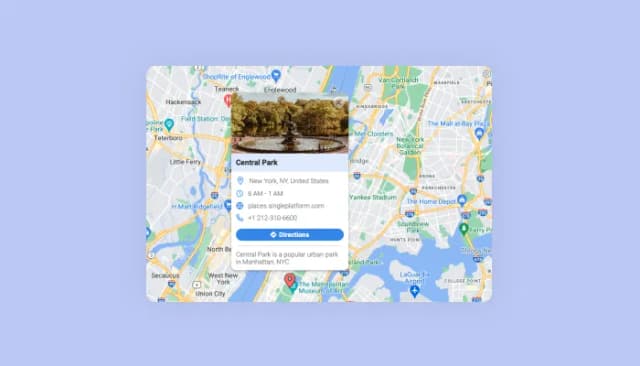
Display multiple locations with enriched details and customizable aesthetics.

A button placed at the bottom of a webpage that, when clicked, scrolls the page back to the top
The Mega Footer widget is a tool that allows website owners to create a comprehensive and organized footer section on their website, featuring links, social media icons, contact details, and more, enhancing the user experience and the website's functionality.
By consolidating important links, contact details, and social media platforms in one place, the Mega Footer widget facilitates a smoother and more intuitive navigation experience for website visitors.
Yes, the Mega Footer widget offers multiple skins and the ability to integrate custom CSS, allowing you to tailor the footer to match your website's theme and brand aesthetics.
Absolutely, the Mega Footer widget is designed to be fully responsive, ensuring optimal display and functionality on desktops, tablets, and smartphones.
The Mega Footer widget helps in SEO optimization by organizing links and content efficiently, creating a structured layout that can potentially improve your website's visibility and ranking on search engines.
Yes, the Mega Footer widget allows you to prominently display your logo and other media in the footer section, enhancing brand recognition and the visual appeal of your website.
Yes, the Mega Footer widget facilitates the addition of both internal and external links, making it easier for visitors to navigate to different sections of your website or external resources.
In the address field, you can display various contact details including phone numbers, email addresses, and physical addresses, making it convenient for visitors to get in touch with you
The title feature allows you to categorize and group various footer links under distinct subjects, creating a more organized and intuitive navigation experience for visitors.
Yes, the Mega Footer widget is designed with user-friendliness in mind, offering an intuitive interface that encourages easy usage and understanding of its functionalities.
Absolutely, the Mega Footer widget allows for seamless integration of social media links, providing a centralized hub for all your social platforms, fostering better engagement and community interaction.
No, embedding the Mega Footer widget on your website requires only basic technical knowledge, making the setup process quick and straightforward.
Yes, the Mega Footer widget allows you to create multiple columns, helping you organize links and information in a structured and visually appealing manner.
Yes, users with coding skills can enhance the Mega Footer widget's aesthetics by integrating their own custom CSS code, allowing for a truly personalized look.
If you encounter any issues or have queries regarding the Mega Footer widget, you can reach out to our support team through the contact details provided on our website for assistance.
Drop a structured multi-column footer onto any page. Column groups with categorized links, logo and media display, social icons, contact and address fields, stylish skins, and Custom CSS. Embed on 200+ platforms including Shopify, Canva, WordPress, Squarespace, Webflow, and Kajabi.
Create your Mega FooterNo credit card · Setup in under 5 minutes