


Verified review
Common Ninja has amazing no-code widgets that would beautify a website built on any builder. It is very easy to use and customise. It has as many widgets for almost everyone willing to make their website impressive.
Try the editor, no signup
Pick a template, customize it, and watch it update live, no signup.
No credit card · Free forever plan
No credit card · Free forever plan
The Common Ninja Threads Feed is a free, no-code widget that embeds a live feed of Threads posts on any website. Paste the account, pick a layout, and drop in one line of embed code.
Threads has no official website embed for a whole profile, so getting more than a single post onto a page normally means screenshots. This widget shows the running feed instead, and refreshes it on its own.
Layouts, ready-made skins, ticker animation, caption length control, right-to-left support, and custom CSS are all included. Works on 200+ platforms including WordPress, Wix, Squarespace, Shopify, and Carrd.
A single embedded post is a snapshot that ages the moment you publish it. A feed is the conversation as it stands, so a visitor sees what you are actually talking about this week rather than the one post you happened to embed in March.
Screenshots go stale, break on mobile, carry no links, and are invisible to search engines. A live feed keeps the text as text, stays readable at any width, and updates itself when you post.
If you post opinions, updates, or build-in-public notes, a feed puts that voice on the page where people are already deciding whether to trust you. It is the difference between claiming you are active and showing it.
Post once and the website follows. That removes a recurring chore for anyone running a site alongside the actual work, and it removes the risk of a social section quietly aging into an embarrassment.
Choose the feed type and paste the Threads account you want on the page. The widget pulls the recent posts with their text and images, so nothing has to be copied across by hand or screenshotted.
Choose a layout and a skin, then decide how each post reads: the date and time format, how many characters of the post to show so cards stay level, and whether the feed scrolls as a ticker. Custom CSS handles anything the settings do not reach.
Copy the snippet from the Add to Website tab and paste it into the page. Auto-refresh keeps pulling new posts, so the section stays current without another visit to the editor.
Choose what the widget follows rather than being fixed to one view, and change it later from the editor without touching the page the embed already lives on.
Grid, list, and slider style layouts with ready-made skins, plus an optional ticker so the feed can take a single strip of the page instead of a whole section.
Threads posts vary wildly in length. Capping the visible characters keeps a grid tidy instead of ragged, and the date and time format is yours to set rather than inherited.
Full right-to-left rendering for Arabic, Hebrew, Persian, and Urdu layouts, and a custom CSS field for exact design matching. One embed snippet, 200+ platforms, nothing to install or keep updated.
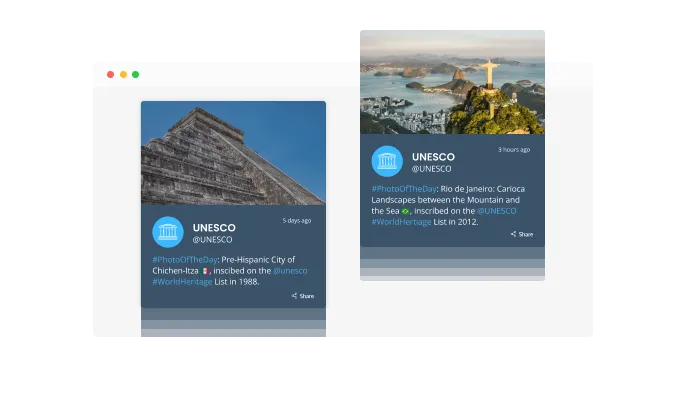
The Threads Feed widget comes with a "ticker" animation feature, reminiscent of a classic news ticker. This can be used to instantly capture the attention of the website visitors, making your Threads content more noticeable and engaging.

The Threads Feed widget can be set to automatically update with new posts from your Threads account. By enabling the "auto-refresh" feature, you can ensure that your website visitors always have access to your latest Threads content, keeping your website fresh and engaging.
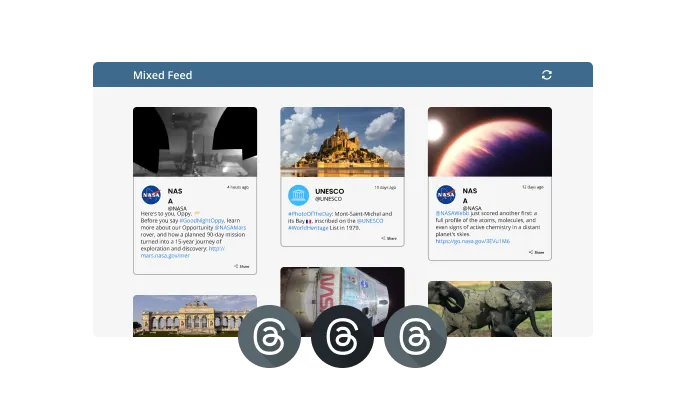
With the Threads Feed widget, you can select between Tabs and Mixed feeds. In Tabs, you can organize your content by feed, while in Mixed, you can combine different Threads feeds to create a more diverse and engaging content display.
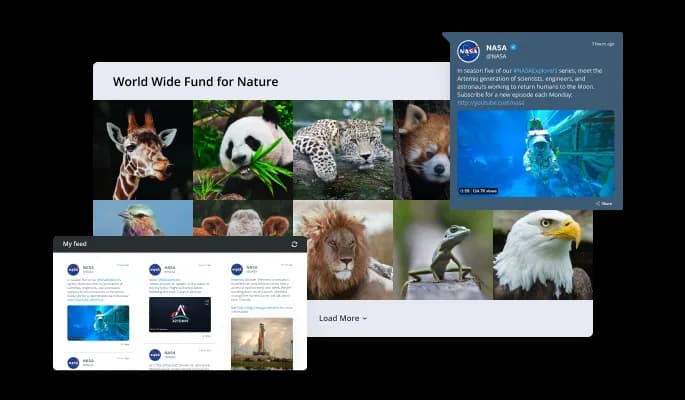
The Threads Feed widget offers multiple layout options, enabling you to choose the one that best aligns with your website's design and style. This ensures that the widget seamlessly integrates with your site, enhancing its overall aesthetic appeal.
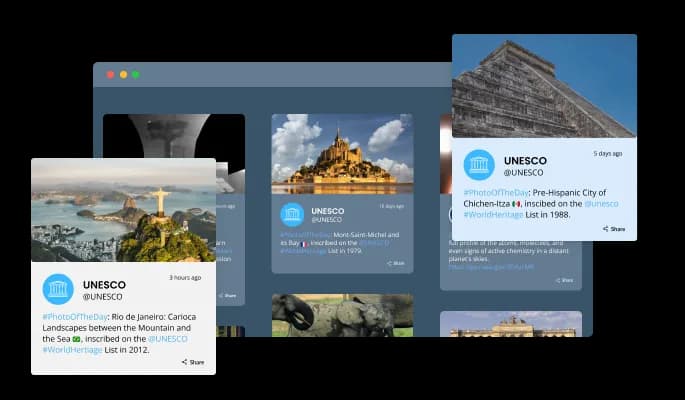
The Threads Feed widget comes with several attractive skins, making customization quick and easy. This allows you to tailor the look of the widget to match your website's design, ensuring a cohesive and visually pleasing user experience.
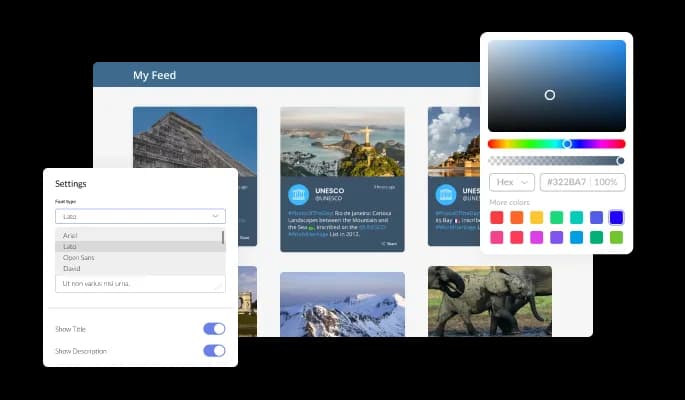
The Threads Feed widget offers a high degree of customization to suit your preferences. You can modify color schemes, fonts, spacing, and more to ensure that the widget aligns perfectly with your website's design and aesthetic.
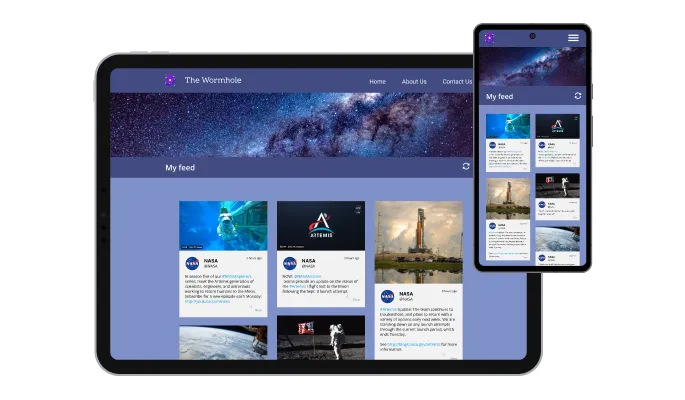
The Threads Feed widget is fully responsive and looks great on any device. In a mobile-first world, this ensures that your website remains competitive and accessible to users on various platforms.

As with all of Common Ninja’s widgets, the Threads Feed widget allows you to add custom CSS. This gives you the freedom to further customize the widget and unleash your creativity.

Embedding the Threads Feed widget on your website is a breeze. Simply copy the provided code to quickly integrate the widget into your site. Any changes you make to the widget will automatically update your website, ensuring a seamless user experience.
The Threads Feed widget allows you to display the date and time of the posts with a variety of options. This provides you with the flexibility to tailor the Threads Feed widget to your specific requirements, enhancing its integration with your website's design and layout.
The Threads Feed widget allows you to adjust the character length of your posts. A shorter character length can make the Threads Feed widget more compact, helping you to optimize the use of space on your website.
The Threads Feed widget provides full support for right-to-left (RTL) languages, making your content accessible to a global audience. This ensures that your Threads content can be easily read and understood by visitors from different linguistic backgrounds.
The Threads Feed widget is designed to be easy to use, requiring no coding knowledge. It comes with an intuitive dashboard and drag-and-drop functionality, allowing you to customize the widget to your liking with ease.
Build your Threads feed in the editor
Open the editorFree to use · No credit card · No signup to try it
Common Ninja has amazing no-code widgets that would beautify a website built on any builder. It is very easy to use and customise. It has as many widgets for almost everyone willing to make their website impressive.
Outstanding service. I use their widgets to help me with my web design business and whenever I need help they are very quick to help.
Excellent company with excellent service!!! We used it to build a survey, it was very user friendly. The service was perfect. Amit helped us with every problem and question we had, thank you very much!!!
Common Ninja saved the day when building our website and the customer service Daniel, the co-founder and CEO, provided was amazing.
Open the Threads Feed editor, paste the account you want to display, choose a layout, then copy the snippet from the Add to Website tab. That snippet is the embed code, and it goes anywhere you can add an HTML block. You do not need anything from Threads itself.
Yes, and that is the main reason to use this widget. Threads offers an embed for individual posts, so showing a running profile on your own site normally means either one frozen post or a screenshot. This widget displays the feed and keeps it refreshed.
First, confirm auto-refresh is switched on in the editor, since a feed with it off will hold whatever it last fetched. Second, remember the feed only shows public posts, so a post from a private account or one that was deleted will not appear. Third, your browser may be serving a cached copy of the page, so try a hard reload before assuming the widget is stuck.
No. You paste the account into the editor and Common Ninja handles fetching the posts. There is no developer application, no API key to generate, and no request quota to monitor.
Yes, for public accounts. That covers featuring a partner, a founder's personal account alongside a company site, or creators talking about your product. Private accounts will not display, since the widget only reads what Threads makes public.
The feed loads its content in the browser, so treat it as something visitors see rather than as text search engines will index and rank. That is the right way to use it: as social proof and as a reason to stay on the page, not as a substitute for your own written content.
Yes, the layouts are responsive and cards reflow to the screen width. Because Threads posts are text-heavy, the character limit setting matters more on mobile than on desktop, so preview at phone width before publishing.
Yes. Each feed is its own widget with its own account and settings, so a company account can sit on the homepage and a founder's account on an about page. On the free plan each widget counts separately against your plan's widget allowance.
Pick your platform. Each takes under 4 minutes.

Display the latest posts from your Instagram page

Display a feed of the latest posts from a Facebook user or page

Display the latest tweets from your X

Display the latest posts from your Linkedin page

Display the latest posts from any RSS feed

Display the latest posts from any platform and website's RSS feed
It is possible to limit the number of Posts displayed per page.
You can decide where the tabs should be positioned in the settings menu.
Yes, you can switch on or off auto-refreshing.
Yes, you can add a background image, and to further customize its behavior.
Yes, you can customize the feed’s height.
Yes, you can easily do so from the “Templates” tab.
Yes, currently there’s a “ticker” animation that you can trigger.
Yes, there are lots of beautiful skins that you can choose from to save time and start using the widget as quickly as possible.
Yes, you can either upload an image or select an icon from a large selection of available icons to add to your Threads Feed, or, alternatively, you can leave it all blank.
Using the Threads Feed widget is very easy. Simply sign up and start using the free version. There's no need to worry about complicated setup or installation processes, as the Threads Feed widget is designed to be user-friendly and straightforward. Once you've signed up, you'll have access to all of the basic features and functions of the widget, which you can use to enhance your website and improve your online presence. From there, you can choose to upgrade to the paid version if you want to access more advanced features and capabilities. Regardless of which version you choose, you'll find that the widget is a powerful and easy-to-use tool that can help you take your online presence to the next level.
The Common Ninja Threads Feed widget is a free tool reach with features and options. While this widget is free to use, it does have a limit on the number of views it can handle. This means that after a certain number of views, the chat button may no longer be visible or functional on your website. It is important to note that this view limit may vary depending on your plan. Despite this limitation, Common Ninja's Threads Feed is still a valuable tool for businesses looking to increase customer engagement and improve the overall user experience of their website.
The Common Ninja's Threads Feed widget is a versatile tool for any website builder. This means that you can easily add this widget to your website or store no matter what platform you use to build your website. The Threads Feed widget will work seamlessly with your platform whether you are using a popular website builder or something more specialized. This means you can enjoy all the benefits of this powerful tool without having to worry about compatibility issues.
No need for coding skills. Our Threads Feed widget is designed to be easy to use, even for those with limited technical experience. The widget features a user-friendly interface that allows you to easily customize the widget without coding knowledge. You can fully customize the Threads Feed to match your branding. When you're done, simply copy the provided code and paste it into your website. It's that simple!
The Threads Feed widget is designed to comply with the General Data Protection Regulation (GDPR), a set of EU regulations protecting personal data and privacy. When using the Threads Feed widget, you can be confident that it will not collect or store personal data that could violate GDPR regulations. This ensures that your business is in compliance with these regulations and can protect your customers' data privacy. Overall, the Threads Feed widget is a secure and reliable tool that can be used to enhance your website without any concerns about GDPR compliance.
Yes. We are eager to hear your request. Please visit our Feature Request page.
A Threads Feed is a type of graphical user interface element that displays a list of recent posts from a specific Threads account or hashtag. A Threads Feed typically includes the user's profile picture, username, and the content of their tweet, as well as features such as the ability to reply, retweet, or like the tweet. Threads Feeds are often used on websites and blogs to provide real-time updates and engage with followers. They can also be used to showcase the latest news, events, or promotions from a business or organization.
A Threads Feed widget can potentially improve the user experience (UX) of a website in several ways. By displaying real-time updates from Threads on the website, a Threads Feed widget can provide dynamic, fresh content that can help to keep visitors engaged and interested. This can also provide a more personalized and social aspect to the website, as it allows visitors to see what others are saying about the organization or topic. Additionally, a Threads Feed widget can provide an easy way for visitors to follow the organization on Threads, which can help to build a community and foster engagement. Overall, a well-designed and well-placed Threads Feed widget can contribute to a more engaging and interactive UX for website visitors.
Including a Threads Feed on a website can potentially improve its search engine optimization (SEO) in a few ways. First, the regular updates and fresh content provided by a Threads Feed can help to keep the website active and engaging, which can signal to search engines that the website is worth ranking highly. Second, the tweets themselves may include keywords and phrases that are relevant to the website's content, which can help to improve the website's ranking for those terms. Finally, if the Threads Feed is set up to automatically include links to the website's content, this can increase the number of inbound links to the website, which can also improve its SEO. However, it's important to note that a Threads Feed alone is not a guaranteed way to improve SEO, and it should be part of a broader SEO strategy.
Displaying a Threads Feed on a website can provide several benefits, including:
Embedding the Threads Feed widget on your website is a straightforward process. Simply copy the provided code and paste it into the desired location on your website. The widget will seamlessly integrate into your site, allowing you to take advantage of its features and functions. No technical expertise or programming knowledge is required - just copy and paste the code to get started. This simple process allows you to easily add the widget to your website and enhance its functionality without any hassle.
A live Threads feed that refreshes itself, with multiple layouts, ready-made skins, ticker animation, character length control, RTL support, and custom CSS. Embed on 200+ platforms including WordPress, Wix, Squarespace, Shopify, and Carrd.
Create your Threads feedFree to use · No credit card · No coding