


Verified review
Common Ninja has amazing no-code widgets that would beautify a website built on any builder. It is very easy to use and customise. It has as many widgets for almost everyone willing to make their website impressive.
Try the editor, no signup
Pick a template, customize it, and watch it update live, no signup.
No credit card · Free forever plan
No credit card · Free forever plan
The Common Ninja YouTube Feed is a free, no-code widget that embeds a live feed of YouTube videos on any website. Pick what it pulls from, style it, and paste one line of embed code.
It can show a whole channel, a single playlist, a specific video, or the results of a search, so the same widget covers a channel gallery and a one-video embed.
New uploads appear on their own with auto-refresh, and the feed comes with multiple layouts, ready-made skins, ticker animation, and custom CSS. Works on 200+ platforms including WordPress, Webflow, Squarespace, Blogger, and Wix.
A channel feed on your page gives people more to watch without sending them to YouTube, where the next recommendation is someone else's video. Visitors browse your catalogue, stay longer, and come back to the page rather than to a channel they may never open again.
Auto-refresh means a new upload shows up in the feed on its own. No editing the page, no re-pasting an embed code, no forgotten section quietly showing a video from eighteen months ago. Useful for anyone publishing on a schedule.
Point the feed at a playlist and it becomes a browsable library: lessons in order, tutorials by topic, or every episode of a show. Learners and listeners find the next item without leaving your site, and adding to the playlist adds to the page.
Reviews, demos, and testimonials carry more weight as video than as text. Drop a feed of them beside your pricing or signup section so the proof sits where the decision happens, and refresh it by uploading rather than by rebuilding the page.
Choose the feed type you want: an entire channel, one playlist, a single video, or a search. Paste the channel or playlist link and the widget pulls the videos, thumbnails, and titles in for you.
Pick from the layout options and the ready-made skins, then adjust what shows on each card: date and time format, how many characters of the title or description to display, and whether the feed scrolls as a ticker. Custom CSS is there if you want to match your site exactly.
Copy the snippet from the Add to Website tab and paste it where the feed should appear. Auto-refresh keeps pulling new uploads, so the page stays current without you editing it again.
Feed a whole channel, one playlist, a single video, or a search query. Switching between them is a setting, not a rebuild, so a page can start as one embedded video and grow into a full gallery later.
Grid, list, and slider style layouts with ready-made skins, plus an optional ticker that scrolls the feed sideways. Good defaults out of the box, so a feed looks finished before you touch a single style.
Set the date and time format, trim titles and descriptions to a character count so cards stay the same height, and choose icons or images. Small controls, but they are the difference between a tidy feed and a ragged one.
Full RTL rendering for Arabic, Hebrew, Persian, and Urdu layouts, and a custom CSS field for anything the settings do not reach. One embed snippet works on 200+ platforms with no plugin to install or update.
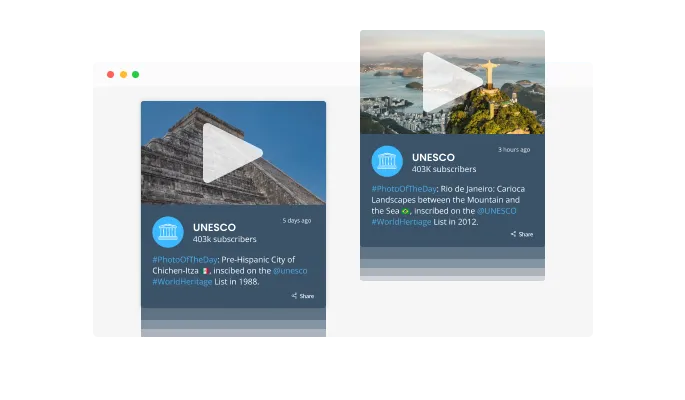
The YouTube Feed widget comes with a “ticker” animation that imitates an old news ticker and adds a sense of action to your page. Use it to immediately grab the user’s attention.

The YouTube Feed widget has the “auto-refresh” option which, when toggled, keeps refreshing and updating the feed with new posts.
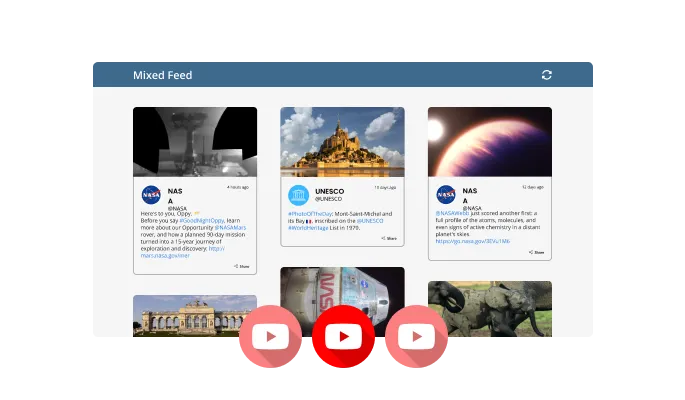
Two different feed types are available in the YouTube Feed widget: Tabs and Mixed. The Tabs type keeps all your tabs organized by order of feed, while the Mixed type, mixes the various YouTube feeds to create a diverse feed.
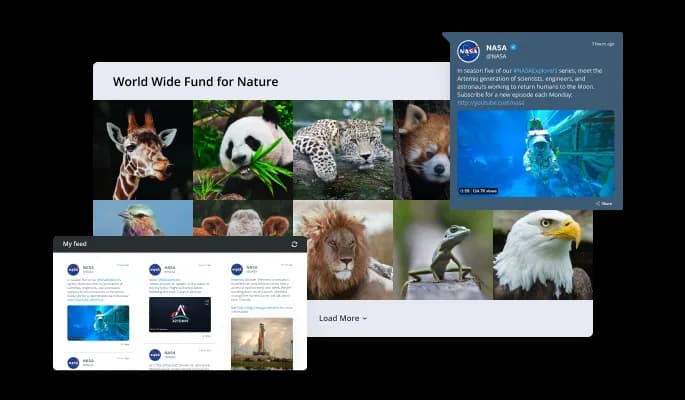
The YouTube Feed widget comes available with multiple layouts that you can choose from to make sure it fits your overall website design and style.
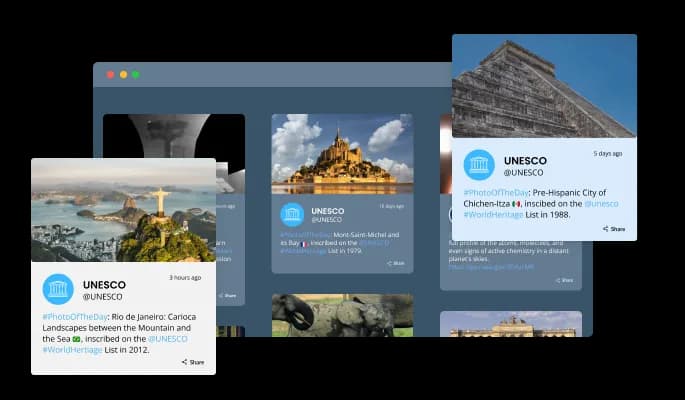
The YouTube Feed widget comes with a variety of beautiful skins that you can choose from so you don’t have to spend much time on extensive customization.
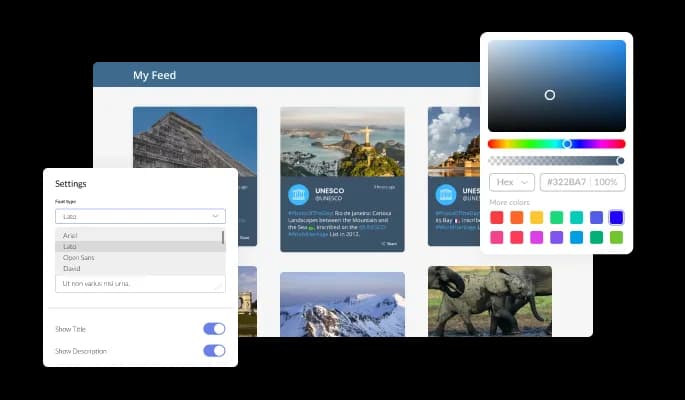
The YouTube Feed widget features full customization options so you can edit the design to fit your needs. Change the colors, the fonts, the spacing and anything else!
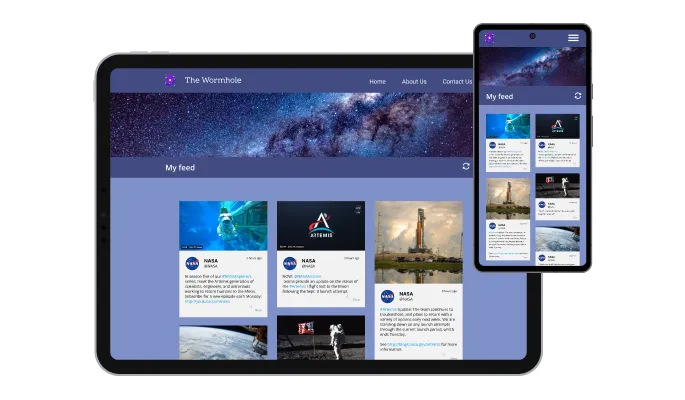
The YouTube Feed widget is fully responsive and will look great on any device. In a mobile-first world, this feature will put you ahead of your competitors.

As with all of Common Ninja’s widgets, you can add custom CSS to customize the YouTube Feed widget and be even more creative.

You can embed the widget on your website quickly by copying a single line of code. The YouTube Feed widget will also be updated automatically with every change you make.
There are various options for displaying the date and time of the feeds — an option that will enable you to further customize the YouTube Feed widget according to your needs, and the preferences of your visitors.
You can easily customize the characters' length to save space and make the YouTube Feed widget more compact.
The YouTube Feed widget provides full RTL support for those who write from right to left. Make your news accessible to more users from all over the world.
The YouTube Feed widget is easy to use and requires no coding knowledge. Our intuitive dashboard with the drag-and-drop feature will enable you to customize the widget any way you’d like to with just a few simple clicks.
Build your YouTube feed in the editor
Open the editorFree to use · No credit card · No signup to try it
Common Ninja has amazing no-code widgets that would beautify a website built on any builder. It is very easy to use and customise. It has as many widgets for almost everyone willing to make their website impressive.
Outstanding service. I use their widgets to help me with my web design business and whenever I need help they are very quick to help.
Excellent company with excellent service!!! We used it to build a survey, it was very user friendly. The service was perfect. Amit helped us with every problem and question we had, thank you very much!!!
Common Ninja saved the day when building our website and the customer service Daniel, the co-founder and CEO, provided was amazing.
Four feed types: an entire channel, a specific playlist, a single video, or the results of a YouTube search. You paste the relevant link, and the widget fetches the videos with their thumbnails and titles. Changing type later is a setting rather than a new embed.
No. You paste a channel, playlist, or video link into the editor and Common Ninja handles fetching the content. There is no API key to generate, no Google Cloud project to set up, and no quota for you to manage.
YouTube's embed code shows one fixed video, and updating it means editing the page. This widget shows a feed that keeps itself current, so new uploads appear on their own. It also lets you restyle the cards, control the layout, trim titles, and match your site's design, none of which YouTube's iframe allows. If you only ever want one specific video, use the single-video feed type and you still get the styling control.
Yes. The widget reads public YouTube content, so you can feature another creator's channel, a partner's playlist, or a conference channel. It displays public videos only, and private or unlisted videos will not appear.
The feed loads its thumbnails first and only loads a player when a visitor actually plays something, so the page is not carrying several video players on arrival. The widget is a single embed snippet rather than a plugin, so it adds nothing to your site's own codebase.
Yes. The layouts are responsive, so cards reflow to the screen width and stay tappable on mobile. Worth previewing your chosen layout at phone width before publishing, since a wide grid and a narrow screen suit different card counts.
Edit the post or page, add a Custom HTML block where the feed should sit, paste the Common Ninja embed snippet, and click Update. There is no plugin to install, so nothing to keep compatible with your theme, and the same method works in Elementor or any builder with an HTML block.
In Blogger, open Layout and add an HTML/JavaScript gadget where you want the feed, or switch a post to HTML view. Paste the Common Ninja embed snippet and save. The feed renders inside the gadget and keeps refreshing as you upload.
Pick your platform. Each takes under 4 minutes.

Display the latest posts from your Instagram page

Display a feed of the latest posts from a Facebook user or page

Display the latest tweets from your X
Display the latest posts from your Linkedin page

Display the latest posts from any RSS feed

Display the latest posts from any platform and website's RSS feed
It is possible to limit the number of posts displayed per page.
You can decide where the tabs should be positioned in the settings menu.
Yes, you can switch on or off auto-refreshing.
Yes, you can add a background image, and to further customize its behavior.
Yes, you can customize the feed’s height.
Yes, you can easily do so from the “Templates” tab.
Yes, currently there’s a “ticker” animation that you can trigger.
Yes, there are lots of beautiful skins that you can choose from to save time and start using the widget as quickly as possible.
Yes, you can either upload an image or select an icon from a large selection of available icons to add to your Notification Bar, or, alternatively, you can leave it all blank.
Using the YouTube Feed widget is very easy. Simply sign up and start using the free version. There's no need to worry about complicated setup or installation processes, as the YouTube Feed widget is designed to be user-friendly and straightforward. Once you've signed up, you'll have access to all of the basic features and functions of the widget, which you can use to enhance your website and improve your online presence. From there, you can choose to upgrade to the paid version if you want to access more advanced features and capabilities. Regardless of which version you choose, you'll find that the widget is a powerful and easy-to-use tool that can help you take your online presence to the next level.
The Common Ninja YouTube Feed widget is a free tool reach with features and options. While this widget is free to use, it does have a limit on the number of views it can handle. This means that after a certain number of views, the chat button may no longer be visible or functional on your website. It is important to note that this view limit may vary depending on your plan. Despite this limitation, Common Ninja's YouTube Feed is still a valuable tool for businesses looking to increase customer engagement and improve the overall user experience of their website.
The Common Ninja's YouTube Feed widget is a versatile tool for any website builder. This means that you can easily add this widget to your website or store no matter what platform you use to build your website. The YouTube Feed widget will work seamlessly with your platform whether you are using a popular website builder or something more specialized. This means you can enjoy all the benefits of this powerful tool without having to worry about compatibility issues.
No need for coding skills. Our YouTube Feed widget is designed to be easy to use, even for those with limited technical experience. The widget features a user-friendly interface that allows you to easily customize the widget without coding knowledge. You can fully customize the YouTube Feed to match your branding. When you're done, simply copy the provided code and paste it into your website. It's that simple!
The YouTube Feed widget is designed to comply with the General Data Protection Regulation (GDPR), a set of EU regulations protecting personal data and privacy. When using the YouTube Feed widget, you can be confident that it will not collect or store personal data that could violate GDPR regulations. This ensures that your business is in compliance with these regulations and can protect your customers' data privacy. Overall, the YouTube Feed widget is a secure and reliable tool that can be used to enhance your website without any concerns about GDPR compliance.
Yes. We are eager to hear your request. Please visit our Feature Request page.
A YouTube Feed widget is a type of graphical user interface element that displays a feed of the latest videos from a specified YouTube channel. This widget is often used on websites to showcase the website's YouTube content and provide an easy way for visitors to access and watch the videos directly on the website. The YouTube Feed widget may include features such as video thumbnails, video titles, and links to the videos on YouTube.
Displaying a YouTube Feed on a website can provide several benefits, including:
Including a YouTube Feed on a website can potentially improve its search engine optimization (SEO) in several ways. First, the YouTube Feed can provide fresh, regularly updated content for search engines to index, which can help to improve the website's ranking in search results. Additionally, the videos included in the YouTube Feed can be optimized with relevant keywords and meta tags to improve their visibility in search results. Furthermore, the presence of a YouTube Feed can signal to search engines that the website is active and engaging, which can also improve its ranking. Overall, a YouTube Feed can be a useful tool for improving a website's SEO if it is properly optimized and regularly updated.
Including a YouTube Feed on a website can potentially improve the user experience (UX) in several ways. First, the YouTube Feed can provide engaging, visual content for visitors to interact with, which can help to keep them on the website for longer periods of time. Additionally, the videos included in the YouTube Feed can provide valuable information and entertainment, which can enhance the overall value of the website for visitors. Furthermore, the YouTube Feed can provide a convenient and user-friendly way for visitors to access and watch videos, which can improve their overall experience on the website. Overall, a well-designed and properly implemented YouTube Feed can be a valuable addition to a website that can enhance its UX for visitors.
Embedding the YouTube Feed widget on your website is a straightforward process. Simply copy the provided code and paste it into the desired location on your website. The widget will seamlessly integrate into your site, allowing you to take advantage of its features and functions. No technical expertise or programming knowledge is required - just copy and paste the code to get started. This simple process allows you to easily add the widget to your website and enhance its functionality without any hassle.
Feed a channel, a playlist, a single video, or a search. Auto-refresh pulls new uploads in on their own, with multiple layouts, ready-made skins, ticker animation, RTL support, and custom CSS. Embed on 200+ platforms including WordPress, Webflow, Squarespace, Blogger, and Wix.
Create your YouTube feedFree to use · No credit card · No coding